The Ultimate Guide to Adding Discord to Your Instagram Bio
In the modern digital landscape, Instagram is your visual storefront, but Discord is your private lounge, community hub, and engagement engine. For gamers, content creators, Web3 enthusiasts, and community builders, bridging the gap between these two platforms is not just optional; it is essential for long-term growth. If you have been wondering how to add Discord to your Instagram bio effectively, you are in the right place. This comprehensive guide dives deep into the cross-platform bio strategy, providing you with a massive template and copy-paste library to seamlessly funnel your Instagram followers directly into your Discord server.
Before we dive into the copy-paste templates, it is crucial to understand the mechanics of Instagram bios. If you are starting from scratch or need a complete profile overhaul, our bio generator can help you lay the foundation. For a broader overview of profile optimization, be sure to read our masterclass on how to write an Instagram bio that converts scrollers into loyal community members.
Why Connect Discord and Instagram?
Instagram is fantastic for reach, discovery, and viral growth through Reels and the Explore page. However, the algorithm dictates who sees your content and when. Discord, on the other hand, offers direct, unfiltered access to your most engaged audience. By integrating Discord into your Instagram bio, you achieve several strategic goals:
- Algorithm Independence: You own your Discord audience. Push notifications for server updates bypass the Instagram algorithm entirely.
- Deeper Engagement: Instagram comments are fleeting. Discord allows for persistent conversations, voice chats, and community-driven events.
- Monetization Opportunities: From premium server roles to exclusive alpha groups, Discord provides native tools for monetizing your most dedicated followers.
- Cross-Pollination: Funneling IG traffic to Discord creates a centralized hub where your TikTok, YouTube, and Threads audiences can all interact in one place.
The Mechanics: Native Text vs. Link-in-Bio
When adding Discord to your profile, you have two primary methods: displaying your personal Discord tag or sharing a Discord Server invite link. Understanding the difference is key to your cross-platform strategy.
Method 1: Displaying Your Personal Discord Tag
If your goal is personal networking, making friends, or offering direct freelance communication, you will want to display your personal Discord username. With Discord's recent shift away from the legacy four-digit discriminator tags (e.g., User#1234) to unique, lowercase handles (e.g., @username), your bio should reflect this modern format. Simply add "Discord: @yourhandle" to your bio text. This is highly effective for minimalists. If you prefer a clean look, explore our minimalist bio ideas to see how to integrate a simple tag without cluttering your profile.
Method 2: The Discord Server Invite Link (The Funnel)
If you are a creator, brand, or community leader, your primary goal is to drive traffic to a Discord Server. Since Instagram only allows one clickable link in your bio (unless you use a link-in-bio tool), you must use a redirect service like Linktree, Beacons, or Carrd. This allows you to house your Discord invite link alongside your other social platforms. Always ensure your Discord invite link is set to "Never Expire" so your Instagram traffic never hits a dead end.
Template & Copy-Paste Library: 50 Discord Bio Formats
To save you time and eliminate guesswork, we have curated a massive library of 50 copy-paste templates divided into five distinct categories. Whether you are a hardcore gamer or a DAO founder, you can copy these directly into your profile or use them as inspiration. If you want to blend these with specific visual themes, check out our aesthetic bio ideas for beautiful font and emoji pairings.
Category 1: The Gamer & Streamer Templates
Gamers use Discord to find squads, discuss patch notes, and hang out while streaming. These templates focus on rank, main games, and streaming schedules, using the Discord link as a call-to-action for组队 (team building) and community interaction.
- 🎮 Valorant Radiant | 🏆 Tourney Winner | Join the squad: [Link]
- Streaming live on Twitch 🟣 | Chat with me & the community on Discord 👾 [Link]
- Apex Legends Predator | LFG & Coaching | Enter the gaming lounge: [Link]
- 🕹️ Retro Collector & Speedrunner | Join the Discord for weekly races: [Link]
- MMO Guild Leader | WoW Mythic Raider | Recruit & chat: [Link]
- FPS Aim Trainer | CS2 Global Elite | Join the practice server: [Link]
- 🎲 Tabletop & D&D Campaigns | Find your next party in our Discord: [Link]
- Cozy Gamer 🌿 | Stardew & Animal Crossing | Join the cozy cafe: [Link]
- Fighting Game Community | Street Fighter 6 Master | Enter the dojo: [Link]
- Sim Racer 🏎️ | iRacing League Organizer | Join the paddock: [Link]
Strategy Tip: Gamers respond well to emojis that represent their specific genre. Use 🗡️ for RPGs, 🏎️ for racing, and 🧩 for puzzle games to instantly communicate your niche before they even click the link.
Category 2: The Community Builder & Server Owner Templates
These templates are designed for networking hubs, study groups, social clubs, and general community servers. The focus here is on belonging, events, and shared interests.
- 🌍 Global Networking Hub | Connect with 10k+ creators | Join the server: [Link]
- 📚 24/7 Study & Productivity Lounge | Find your study buddy: [Link]
- 🎨 Digital Art & Design Community | Weekly critiques & showcases: [Link]
- 🎬 Indie Filmmakers Collective | Share your shorts & collab: [Link]
- 🎧 Music Producers & Beatmakers | Sample packs & feedback: [Link]
- ✈️ Travel Hackers & Digital Nomads | City guides & meetups: [Link]
- 📖 Book Club & Literature Lovers | Monthly reads & discussions: [Link]
- 💼 Freelancer Support Network | Client leads & contract advice: [Link]
- 🧘 Mindfulness & Wellness Circle | Daily meditations & journaling: [Link]
- 🗣️ Language Exchange Hub | Practice Spanish, Japanese & more: [Link]
Strategy Tip: Highlight the tangible benefit of joining the server. Words like "Weekly critiques," "Sample packs," and "Client leads" tell the user exactly what value they will receive upon clicking your link.
Category 3: The Minimalist & Aesthetic Discord Tags
Not everyone wants a loud, emoji-filled bio. For personal brands, photographers, and lifestyle influencers, a subtle approach works best. These templates integrate Discord seamlessly into a clean, minimalist layout.
- visuals & film. discord: @yourhandle
- tokyo / ny. inquiries & discord in link.
- capturing moments. join the private lounge ⤵
- design & typography. community server below.
- architectural digest. discord: @yourhandle
- coffee & code. join the developer cafe ⤵
- analog photography. film scans & discord in bio.
- curated aesthetics. the inner circle: [Link]
- writer & poet. reading room access below.
- minimalist living. community & resources ⤵
Strategy Tip: Use subtle arrows (⤵, ↓, ➔) to direct the eye to your link-in-bio tool without breaking the clean visual flow of your profile. Keep fonts standard and avoid excessive capitalization.
Category 4: The Web3, Crypto & DAO Templates
The Web3 space lives on Discord. Alpha groups, NFT communities, and DAOs use Instagram for marketing and Discord for governance and alpha sharing. These templates are aggressive, value-driven, and urgency-focused.
- 🚀 Web3 Alpha & NFT Insights | Join the whitelist: [Link]
- 📊 Crypto Market Analysis & Signals | Enter the DAO: [Link]
- 🦇 DeFi Yield Farmer | Private alpha group access: [Link]
- 🎨 Generative Art Collector | Mint alerts & floor sweeps: [Link]
- ⛓️ Blockchain Developer Hub | Smart contract audits & networking: [Link]
- 🌐 Metaverse Real Estate | Land flips & development: [Link]
- 🔮 Web3 Gaming Guild | Scholarships & tokenomics: [Link]
- 💎 Diamond Hands Community | Market psychology & holds: [Link]
- 🛠️ Node Runners & Airdrop Hunters | Step-by-step guides: [Link]
- 🏛️ DAO Governance & Voting | Shape the future of the protocol: [Link]
Strategy Tip: In the Web3 space, exclusivity and speed are everything. Use terms like "Whitelist," "Private Alpha," and "Mint Alerts" to create a fear of missing out (FOMO) that drives immediate clicks.
Category 5: The Content Creator & VIP Funnel Templates
For YouTubers, podcasters, and lifestyle influencers, Discord acts as a free alternative to Patreon. These templates focus on behind-the-scenes access, exclusive content, and direct interaction with the creator.
- 🎙️ Host of [Podcast Name] | Join the VIP listener lounge: [Link]
- 📹 YouTube Creator | Behind the scenes & early access: [Link]
- ✍️ Newsletter Author | Exclusive essays & Q&A in the server: [Link]
- 📸 Fashion & Lifestyle | Closet cleanouts & styling tips: [Link]
- 🍳 Culinary Creator | Secret recipes & live cook-alongs: [Link]
- 💪 Fitness Coach | Free workout plans & form checks: [Link]
- 💄 Beauty & Makeup | PR unboxings & discount codes: [Link]
- 🎵 Independent Musician | Unreleased tracks & tour presales: [Link]
- 🧠 Self-Improvement | Accountability partners & book clubs: [Link]
- 🎭 Comedy & Skits | Bloopers, scripts & casting calls: [Link]
Strategy Tip: Frame your Discord server as a "VIP Lounge" or "Inner Circle." Make your Instagram followers feel like they are getting an upgrade by clicking the link in your bio.
Best Practices for Discord Server Invite Links
Having a great template is only half the battle. If your link infrastructure is flawed, you will lose potential community members. Follow these best practices to ensure a seamless transition from Instagram to Discord.
- Never Use Expiring Links: By default, Discord invite links expire after 7 days or 100 uses. Always go into your server's invite settings and select "Expire after: Never."
- Create a Custom Vanity URL: If your server is boosted to Level 3, you can claim a vanity URL (e.g., discord.gg/yourbrand). This looks incredibly professional in a link-in-bio tool and is easy to remember.
- Use a Landing Page Redirect: Instead of linking directly to discord.gg/xyz, use a tracking link from Bitly or your link-in-bio provider. This allows you to see exactly how much traffic Instagram is driving to your server compared to TikTok or Twitter.
- Set Up a Welcome Screen: When users click from your Instagram bio, they should be greeted by a Discord Welcome Screen that clearly outlines the server rules, role selection, and the best channels to start chatting in.
- Pin a "Start Here" Channel: Create a read-only channel named #start-here or #instagram-welcome. Pin a message that says, "Welcome from Instagram! Introduce yourself in #general and grab your roles."
Integrating Discord with Cross-Platform Strategies
Your Instagram bio does not exist in a vacuum. To build a truly resilient personal brand, your Discord funnel must be integrated across all your social touchpoints. When managing your cross-platform bio strategy, ensure consistency in your messaging.
For example, if your Instagram bio says "Join the VIP Lounge ⤵", your TikTok bio should use similar phrasing, such as "VIP Community & BTS 👇". On platforms like X (formerly Twitter) and Threads, where links can be placed directly in posts or the bio website field, use the exact same tracking link or vanity URL. This consistency reinforces your brand identity and ensures that no matter where a fan discovers you, the path to your Discord server is clear and familiar.
Furthermore, consider using Instagram Stories to drive traffic to your Discord. Use the "Link" sticker in your Stories to point directly to your Discord invite, and save these Stories to a permanent Highlight on your profile named "Community" or "Discord". This acts as a secondary funnel for users who might miss the link in your actual bio.
Troubleshooting Common Issues
Even with the best templates, you might run into technical hurdles. Here is how to solve the most common issues creators face when linking Discord to Instagram.
- Problem: Instagram is blocking my Discord link.
Solution: Instagram's spam filters sometimes flag raw discord.gg links. Always route your Discord invite through a reputable link-in-bio tool like Linktree, Beacons, or a custom domain redirect. - Problem: My bio text is getting cut off.
Solution: Instagram bios have a strict 150-character limit. If your template is too long, move the descriptive text to your Name Field (which is also searchable) and keep the bio focused purely on the call-to-action and link. - Problem: People are joining but immediately leaving.
Solution: Your onboarding experience is lacking. Ensure your Discord server has an engaging Welcome Screen, clear rules, and an active community or bot ready to greet new members instantly.
Frequently Asked Questions (FAQ)
1. Can I put a clickable Discord link directly in my Instagram bio text?
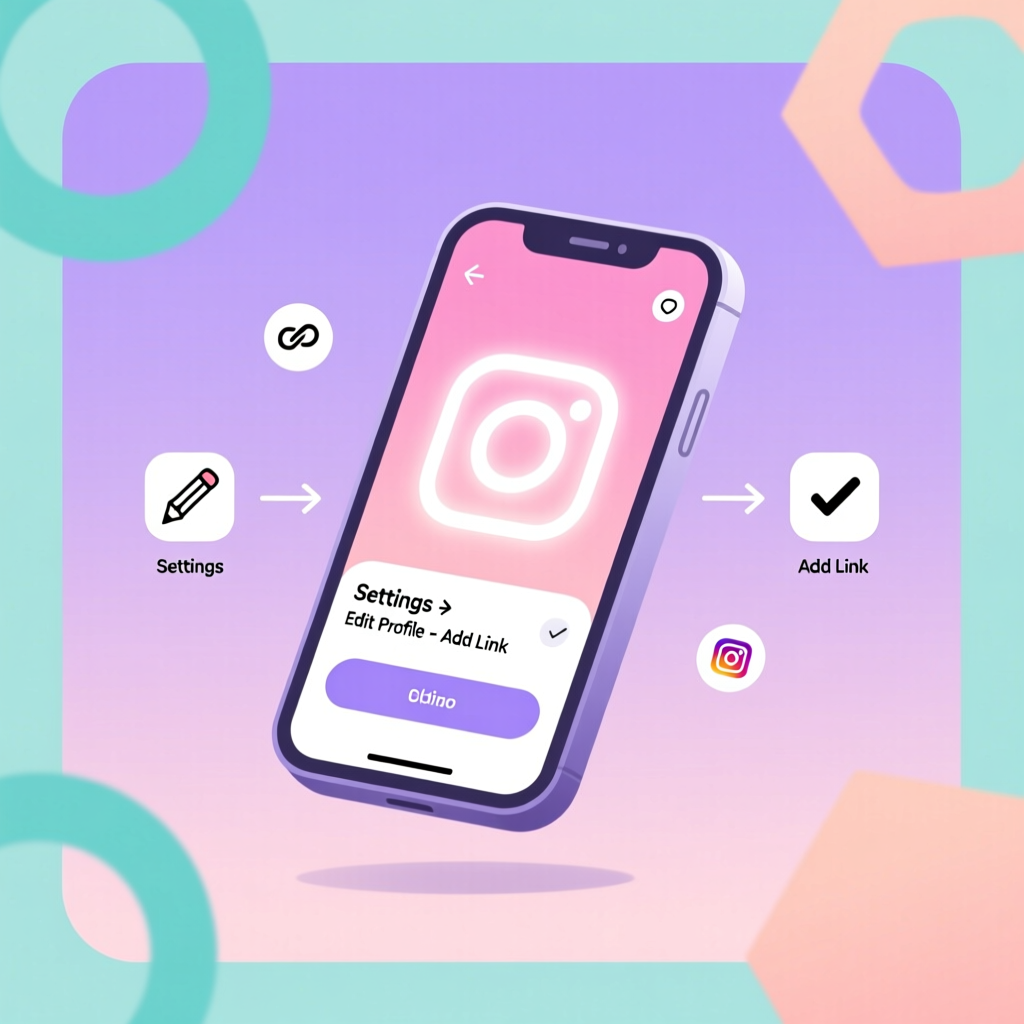
No. Instagram does not allow clickable hyperlinks in the text area of your bio. You must place your Discord invite link in the designated "Website" or "Links" section of your profile settings, or use a link-in-bio tool.
2. Should I use my personal Discord tag or a server invite link?
It depends on your goal. If you are a freelancer or networker looking for 1-on-1 connections, use your personal @username tag. If you are building a brand, community, or audience, use a server invite link.
3. How do I track how many people join my Discord from Instagram?
Discord's native Server Insights can show you invite link usage if you create a specific invite link dedicated solely to your Instagram bio. Alternatively, use a link tracker like Bitly or the analytics dashboard provided by your link-in-bio tool.
4. Is it safe to put my personal Discord tag on a public Instagram profile?
While Discord has robust privacy settings, exposing your personal tag to millions of followers can lead to spam DMs and friend requests. It is highly recommended to use a separate "brand" or "creator" Discord account, or funnel everyone into a server where you can moderate interactions.
5. What is the best link-in-bio tool for Discord integration?
Tools like Beacons, Linktree, and Carrd are excellent. Beacons, in particular, offers specific blocks for Discord that can display your server's member count and a direct join button, which can significantly increase conversion rates.
6. How often should I update my Discord bio template?
Your core template should remain relatively evergreen, but you should update your call-to-action based on current events. For example, if you are hosting a special Discord event, change your bio temporarily to "🔴 LIVE in Discord right now! Join ⤵".
7. Can I add Discord to my Instagram Professional Dashboard?
The Professional Dashboard is for analytics and creator tools. Your Discord link and bio templates are managed in the standard "Edit Profile" section of your account settings.
8. Do Discord vanity URLs work on Instagram?
Yes, vanity URLs (like discord.gg/yourbrand) are highly recommended because they look clean, professional, and are easier for users to type in manually if they are viewing your Instagram profile on a desktop and cannot click the link.
9. How can I encourage my Instagram followers to actually click the link?
Use Instagram Stories, Reels, and carousel posts to tease the exclusive content available inside your Discord. Show screenshots of the community, share testimonials, and explicitly tell your audience to click the link in your bio to join the conversation.
10. What if my Discord server gets too big to manage?
Scale your moderation team and utilize Discord bots like MEE6, Dyno, or Carl-bot to handle auto-moderation, welcome messages, and role assignments. A large server is a good problem to have, but it requires infrastructure to maintain a healthy community culture.