The New Era of Social Media Integration
In the modern digital landscape, your social media presence is no longer confined to a single platform. The evolution of social ecosystems, particularly within Meta's suite of applications, has fundamentally changed how creators, brands, and businesses interact with their audiences. The introduction of Threads created a massive opportunity for text-based community building, directly complementing the highly visual nature of Instagram. However, having accounts on both platforms is only half the battle. The true power lies in cross-platform bio strategy and seamless integration. Learning how to add Threads to your Instagram bio is a critical step in creating a unified digital footprint that drives traffic, builds community, and maximizes engagement across the board.
When a user visits your Instagram profile, your bio serves as your digital storefront. It is the central hub from which your audience decides whether to follow you, visit your website, or engage with your content on other platforms. By strategically integrating your Threads profile into your Instagram bio, you create a bridge between visual storytelling and conversational community building. This guide will walk you through the exact steps, strategic considerations, and advanced optimization techniques required to master cross-platform bio management, including how to weave in other vital platforms like LinkedIn, Snapchat, and Discord.
Step-by-Step Guide: How to Add Threads to Your Instagram Bio
Adding your Threads profile to your Instagram bio can be accomplished in a few different ways, depending on your overall link strategy and the tools you use to manage your digital presence. Below, we break down the most effective methods to ensure your audience can easily find and follow your text-based content.
Method 1: The Native Threads Badge Integration
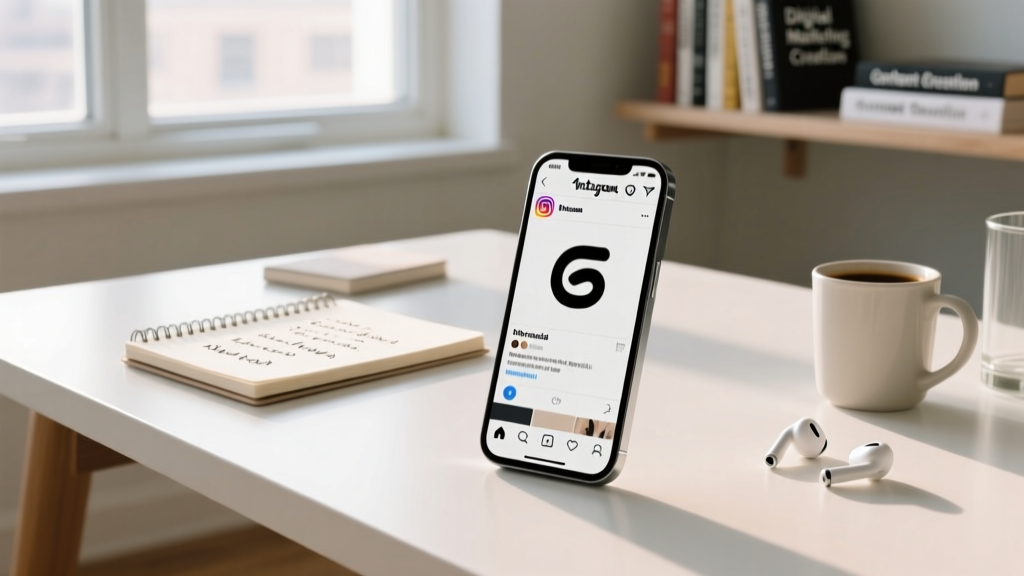
Meta has made it incredibly simple to link your accounts natively. When you first set up your Threads account, the platform often prompts you to add a specialized badge to your Instagram profile. This badge appears as a small, recognizable Threads logo near the top of your bio, right next to your follower count or website link. To ensure this is active:
- Open your Instagram app and navigate to your profile.
- Tap on 'Edit Profile'.
- Look for the option that says 'Threads' or 'Add Threads badge'.
- Toggle the feature on and save your changes.
This native integration is excellent for a clean, minimalist look, as it does not take up any of your precious 150-character bio limit or your single website link slot. It provides immediate visual recognition for users who are already active on the platform.
Method 2: Incorporating Threads into Your Link-in-Bio Tool
If you are using a centralized link hub, such as Linktree, Stan Store, or Beacons, your primary website link on Instagram should point to this hub. To add Threads to your Instagram bio using this method, you simply need to add your Threads URL as a dedicated button within your link-in-bio dashboard. This is the preferred method for brands and creators who manage multiple platforms, as it allows you to house your TikTok, LinkedIn, Snapchat, and Discord links all in one organized, aesthetically pleasing location.
Method 3: Direct URL Placement in the Website Field
If you do not use a link-in-bio tool and want to drive all traffic directly to your Threads profile, you can paste your direct Threads URL (e.g., threads.net/yourusername) into the 'Website' or 'Links' section of your Instagram profile settings. While this is a direct approach, it is generally not recommended for businesses that need to drive traffic to e-commerce stores, newsletters, or landing pages. It is best reserved for creators whose primary goal during a specific campaign is purely Threads follower growth.
Crafting the Perfect Cross-Platform Bio
Before you start driving traffic from Instagram to Threads, your Instagram bio itself must be optimized to convert visitors into followers and clickers. A well-crafted bio communicates your value proposition, establishes your brand voice, and provides a clear call-to-action (CTA). If you are struggling to articulate your brand identity within the strict character limits, utilizing a dedicated bio generator can help you brainstorm compelling, keyword-rich descriptions that resonate with your target audience.
When writing your bio, consider the psychological journey of the user. They have just viewed your Reels or grid posts and clicked on your profile picture to learn more about you. Your bio must answer three critical questions instantly: Who are you? What value do you provide? Where should they go next? For a deeper dive into the psychology and structure of profile optimization, our comprehensive guide on how to write an Instagram bio covers everything from keyword placement to emoji strategy.
Aligning Your Brand Voice Across Platforms
Your Instagram bio and your Threads bio should feel like two sides of the same coin. While Instagram might lean towards polished, aspirational, or highly visual messaging, Threads allows for a more unfiltered, conversational, and witty tone. However, the core brand identity must remain consistent. If your Instagram bio promises expert financial advice, your Threads presence should deliver actionable, text-based financial insights and engage in industry discussions. The transition between the two platforms should feel natural, not jarring.
Embracing Aesthetic and Minimalist Bio Designs
Visual consistency extends beyond your photo grid; it applies to how you structure your bio and your external link hubs. Many top-tier creators and lifestyle brands opt for a highly curated visual identity. If this aligns with your brand, exploring aesthetic bio ideas can help you incorporate specific fonts, subtle emojis, and cohesive formatting that elevates your profile's overall look.
On the other hand, the minimalist approach focuses on stripping away the noise. A minimalist bio relies on brevity, ample whitespace, and highly intentional linking. If you want to maintain a clean, sophisticated profile while still linking to Threads, TikTok, and your website, a minimalist bio strategy is your best bet. This involves using a single, well-designed link-in-bio page with custom icons that match your brand's color palette, rather than cluttering your Instagram bio with multiple lines of text and disparate emojis.
Expanding Your Hub: LinkedIn, Snapchat, and Discord
A true cross-platform bio strategy does not stop at Instagram and Threads. To build a resilient, multi-channel audience, you must integrate your professional and community-building platforms into the same ecosystem. Managing multiple links can be daunting, but categorizing them within your link-in-bio hub makes navigation intuitive for your audience.
Integrating LinkedIn for Professional Authority
If you are a B2B creator, entrepreneur, or freelancer, your LinkedIn profile is just as important as your Instagram grid. Adding a LinkedIn button to your centralized bio hub allows Instagram followers who are interested in your professional services or industry insights to connect with you in a corporate environment. Use a clear CTA in your Instagram bio, such as 'Connect with me on LinkedIn for B2B strategies,' to drive high-intent traffic to your professional network.
Snapchat Integration for Behind-the-Scenes Content
Snapchat remains a powerhouse for raw, unfiltered, behind-the-scenes content. While it may not be the primary platform for discovery, it is incredible for deepening parasocial relationships with your most loyal fans. By adding your Snapcode or a direct Snapchat link to your bio hub, you offer your core audience an exclusive VIP pass to your daily life. This works exceptionally well for musicians, reality TV personalities, and lifestyle vloggers who want to separate their polished Instagram Reels from their casual, real-time Snapchat stories.
Building a Community with Discord
Discord has evolved from a gaming chat app into the premier platform for community building, course hosting, and exclusive networking. Linking your Discord server in your Instagram bio hub is a powerful way to monetize your audience or create a dedicated space for super-fans. When adding Discord to your cross-platform strategy, ensure your Instagram bio clearly states the value of joining the server. For example, 'Join our free Discord for weekly Q&A sessions and exclusive resources.' This sets clear expectations and increases the click-through rate from your Instagram profile to your Discord invite link.
Content Strategy: Bridging Instagram and Threads
Linking your accounts is merely the technical setup; the real magic happens in your content strategy. To encourage your Instagram audience to migrate to Threads, you must create complementary content loops that reward users for engaging on both platforms.
The Visual-to-Text Pipeline
Use Instagram to tease the conversations happening on Threads. For example, you can post a highly visual infographic or a short Reel on Instagram that summarizes a complex topic, and then use the caption to say, 'I just broke down the nuances of this strategy in a 10-part thread over on Threads. Click the link in my bio to read the full discussion and join the debate.' This leverages Instagram's visual discovery engine to drive highly engaged, reading-focused traffic to Threads.
The Text-to-Visual Pipeline
Conversely, use Threads to test content ideas and gather audience feedback before committing to high-production Instagram Reels or carousel posts. You can post a controversial or thought-provoking question on Threads, let your audience debate in the replies, and then screenshot the best responses to create an Instagram carousel. In the carousel's caption, credit the users and direct your Instagram followers back to your Threads bio link to join the ongoing conversation. This creates a symbiotic relationship where both platforms feed into each other's engagement metrics.
Advanced Tracking and Analytics
You cannot optimize what you do not measure. When managing a complex cross-platform bio strategy involving Instagram, Threads, TikTok, LinkedIn, and Discord, tracking where your traffic is coming from is essential. Relying solely on the native click metrics provided by link-in-bio tools is often insufficient for deep analytical insights.
Implementing UTM Parameters
To truly understand how your Instagram bio is performing, you should use UTM (Urchin Tracking Module) parameters on the links within your bio hub. By appending specific tags to your Threads URL, LinkedIn URL, and website URL, you can track exactly how much traffic each platform generates in Google Analytics. For instance, your Threads link in your bio hub should look something like: threads.net/yourusername?utm_source=instagram&utm_medium=bio&utm_campaign=threads_launch. This allows you to see not just how many people clicked, but how they behaved once they arrived at their destination, and whether the traffic from Instagram converts better than traffic from TikTok or Snapchat.
A/B Testing Your Bio CTA
Your bio's call-to-action is a living, breathing element that should be tested and refined. Try changing your bio text to explicitly point to Threads for two weeks, and measure the follower growth and engagement rate on your Threads account. Then, switch the CTA to point to your Discord server or your latest YouTube video for the next two weeks. By isolating variables and tracking the results, you can determine which cross-platform integration yields the highest return on investment for your specific niche.
Common Mistakes to Avoid in Cross-Platform Bios
While integrating multiple platforms offers immense benefits, it also opens the door to several strategic pitfalls. Avoid these common mistakes to ensure your bio remains a high-converting asset rather than a confusing roadblock.
- Cluttered and Confusing Link Hubs: If your link-in-bio page has 25 different buttons, your audience will experience decision fatigue and click away. Limit your hub to the top 5-7 most important links, categorizing them logically (e.g., 'Shop,' 'Community,' 'Socials').
- Inconsistent Branding: Your Instagram profile picture, your link-in-bio background, and your Threads avatar should all align visually. Disjointed branding reduces trust and makes your digital presence feel unprofessional.
- Ignoring the Native Features: Failing to use Instagram's native features, like the Threads badge or the Instagram Collab feature, leaves engagement on the table. Always leverage native integrations before relying on third-party workarounds.
- Dead Links: Nothing damages credibility faster than a broken link. Regularly audit your bio hub to ensure your Discord invite hasn't expired, your Snapchat link is active, and your Threads URL is correct.
- Lack of a Clear Value Proposition: Simply listing 'Follow my Threads' is not enough. You must tell your audience why they should follow your Threads. What unique value, humor, or insight will they find there that they cannot get on Instagram?
Frequently Asked Questions (FAQ)
Can I automatically share my Instagram posts to Threads?
Currently, Meta does not support fully automatic, seamless cross-posting from the Instagram feed directly to Threads in the same way it does for Facebook. This is actually a strategic advantage, as it encourages you to tailor your content to the unique, text-forward, conversational format of Threads rather than simply dumping visual content where it may not perform well. However, you can easily share a link to your Instagram post within a Threads update to drive cross-platform traffic.
Does my Threads bio need to match my Instagram bio exactly?
No, and in most cases, it shouldn't. While your core brand identity and visual aesthetics should remain consistent, the character limits, audience expectations, and content formats differ between the two platforms. Your Instagram bio should focus on visual authority and external linking, while your Threads bio can be more conversational, witty, and focused on community engagement. Think of your Instagram bio as your professional billboard, and your Threads bio as your approachable introduction at a networking event.
How do I track clicks from my Instagram bio to Threads?
If you are using the native Threads badge, Meta provides basic insights within your Instagram Professional Dashboard regarding profile visits and link clicks. However, for more granular data, using a third-party link-in-bio tool with built-in analytics, or appending UTM parameters to a custom Threads URL, will give you the most accurate and actionable data regarding your cross-platform traffic flow.
What if the native Threads link or badge isn't showing up on my profile?
If the native badge is missing, ensure that both your Instagram and Threads apps are updated to the latest versions. Additionally, verify that your Threads account is linked to the correct Instagram account in the Threads settings menu. If the issue persists, you can always fall back on Method 2 or Method 3 outlined in this guide, utilizing a custom link-in-bio hub or the direct website field to ensure your audience can still find your Threads profile.
Is it better to link to a personal Threads profile or a brand page?
This depends entirely on your overall business strategy. Personal profiles generally see higher engagement, more organic reach, and better community interaction on text-based platforms like Threads. If you are a solopreneur, creator, or the public face of your company, linking to your personal Threads profile is usually the superior strategy. If you are a large corporation with multiple departments and a distinct brand voice separate from your founders, linking to the official brand page is more appropriate.
Conclusion
Mastering how to add Threads to your Instagram bio is just the beginning of a robust, future-proof digital strategy. In an era where attention is fragmented across dozens of applications, your bio serves as the critical anchor that holds your personal brand or business together. By thoughtfully integrating Threads, alongside platforms like LinkedIn, Snapchat, and Discord, you create a comprehensive ecosystem that captures your audience at every stage of their journey.
Remember that cross-platform bio management is not a 'set it and forget it' task. It requires ongoing optimization, A/B testing, and a deep understanding of how your audience prefers to consume content across different mediums. Whether you lean towards a highly curated aesthetic approach or a sleek, minimalist design, the goal remains the same: to provide a frictionless, engaging pathway for your audience to connect with you wherever they spend their time online. Utilize the right tools, maintain consistent branding, and watch your cross-platform community thrive.