
Introduction: The Strategic Advantage of Desktop Bio Editing
In the fast-paced world of social media management, agility and precision are paramount. While the Instagram mobile application is a powerful tool for content consumption and quick engagement, it is notoriously cumbersome for detailed profile optimization. Typing on a glass screen, dealing with aggressive autocorrect, and struggling with line break formatting are common frustrations for creators and marketers alike. This is where learning how to change your Instagram bio without the app becomes a critical skill. By leveraging desktop web browsers, native Meta tools, and specialized third-party software, you can transform your profile optimization workflow from a tedious chore into a strategic, data-driven process.
Editing your bio from a desktop environment offers unparalleled advantages. You have the ability to seamlessly copy and paste from keyword research documents, utilize advanced character counting tools, and perfectly format your line breaks before publishing. Furthermore, managing your digital presence from a computer allows you to cross-reference your bio with your broader marketing strategy, ensuring that your calls-to-action (CTAs) and link-in-bio URLs are perfectly aligned with your current campaigns. In this comprehensive guide and tool review, we will explore every available method for updating your Instagram bio without relying on the mobile app, comparing their features, limitations, and overall effectiveness for modern creators and businesses.
Method 1: The Native Instagram Web Interface
The most direct and reliable way to change your Instagram bio without the app is by using the native Instagram web interface through any standard desktop or mobile web browser. Instagram has significantly improved its desktop experience, making profile editing nearly as robust as the mobile app, but with the added benefits of a physical keyboard and a larger screen.
Step-by-Step Guide to the Web Interface
- Access the Platform: Open your preferred web browser (Chrome, Safari, Firefox, or Edge) and navigate to the official Instagram website. Log in using your credentials or via your linked Facebook account.
- Navigate to Your Profile: Click on your profile picture or the 'Profile' icon located in the top right corner of the screen or the left-hand navigation sidebar.
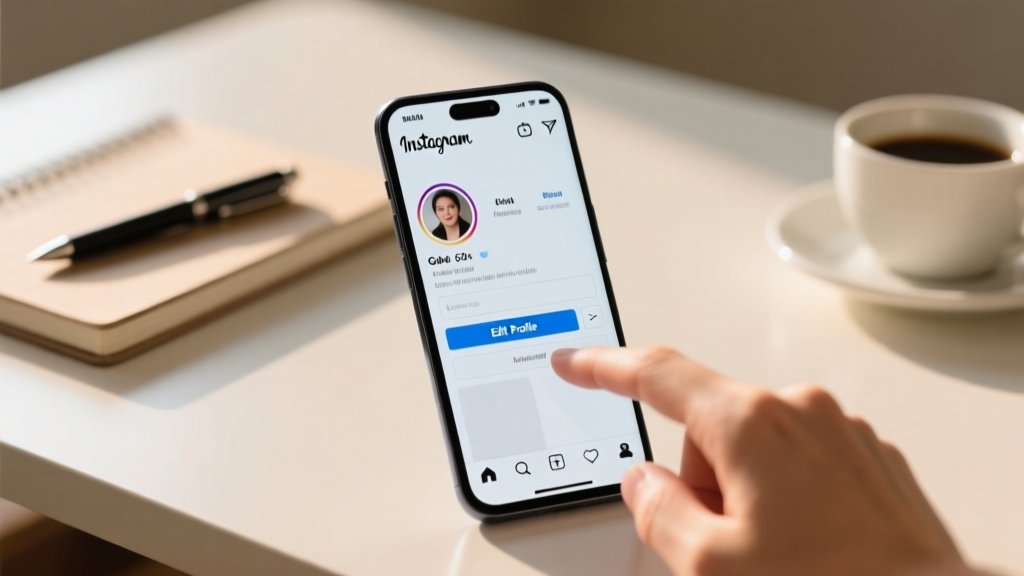
- Access Edit Settings: Locate and click the 'Edit Profile' button situated next to your username on the desktop layout.
- Modify Your Bio: Scroll down to the 'Bio' text box. Here, you can delete your existing text and paste in your newly crafted, SEO-optimized bio. The web interface provides a clear visual representation of your character limit, ensuring you stay within the strict 150-character boundary.
- Update External Links: Unlike the mobile app which historically restricted users to a single URL, the web interface allows you to manage multiple external links if your account type supports it, or simply paste your primary link-in-bio URL.
- Submit Changes: Scroll to the bottom of the page and click the blue 'Submit' button to push your changes live.
Pros and Cons of the Native Web Interface
- Pros: Direct connection to Instagram servers means zero API lag or sync issues. You get real-time character counting, easy copy-pasting from desktop notes, and a clear view of how your bio wraps across different screen sizes.
- Cons: The web interface lacks some of the specialized formatting shortcuts found in third-party apps, and you cannot easily preview how your bio looks in 'Dark Mode' versus 'Light Mode' without manually changing your operating system settings.
Method 2: Meta Business Suite for Creators and Brands
For users operating Professional, Creator, or Business accounts, Meta Business Suite is an indispensable desktop hub. Originally designed for Facebook Page management, Meta has progressively integrated Instagram account management into this powerful dashboard. Reviewing Meta Business Suite reveals a suite of tools that go far beyond simple bio editing, offering deep analytics and inbox management.
Navigating Meta Business Suite for Bio Updates
To change your bio via Meta Business Suite, you must first ensure your Instagram account is properly linked to a Facebook Page that you administer. Once logged into the Meta Business Suite dashboard on your desktop, navigate to the 'Settings' gear icon. From there, access 'Linked Accounts' and select your Instagram profile. While Meta frequently updates its dashboard layout, profile editing is typically found under the 'Instagram Account' settings or via the 'Profile' preview pane. Here, you can edit your bio, contact information, and business category.
Tool Review: Meta Business Suite Capabilities
Meta Business Suite is a powerhouse for scheduling and analytics, but how does it fare for simple bio editing? The primary advantage is context. When editing your bio in Meta Business Suite, you are often looking at it side-by-side with your Facebook Page 'About' section, allowing for unified brand messaging across the Meta ecosystem. However, a notable limitation is that the Instagram API integration within Meta Business Suite sometimes restricts granular text formatting or the addition of specialized Unicode characters. If you find that your carefully crafted line breaks are collapsing or your custom fonts are reverting to standard text, you will need to fall back on the native web interface described in Method 1.
Method 3: Third-Party Social Media Management Dashboards
Many social media managers rely on comprehensive third-party dashboards to handle all aspects of their clients' digital presence. Tools like Hootsuite, Buffer, Sprout Social, and Later are industry standards. But can you use them to change an Instagram bio without the app? The answer requires a deep dive into Instagram's Graph API limitations.
The API Limitation Reality Check
When reviewing top-tier social media management tools, it is crucial to understand the boundaries set by Meta's developer APIs. Historically, the Instagram Graph API has been highly restrictive regarding direct profile metadata editing. While these platforms excel at scheduling grid posts, managing DMs, and pulling analytics data, they often lack a direct 'Edit Instagram Bio' text field within their dashboards. This is a deliberate security and spam-prevention measure implemented by Meta to prevent automated bots from mass-updating profile information.
Workarounds and Tool Comparisons
- Hootsuite: While Hootsuite offers a dedicated 'Profile' tab for some networks, Instagram bio editing is frequently grayed out or redirects you to the native Instagram app or web interface. Hootsuite is better utilized for tracking the performance of the link placed in your bio rather than editing the bio text itself.
- Buffer & Later: Both Buffer and Later focus heavily on visual planning and scheduling. Their profile editing capabilities for Instagram are virtually non-existent due to API restrictions. However, Later's 'Linkin.bio' tool is an essential companion for your bio, allowing you to build a landing page that you can easily copy and paste into the native Instagram web interface.
- Sprout Social: Sprout Social offers robust listening and analytics tools. Like its competitors, it defers to native tools for bio editing but provides incredible sentiment analysis that can inform what you should write in your bio based on audience feedback.
The Verdict on Third-Party Dashboards: Do not rely on Hootsuite, Buffer, or Sprout Social to physically change your Instagram bio text. Use these tools for research, analytics, and link-in-bio management, but execute the final bio update via the native Instagram desktop website.
Essential Desktop Tools for Bio Formatting and Generation
Since the native web interface is the most reliable method for updating your bio, utilizing supplementary desktop tools to craft and format your text is the ultimate workflow hack. Writing a compelling bio requires creativity, SEO knowledge, and strict adherence to character limits.
Reviewing the Lovemebio Bio Generator
One of the most efficient ways to brainstorm and structure your profile text is by using a dedicated generator. The Bio Generator available on Lovemebio is specifically designed to help users overcome writer's block while adhering to Instagram's strict constraints. By inputting your niche, tone, and key offerings, the generator produces multiple variations of optimized bios. This tool is invaluable for desktop users because you can generate a list of options, copy them into a spreadsheet, A/B test them over several weeks, and seamlessly paste the winner into the Instagram web interface.
Formatting Tools: Line Breaks and Invisible Spaces
One of the most persistent issues when editing bios on mobile is the loss of line breaks, resulting in a cluttered wall of text. When working on a desktop, you can use specialized 'Invisible Space' generators or Unicode line break tools. These web-based utilities provide a blank, zero-width character that you can copy and paste between your lines of text. When pasted into the Instagram web interface, these invisible characters force the platform to recognize the line break, ensuring your bulleted lists and spaced-out aesthetic layouts remain perfectly intact upon publishing.
Font Generators and Unicode Characters
To make your bio stand out, many creators use custom Unicode fonts (e.g., 𝚝𝚢𝚙𝚎𝚠𝚛𝚒𝚝𝚎𝚛 or 𝒷𝒸𝓇𝒾𝓅𝓉). Desktop font generator websites allow you to type your desired text and instantly copy the converted Unicode characters. A word of caution regarding accessibility: Screen readers used by visually impaired individuals often cannot interpret these specialized Unicode fonts, reading them as a string of disconnected mathematical symbols. Use them sparingly, perhaps only for your brand name or a single headline, and keep your core value proposition in standard, readable text.
Strategic Optimization: Writing Your Bio on Desktop
Changing your bio without the app is not just about the mechanics of clicking 'Submit'; it is about leveraging the desktop environment to write a higher-converting profile. When you sit down at your computer, you have access to your entire brand playbook. For a comprehensive guide on structuring your profile, refer to our masterclass on how to write an Instagram bio that converts scrollers into followers.
Aligning Your Bio with Your Aesthetic
Your bio must match the visual identity of your grid. If you are curating a highly visual, moody, and cohesive feed, your text should reflect that vibe. Exploring aesthetic bio ideas on a desktop allows you to pull color palette hex codes, match emojis to your brand colors, and ensure your tone of voice is consistent. Aesthetic bios often rely on minimal punctuation, lowercase lettering, and specific celestial or nature-based emojis. Drafting these in a desktop notes app allows you to perfect the visual symmetry of your text before it ever touches the Instagram servers.
The Power of Minimalism
Conversely, the 'less is more' approach is dominating the personal branding space. Minimalist bio ideas focus on extreme clarity and authority. A minimalist bio might simply state your name, your primary credential, and a single, powerful CTA arrow pointing down to your link. On a desktop, you can easily test how these ultra-short bios look in the preview pane, ensuring that the negative space works to your advantage and draws the eye directly to your website URL.
SEO and Keyword Integration
Instagram's search algorithm heavily weights the 'Name' field and the 'Bio' text for keyword discovery. On a desktop, you can keep a tab open with keyword research tools like AnswerThePublic or Meta's own ad library to see what terms your target audience is searching for. Integrating these keywords naturally into your bio ensures that when users search for 'Digital Marketing Coach' or 'Vegan Meal Prep', your profile surfaces in the results. The desktop environment makes cross-referencing these keywords with your draft bio a seamless, frictionless process.
Comparison: App vs. Desktop Web vs. Meta Business Suite
To summarize the landscape of bio editing, here is a direct comparison of the three primary methods available to modern users.
The Mobile App
- Best For: Quick, on-the-fly updates, changing profile pictures, and adding trending audio to your profile.
- Drawbacks: High risk of formatting errors, autocorrect interference, and difficulty in copying/pasting from external strategy documents.
The Native Desktop Web Interface
- Best For: Precise text formatting, copy-pasting from generators, managing multiple external links, and ensuring perfect character counts.
- Drawbacks: Requires logging into a separate browser session; does not integrate directly with your social media scheduling calendar.
Meta Business Suite
- Best For: Business accounts needing to align their Instagram bio with their Facebook Page information and manage unified inbox inquiries.
- Drawbacks: API limitations can sometimes prevent the saving of specialized Unicode characters or complex line breaks.
Advanced Troubleshooting: Common Desktop Editing Issues
Even with the superior control of a desktop environment, users occasionally encounter technical hurdles when updating their Instagram bio without the app. Here is how to troubleshoot the most common issues.
Issue 1: The 'Submit' Button is Grayed Out
If you are on the web interface and the 'Submit' button remains inactive, it is almost always due to a character limit violation. The bio field is strictly limited to 150 characters. Remember that some Unicode emojis and custom fonts count as multiple characters in the backend database. Use a desktop character counter tool to ensure your text, including spaces and invisible line breaks, does not exceed the limit.
Issue 2: Links are Not Clickable
When pasting a URL into the 'Website' field via the desktop web interface, ensure you are not including any rogue spaces at the beginning or end of the URL string. Furthermore, Instagram blocks certain domains that have been flagged for spam or policy violations. If your link refuses to save, test it against a standard URL like your primary domain to verify if the issue is with the link itself or the platform's formatting.
Issue 3: Line Breaks Collapsing
If your carefully spaced bio collapses into a single paragraph after hitting 'Submit', the web interface may have stripped your carriage returns. To fix this, use an invisible space generator. Place the invisible character at the very end of each line, right before hitting 'Enter' to create the next line. This tricks the Instagram parser into preserving the vertical structure of your bio.
Frequently Asked Questions (FAQ)
Can I use a Chrome extension to change my Instagram bio?
While there are numerous Chrome extensions designed for Instagram analytics, hashtag extraction, and grid planning, there are no reputable extensions that directly inject bio changes into the Instagram API. Relying on unauthorized browser extensions to modify profile data can trigger Meta's automated security systems, potentially resulting in a temporary shadowban or account lockout. It is always safer to use the native web interface or Meta Business Suite.
Does changing my bio on desktop affect my mobile app experience?
Yes, changes made via the desktop web interface or Meta Business Suite sync almost instantly to the mobile app. Once you click 'Submit' on your computer, you can refresh your profile on your smartphone, and the new bio, links, and formatting will be visible. This cross-platform synchronization is what makes the desktop method so reliable for social media managers handling client accounts.
Can I schedule my Instagram bio changes in advance?
Currently, neither the native Instagram web interface nor Meta Business Suite supports the scheduling of profile bio changes. Bio updates are executed in real-time. If you are running a time-sensitive campaign, such as a flash sale or a live event, you will need to manually update the bio via the desktop web interface at the exact moment the campaign goes live. However, you can schedule your link-in-bio landing page to change its content automatically using tools like Linktree or Stan Store, allowing you to update your destination without needing to edit the actual Instagram profile.
Is there a difference in SEO impact between app and desktop edits?
No. Instagram's search algorithm evaluates the text string of your bio regardless of the device or interface used to publish it. The SEO benefit of using a desktop comes entirely from the human workflow: you are more likely to conduct thorough keyword research, use a Bio Generator, and strategically place high-value search terms when you have a full keyboard and multiple browser tabs at your disposal.
How do I add multiple links to my bio from a desktop?
Instagram has begun rolling out the ability to add multiple external links to user profiles. If your account has access to this feature, the native desktop web interface will display an 'Add Link' button within the profile editing section. You can input up to five URLs, each with a custom title. If your account does not yet have this feature, the best desktop workflow is to build a comprehensive landing page using a link-in-bio tool and paste that single master URL into the 'Website' field.
Why does my desktop-formatted bio look different on iOS vs. Android?
This is a rendering issue related to how different operating systems handle Unicode characters and system fonts. A custom font generated on your desktop might look elegant on a Windows machine but render as empty boxes on an older Android device. When testing your bio, it is highly recommended to use the native web interface to publish, and then immediately check your profile on both an iOS and an Android device to ensure cross-platform readability and visual consistency.
Conclusion: Mastering the Desktop Workflow
Learning how to change your Instagram bio without the app is a fundamental skill for anyone serious about personal branding, digital marketing, or content creation. By shifting your workflow from the restrictive mobile app to the expansive environment of a desktop web browser, you unlock a new level of precision, strategic alignment, and creative control. Whether you are leveraging the native Instagram web interface for flawless formatting, utilizing Meta Business Suite for cross-platform brand consistency, or using advanced desktop generators to craft the perfect SEO-optimized hook, the desktop environment empowers you to treat your bio not just as a digital business card, but as a high-converting marketing asset. Embrace the tools, respect the API limitations, and use the power of a full-sized keyboard to write a bio that truly represents your brand's potential.