The Ultimate Guide to Cross-Platform Professional Networking
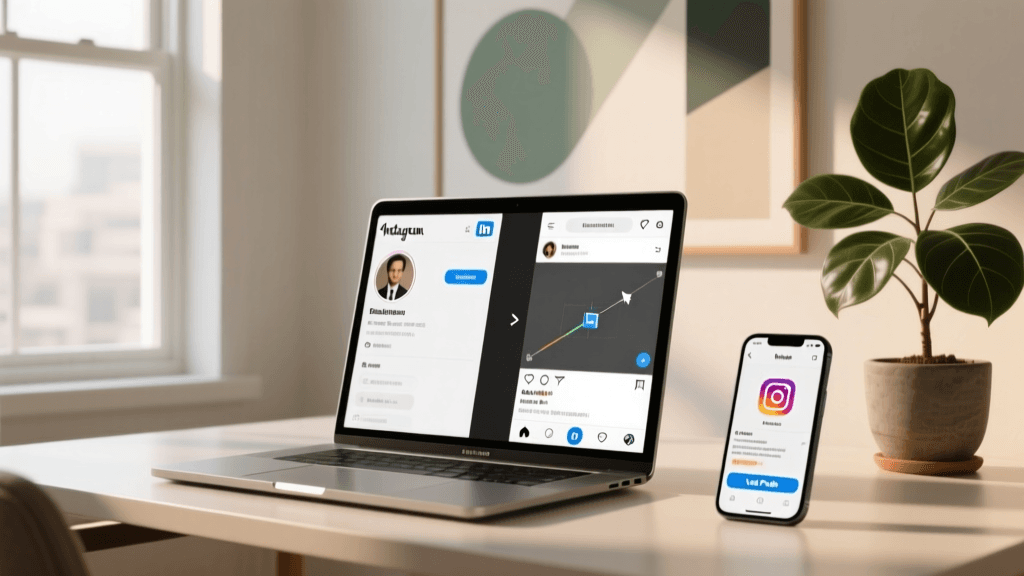
In the modern digital landscape, your social media presence is your digital resume. While Instagram is primarily known for visual storytelling, lifestyle content, and brand building, LinkedIn remains the undisputed king of professional networking, B2B connections, and career advancement. Bridging the gap between these two powerful platforms is a strategic move that can significantly amplify your personal brand, attract freelance clients, and open doors to unexpected career opportunities. However, simply pasting a messy URL into your profile is not enough. You need a curated, strategic approach to ensure a seamless user experience.
Welcome to our comprehensive, curated listicle collection detailing the absolute best methods to integrate your professional portfolio with your visual feed. Whether you are a creative freelancer, a corporate executive building a thought-leadership brand, or an entrepreneur seeking investors, this guide will walk you through the top strategies, tools, and optimization techniques to master cross-platform integration. By the end of this article, you will know exactly how to drive high-quality traffic from your visual audience directly to your professional network.
Top 7 Strategies to Link LinkedIn to Your Instagram Bio
When it comes to cross-platform integration, one size does not fit all. Your strategy should align with your overall brand identity, your audience's behavior, and your specific conversion goals. Below, we have curated the top seven strategies to seamlessly connect your profiles, complete with step-by-step instructions, pros, cons, and expert tips.
1. The Direct URL Method (Best for Simplicity)
The most straightforward approach is to place your custom LinkedIn profile URL directly into the designated website field on your Instagram profile. This method is ideal for professionals who want a no-fuss, direct pipeline for their audience to view their resume and work history without any intermediary clicks.
- Open your LinkedIn profile and copy your custom public URL (e.g., linkedin.com/in/yourname).
- Open Instagram and navigate to your profile page.
- Tap the 'Edit Profile' button located beneath your bio text.
- Scroll down to the 'Links' section and tap 'Add External Link'.
- Paste your LinkedIn URL into the URL field and add a clear title like 'My Professional Portfolio' or 'Connect on LinkedIn'.
- Save your changes.
Pros: Extremely easy to set up; requires no third-party tools; provides a direct, one-click experience for the user.
Cons: Occupies your primary link real estate; prevents you from linking to other important destinations like a personal website, blog, or storefront.
Pro Tip: Always use a custom vanity URL on LinkedIn rather than the default string of numbers and letters. A clean URL looks far more professional when users hover over or view the link preview.
2. The Link-in-Bio Hub (Best for Multiple Links)
If you are a multifaceted professional who needs to link to a portfolio, a booking calendar, a newsletter, and your LinkedIn profile simultaneously, a link-in-bio hub is your best solution. These landing page aggregators allow you to house multiple links under one unified, branded URL.
- Choose a reputable link-in-bio tool (we review the top five later in this guide).
- Create an account and customize your landing page to match your personal brand colors and typography.
- Add your LinkedIn profile link as a prominent button, ideally near the top of the list.
- Copy the generated hub URL.
- Navigate to Instagram's 'Edit Profile' section, tap 'Add External Link', and paste your hub URL.
Pros: Highly customizable; allows for unlimited link aggregation; provides valuable analytics on click-through rates.
Cons: Requires an extra click for the user to reach LinkedIn; relies on third-party platform stability.
Pro Tip: Use action-oriented text on your link hub buttons. Instead of just writing 'LinkedIn', write 'View My Resume & Work History' or 'Let us Connect on LinkedIn' to increase click-through rates.
3. The Story Highlight Funnel (Best for Visual Storytelling)
Instagram Stories offer a highly engaging, visual way to explain who you are and what you do. Creating a dedicated Story Highlight that acts as a visual resume is a brilliant way to contextualize your LinkedIn profile before asking users to click the link.
- Design a series of 4 to 6 Story slides using tools like Canva. Include your professional headshot, a brief summary of your expertise, notable achievements, and testimonials.
- On the final slide, include a clear call-to-action (CTA) directing users to the link in your bio to connect on LinkedIn.
- Upload these slides to your Stories and save them to a Highlight titled 'Resume', 'Work', or 'About Me'.
- Design a cohesive, on-brand cover for the Highlight so it sits neatly on your profile grid.
Pros: Highly engaging; allows you to showcase your personality and communication skills; builds trust before the click.
Cons: Time-consuming to create and update; requires basic graphic design skills.
Pro Tip: Use the 'Link' sticker in your active Stories periodically to drive immediate traffic to your LinkedIn, and remind viewers to check your 'Work' Highlight for your full professional background.
4. The Bio Text Call-to-Action (Best for Minimalist Profiles)
Sometimes, the best way to drive traffic is through compelling copywriting rather than a direct hyperlink. If you prefer a clean, uncluttered profile or if your link-in-bio is reserved for a specific product launch, you can use your bio text to direct users to your LinkedIn via search or a vanity URL.
- Draft a concise, impactful bio that highlights your professional title and core value proposition.
- Include a clear CTA at the bottom of your bio text, such as 'Search [Your Name] on LinkedIn for B2B inquiries' or 'Full resume available at linkedin.com/in/yourname'.
- Use line breaks and relevant emojis to make the text easily scannable.
Pros: Keeps your profile visually minimal; frees up your primary link for other conversions; encourages organic search behavior.
Cons: Relies on user effort to search or type the URL; lower immediate conversion rate compared to a clickable link.
Pro Tip: If you are struggling to craft the perfect text CTA, utilize a bio generator tool to brainstorm creative, professional phrasing that fits your character limit.
5. The QR Code Integration (Best for Offline-to-Online Networking)
While Instagram is a digital platform, QR codes bridge the gap between physical networking events and your digital footprint. You can share your LinkedIn QR code via Instagram direct messages, or feature it in your Stories and Highlights for easy scanning.
- Open the LinkedIn mobile app and tap the search bar.
- Tap the QR code icon on the right side to reveal your personal LinkedIn QR code.
- Save the image to your phone's camera roll.
- Upload the QR code to an Instagram Story, adding text like 'Scan to add me to your professional network'.
- Save this Story to a Highlight named 'Connect' or 'Quick Add'.
Pros: Innovative and visually interesting; excellent for sharing in DMs after meeting someone at a conference.
Cons: Difficult for users to scan if they are viewing your profile on their own mobile device (requires a second screen).
Pro Tip: Use this strategy primarily for sharing in Direct Messages when someone asks for your contact info, rather than relying on it as your main profile strategy.
6. The Pinned Comment Strategy (Best for High Engagement)
The link-in-bio area is prime real estate, but the comments section of a pinned post is an often-overlooked goldmine for cross-platform traffic. By pinning a post about your professional journey, you can use the comments to foster engagement and share your LinkedIn link.
- Create a high-quality carousel post or Reel detailing a major professional milestone, a case study, or a 'day in the life' of your career.
- In the caption, tell your audience that you are expanding your professional network and invite them to connect.
- Write a comment on your own post saying, 'Drop a 💼 in the comments and I will DM you my LinkedIn link, or click the link in my bio to connect instantly!'
- Pin this post to the top of your profile grid.
Pros: Boosts algorithmic engagement through comments and DMs; creates a personal touch; bypasses link fatigue.
Cons: Requires manual effort to DM users (unless automated via third-party tools); the post may eventually become outdated.
Pro Tip: Use Instagram's broadcast channels or automated DM tools to send your LinkedIn link to anyone who interacts with your pinned post, creating a scalable networking funnel.
7. The Custom Vanity URL Strategy (Best for Personal Branding)
Your LinkedIn URL is a crucial part of your personal brand. Before you link it anywhere, you must ensure it is optimized. A default LinkedIn URL looks messy and unprofessional, whereas a custom vanity URL is memorable and clean.
- Log into LinkedIn on a desktop browser.
- Navigate to your profile and click 'Edit public profile & URL' on the top right.
- Change your URL to your first and last name, or your professional moniker (e.g., linkedin.com/in/janedoe-design).
- Use this exact, clean URL in your Instagram link-in-bio hub or direct link field.
Pros: Enhances personal branding; easier for users to remember and type; looks significantly more professional on screen.
Cons: Requires upfront setup on LinkedIn; your desired name might be taken, requiring creative alternatives.
Pro Tip: If your exact name is taken, add your industry or credential to the URL, such as linkedin.com/in/janedoe-cpa or linkedin.com/in/janedoe-marketing.
Curated List: Top 5 Link-in-Bio Tools for LinkedIn Integration
If you have decided that a link-in-bio hub is the right strategy for your cross-platform goals, choosing the right software is critical. We have curated a list of the top five tools that excel at professional link aggregation, specifically tailored for users driving traffic to LinkedIn.
1. Linktree (The Industry Standard)
Linktree is the pioneer of the link-in-bio space and remains the most recognizable platform. It offers a clean, minimalist interface that loads incredibly fast. For professionals linking to LinkedIn, Linktree's 'Pro' features allow you to embed rich media, track precise click analytics, and even capture emails. Its universal recognition means users trust clicking on a Linktree link, which reduces bounce rates and increases the likelihood of them reaching your LinkedIn profile.
2. Beacons (The Creator & Freelancer Favorite)
Beacons is highly customizable and offers robust features for freelancers and solopreneurs. It includes built-in tools for selling digital products, accepting donations, and embedding media. When linking to LinkedIn, Beacons allows you to create a highly visual landing page that can mirror the aesthetic of your Instagram grid. The analytics dashboard provides deep insights into which links are performing best, allowing you to A/B test your LinkedIn call-to-action button text.
3. Carrd (The One-Page Website Builder)
Carrd is not just a link aggregator; it is a fully functional, one-page website builder. For professionals who want total control over their design, typography, and layout, Carrd is unmatched. You can build a stunning digital business card that features your professional headshot, a brief bio, a download link for your PDF resume, and a prominent button linking to your LinkedIn. It is incredibly affordable and offers a level of professionalism that standard link-in-bio tools cannot match.
4. Bio.link (The Minimalist's Choice)
If you prefer a sleek, fast, and uncluttered experience, Bio.link is an excellent choice. It focuses heavily on speed and simplicity, ensuring that your audience gets to your LinkedIn profile with zero friction. It offers beautiful, pre-designed themes that look great on mobile devices. For users who appreciate minimalist bio ideas, Bio.link's clean interface complements a stripped-down, highly professional Instagram aesthetic perfectly.
5. Shorby (The Agency & Business Powerhouse)
Shorby is designed with agencies, businesses, and heavy networkers in mind. It offers advanced features like retargeting pixels, live chat integration, and automated link rotation. If you are using your Instagram profile to drive B2B leads and want to track exactly how many users click through to your LinkedIn profile via Facebook or Google retargeting pixels, Shorby provides the enterprise-level analytics required to measure your cross-platform ROI.
How to Optimize Your Instagram Bio Before Linking
Driving traffic to your LinkedIn profile is only half the battle. If your Instagram bio is messy, unprofessional, or confusing, users will not trust the link enough to click it. Before you implement any of the strategies listed above, you must ensure your Instagram profile is fully optimized for a professional audience. Learning how to write an Instagram bio that converts is a fundamental skill for modern digital networking.
First, consider your visual aesthetic. Your profile picture should be a high-quality, well-lit headshot that matches the professional tone of your LinkedIn profile. Consistency across platforms builds immediate trust. Next, evaluate your bio text. You have exactly 150 characters to explain who you are, what you do, and why someone should connect with you. Use keywords relevant to your industry to improve your profile's searchability.
Depending on your personal brand, you might lean towards a highly visual, creative profile or a sleek, corporate identity. If you are a designer, photographer, or creative director, exploring aesthetic bio ideas can help you craft a profile that showcases your artistic sensibilities while remaining professional. Conversely, if you are a consultant, lawyer, or financial advisor, sticking to minimalist bio ideas will convey authority, clarity, and seriousness.
Finally, ensure your name field (the bold text at the top of your profile) includes your profession or industry keywords. Instead of just 'John Smith', use 'John Smith | B2B Marketing Strategist'. This ensures that when recruiters or potential clients search for marketing professionals on Instagram, your profile appears in the results, driving more organic traffic to your newly optimized LinkedIn link.
Common Mistakes to Avoid When Cross-Linking
Even with the best strategies, small errors can derail your cross-platform networking efforts. We have compiled a list of the most common mistakes professionals make when linking LinkedIn to Instagram, so you can avoid them entirely.
- Using the Default LinkedIn URL: As mentioned earlier, a URL filled with random numbers looks like spam. Always customize your LinkedIn public URL before sharing it anywhere.
- Linking to the LinkedIn Homepage: Never link to 'linkedin.com'. Always link directly to your specific profile page. Users will not search for you if they land on the generic homepage.
- Ignoring Mobile Optimization: Over 90% of Instagram users are on mobile devices. If your link-in-bio hub is not mobile-responsive, or if your LinkedIn profile is not fully filled out on the mobile app, users will bounce immediately.
- Overcrowding the Link Hub: While link hubs allow for multiple links, presenting a user with 20 different options causes decision paralysis. Keep your hub focused, with your LinkedIn link placed in the top three positions.
- Forgetting to Update the CTA: If you change your LinkedIn URL or switch to a new link-in-bio tool, forgetting to update the link in your Instagram settings will result in a broken link and lost opportunities.
Frequently Asked Questions (FAQ)
Can I see who clicks my LinkedIn link on Instagram?
Instagram's native analytics do not show you the specific identities of users who click your external links. However, if you use a third-party link-in-bio tool like Linktree or Beacons, you can track the total number of clicks, click-through rates, and geographic data. To know exactly who is visiting your LinkedIn profile, you will need to rely on LinkedIn's 'Who Viewed Your Profile' feature after they arrive.
Should I link my personal LinkedIn or my company page?
This depends on your primary goal. If you are building a personal brand, seeking employment, or operating as a solo freelancer, link to your personal LinkedIn profile. Personal profiles generally see higher engagement and connection acceptance rates. If you are a business owner using Instagram strictly for e-commerce or brand awareness, linking to your company's LinkedIn page may be more appropriate for B2B partnerships.
Is it unprofessional to have an Instagram account linked to LinkedIn?
Not at all, provided your Instagram content is appropriate for a professional audience. Many recruiters and clients appreciate seeing a candidate's creative side, hobbies, and personality. However, if your Instagram is highly personal, controversial, or private, you may want to reconsider cross-linking, or ensure your Instagram bio clearly delineates your personal life from your professional services.
How often should I update my link-in-bio hub?
You should review and update your link-in-bio hub at least once a quarter. Remove outdated links, reorder buttons based on your current priorities (e.g., pushing your LinkedIn link to the top during a job hunt), and refresh the visual branding to match your current Instagram grid aesthetic. Regular maintenance ensures a seamless user experience and maximizes your conversion rates.
What if my LinkedIn link gets flagged by Instagram?
Occasionally, Instagram's automated spam filters may flag external links, especially if they are redirected through certain URL shorteners. To avoid this, always use the direct, full LinkedIn URL or a reputable, established link-in-bio service. Avoid using obscure bit.ly links or unverified custom domains, as these are more likely to trigger Instagram's security protocols and result in a shadowban or link removal.
Final Thoughts on Cross-Platform Mastery
Mastering the art of cross-platform networking is an ongoing process that requires strategic thinking, consistent branding, and a deep understanding of user behavior. By implementing the curated strategies outlined in this guide, you transform your Instagram profile from a simple visual gallery into a powerful networking engine. Whether you choose the simplicity of a direct URL, the versatility of a link-in-bio hub, or the visual storytelling of a Story Highlight, the key is to make the journey from your visual feed to your professional resume as frictionless as possible. Start optimizing today, and watch your professional network grow exponentially.