The Ultimate Instagram Bio Best Practices Checklist
Your Instagram bio is your digital storefront, your elevator pitch, and your first impression all rolled into one tiny, 150-character space. When a potential follower or customer lands on your profile, you have exactly three seconds to convince them to stay, follow, or click your link. If your bio is cluttered, confusing, or unoptimized, you are leaving growth and revenue on the table. Whether you are a personal brand, a small business, or a large enterprise, mastering your profile is non-negotiable. In this comprehensive, step-by-step tutorial, we will walk through the definitive Instagram bio best practices checklist to ensure your profile is fully optimized for search, engagement, and conversions.
If you are starting from scratch or feeling stuck, you can always use our Instagram bio generator to spark some initial ideas. But to truly refine and perfect your profile, you need to understand the mechanics behind a great bio. For a broader overview of the fundamentals, be sure to read our master guide on how to write an Instagram bio. Now, let us dive into the step-by-step checklist that will transform your profile from average to exceptional.
Phase 1: Foundation and Profile Elements
Before you even type a single word into your bio text box, you must optimize the foundational elements of your profile. These elements work together with your bio to create a cohesive, searchable, and trustworthy brand identity.
1. Optimize Your Name Field for SEO
One of the most common mistakes users make is treating the 'Name' field as just a place to put their actual name or brand name. In reality, the Name field is one of the two primary searchable fields on Instagram (the other being your username). If you want to be discovered by people searching for your niche, you must include relevant keywords here.
- Personal Brands: Use your real name followed by your profession or niche. Example: 'Jane Doe | Fitness Coach' or 'John Smith & Travel Photography'.
- Businesses: Use your brand name followed by your core product or service. Example: 'Lumiere | Organic Skincare' or 'The Daily Grind | Coffee & Pastries'.
- Creators: Include your content pillars. Example: 'Alex | Tech Reviews & Gadgets'.
By integrating keywords into your Name field, you drastically increase your chances of appearing in Instagram's internal search results when users look for specific topics or services.
2. Secure a Clean, Memorable Username
Your username (or handle) should be as close to your actual name or business name as possible. Avoid using excessive numbers, underscores, or periods, as these make your profile difficult to find via word-of-mouth. If your exact name is taken, try adding a relevant prefix or suffix like 'shop', 'official', 'hq', or your location, rather than resorting to random digits.
3. Choose a High-Contrast Profile Picture
Your profile picture is displayed at a very small size, especially when your comments appear on other people's posts. To ensure it is recognizable:
- For Individuals: Use a high-quality headshot with a solid, brightly colored background. Ensure your face takes up at least 60% of the frame.
- For Brands: Use a simplified version of your logo. If your logo has intricate details or text, use just the icon or the primary brand mark to ensure it is legible on mobile screens.
Phase 2: Crafting the Perfect Bio Text
Now we move to the core of your profile: the 150-character bio text. This is where you articulate your value proposition, showcase your personality, and guide the user's next action. Every single character counts, so precision is key.
4. Define Your Value Proposition Clearly
Your bio must answer three critical questions for the visitor: Who are you? What do you do? And why should I care? Instead of using vague platitudes like 'Living life to the fullest', focus on the tangible value you provide to your audience.
- Weak: 'I love making videos about food and traveling the world.'
- Strong: 'Helping you cook restaurant-quality meals at home in under 30 minutes. New recipes every Tuesday!'
Focus on the transformation you offer your audience or the specific entertainment value you deliver. If you are struggling to find the right tone, exploring aesthetic bio ideas can help you align your text with your visual branding.
5. Master Formatting and Line Breaks
A giant wall of text is intimidating and difficult to read. Breaking your bio into distinct, scannable lines makes it much more digestible. However, Instagram's mobile app notoriously removes line breaks if you type them directly into the bio field.
The Line Break Trick: Write your bio in your phone's native Notes app first. Use the return key to create line breaks. Do not put spaces at the end of each line, as this can cause the formatting to break. Copy the text from your Notes app and paste it directly into the Instagram bio field. Alternatively, use a reliable third-party caption formatting tool to ensure your line breaks remain intact upon publishing.
6. Use Emojis Strategically and Accessibly
Emojis are fantastic for adding splashes of color, breaking up text, and acting as bullet points. However, they must be used strategically. Overusing emojis makes your profile look unprofessional and spammy.
- Use emojis as bullet points for a clean, uniform look.
- Choose emojis that match your brand colors or niche (e.g., a camera for photographers, a leaf for eco-friendly brands).
- Accessibility Warning: Screen readers read out the literal name of every emoji. If you use five red heart emojis in a row, a visually impaired user will hear 'red heart, red heart, red heart, red heart, red heart.' Place emojis at the end of sentences or use them sparingly as list markers to maintain an accessible experience for all users.
For those who prefer a sleek, uncluttered look without emojis, our collection of minimalist bio ideas offers brilliant inspiration for clean, text-only formatting.
7. Incorporate Niche Keywords Naturally
While the Name field is the primary SEO driver, Instagram's algorithm also scans your bio text for context. If you are a yoga instructor, ensure words like 'yoga', 'mindfulness', 'wellness', and 'flexibility' appear naturally in your bio. This helps the algorithm categorize your account and suggest it to users interested in those topics via the 'Suggested for You' feature.
Phase 3: Calls to Action and Link in Bio
A beautiful bio is useless if it does not drive action. The ultimate goal of your profile is to move users off the platform and into your ecosystem, whether that is an email list, an online store, or a YouTube channel.
8. Craft a Compelling Call to Action (CTA)
Your CTA should be the very last line of your bio text, positioned directly above your website link. This creates a visual cue that points the user's eyes downward toward the clickable URL. Use strong, action-oriented verbs and tell the user exactly what they will get when they click.
- E-commerce: 'Shop the new summer collection below 👇'
- Service Providers: 'Book your free 15-minute discovery call ⬇️'
- Content Creators: 'Watch the latest YouTube vlog here 🎬'
- Lead Generation: 'Grab my free SEO checklist below 📥'
Never leave your CTA blank or use a generic phrase like 'Click here'. Be specific about the value awaiting them on the other side of the click.
9. Optimize Your Link in Bio Strategy
Instagram only allows one primary website link in your bio (though you can now add up to four links, users rarely interact with more than the first one). Because of this limitation, using a link-in-bio tool is essential for businesses and creators with multiple destinations.
When setting up your link landing page, ensure the design matches your Instagram branding. Order the links by priority; your most important destination (e.g., your latest product launch or your email opt-in) should be at the very top. Regularly audit your links to ensure none are broken, and update the landing page to reflect your most recent content or promotions.
Phase 4: Advanced Optimization and Account Features
Beyond the text and the link, Instagram provides several built-in features that can enhance your profile's functionality and credibility. Ignoring these is a missed opportunity for optimization.
10. Utilize Professional Contact Buttons
If you have a Business or Creator account, you gain access to professional contact buttons. These allow you to add an Email, Phone Number, or Physical Address button directly to your profile. This saves precious characters in your 150-character bio limit while making it incredibly easy for potential clients or partners to reach out to you. Ensure your email button is linked to a monitored inbox, and if you have a brick-and-mortar location, linking your address to a map is crucial for local SEO.
11. Add Pronouns and Category Labels
Instagram allows you to add your pronouns to your profile in a dedicated field. This promotes inclusivity and ensures your audience knows how to properly address you without wasting bio characters. Additionally, ensure your Account Category (e.g., 'Entrepreneur', 'Clothing Brand', 'Blogger') is accurately selected. You can choose to hide the category label from your public profile if you feel it clutters your aesthetic, but setting it correctly helps Instagram's internal categorization algorithms.
12. Curate Story Highlights as Bio Extensions
Story Highlights sit directly below your bio and act as the navigation menu for your profile. They are an extension of your bio's value proposition. If your bio claims you are an expert in real estate, your highlights should feature 'Market Updates', 'Client Testimonials', 'Home Tours', and 'Q&A'.
Design custom, cohesive cover icons for your highlights that match your brand colors and bio aesthetic. Unorganized, cluttered highlights with default screenshot covers signal a neglected profile and can deter potential followers.
Phase 5: Accessibility and A/B Testing
To truly master the Instagram bio best practices checklist, you must look beyond basic setup and focus on continuous improvement and inclusive design.
13. Avoid Custom Font Generators
It can be tempting to use third-party apps to generate fancy, cursive, or bold text for your bio. While it might look unique, it is a terrible practice for two reasons. First, screen readers used by visually impaired individuals cannot read these Unicode characters, often reading them out as 'mathematical script capital A' or simply skipping them entirely. Second, Instagram's search algorithm cannot parse these fonts, meaning any keywords written in custom fonts will be completely invisible to SEO. Always stick to standard, native text.
14. Implement A/B Testing for Your Bio
Your bio is not a set-it-and-forget-it element. The most successful creators and brands treat their bio like a landing page and A/B test different value propositions and CTAs. Change your CTA or your main value proposition line every 30 days and monitor your link click-through rate and profile conversion rate (the percentage of profile visitors who hit the follow button). If a new variation yields better results, keep it. If not, revert and try a new angle.
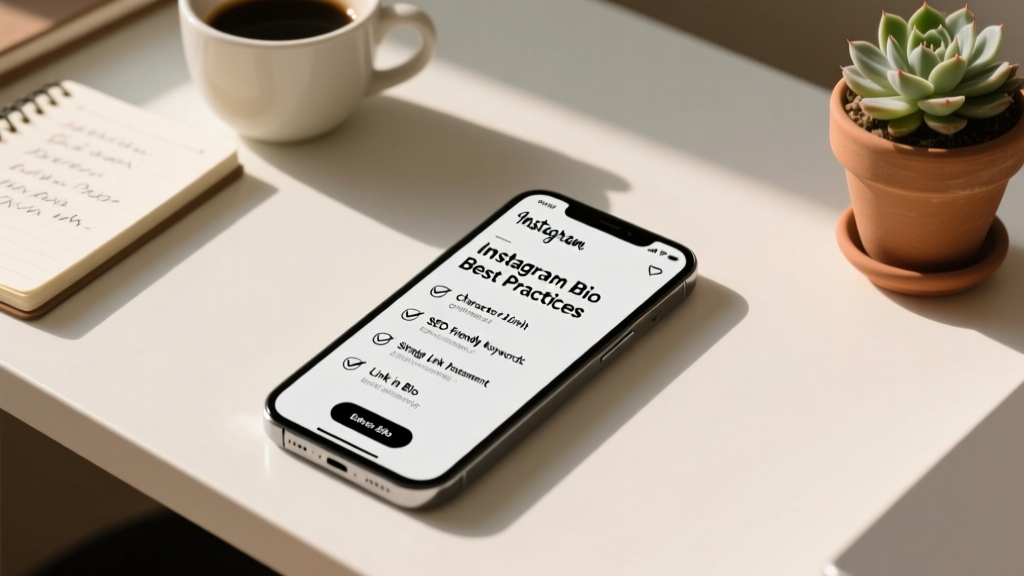
The Ultimate Quick-Reference Checklist
Before you publish your next bio update, run it through this rapid-fire checklist to ensure absolute perfection:
- [ ] Name Field: Includes primary niche keywords and is fully searchable.
- [ ] Username: Clean, memorable, and free of excessive numbers or symbols.
- [ ] Profile Picture: High contrast, well-lit, and clearly visible at small sizes.
- [ ] Value Proposition: Clearly states who you are, what you do, and the value you provide.
- [ ] Formatting: Uses clean line breaks for easy readability on mobile devices.
- [ ] Emojis: Used strategically as bullet points without overwhelming the text.
- [ ] Keywords: Niche-relevant terms are naturally woven into the text.
- [ ] CTA: A strong, action-oriented call to action points directly to the link.
- [ ] Link: Directs to an optimized, mobile-friendly landing page or link-in-bio tool.
- [ ] Contact Info: Professional email and location buttons are set up and accurate.
- [ ] Highlights: Categorized logically with cohesive, branded cover images.
- [ ] Accessibility: No custom Unicode fonts; emojis are placed thoughtfully for screen readers.
Examples of Best Practices in Action
Let us break down a few hypothetical examples to see how these best practices come together in the real world.
Example 1: The Local Coffee Shop
Name: Roast & Rest | Specialty Coffee
Bio:
Pouring joy in the heart of downtown since 2015 ☕️
Ethically sourced beans & fresh vegan pastries 🥐
Open daily: 6 AM - 4 PM
Order ahead & skip the line 👇
Link: [Link to mobile ordering page]
Why it works: The name field includes local SEO terms. The bio highlights their unique selling propositions (ethical sourcing, vegan options), provides essential operational info (hours), and ends with a highly practical CTA that solves a customer pain point (waiting in line).
Example 2: The Freelance Graphic Designer
Name: Sarah Jenkins | Brand Identity Design
Bio:
Helping bold startups build unforgettable visual identities.
✨ Logo Design
✨ Brand Guidelines
✨ Packaging
Currently accepting Q3 clients. Let us chat! ⬇️
Link: [Link to portfolio and booking calendar]
Why it works: The name field is highly searchable for businesses looking for design services. The bio uses emojis as clean bullet points to list specific services, making it highly scannable. The CTA creates urgency ('Q3 clients') and directs them to a booking link.
Frequently Asked Questions (FAQ)
How often should I update my Instagram bio?
You should review and potentially update your bio every time you launch a new product, start a new promotion, or pivot your content strategy. For most active businesses and creators, a minor refresh every 3 to 6 months ensures your bio remains aligned with your current goals and seasonal offerings.
Can I use hashtags in my Instagram bio?
While you can technically use hashtags in your bio, it is generally not recommended. Hashtags in the bio are not clickable in the same way they are in captions, and they waste precious characters that could be used for your value proposition or CTA. Furthermore, they do not contribute to your profile's searchability in the way that keywords in your Name field do. Keep your bio clean and focused on your core message.
Does having a link in my bio reduce my reach on Instagram?
No. There is a persistent myth that Instagram penalizes accounts that drive traffic off the platform by reducing their post reach. Your bio link has absolutely no negative impact on your algorithmic reach or engagement. In fact, a well-optimized profile with a clear link can improve your overall account authority and follower conversion rate.
What is the best link-in-bio tool to use?
The 'best' tool depends on your specific needs. Linktree is the most recognized and offers robust analytics. Beacons is highly customizable and great for creators selling digital products. Shopify's Linkpop is ideal for e-commerce brands wanting shoppable links. Choose a tool that allows you to match your brand colors, track click-through rates, and load quickly on mobile devices.
Should I use a Business or Creator account for my bio?
If you are a personal brand, influencer, or public figure, a Creator account is usually best as it provides access to trending audio and specific creator insights. If you are a retail store, restaurant, or service provider, a Business account is ideal as it unlocks advanced contact buttons, location tagging, and integration with third-party scheduling and analytics tools. Both account types allow you to optimize your bio fully.
Conclusion
Crafting the perfect Instagram bio is a blend of art and science. It requires the creative copywriting skills to distill your brand's essence into 150 characters, and the analytical mindset to optimize for search algorithms and user behavior. By following this comprehensive Instagram bio best practices checklist, you ensure that every element of your profile—from your Name field SEO to your final Call to Action—is working in harmony to attract, engage, and convert your target audience. Remember that your bio is a living component of your brand strategy. Test, iterate, and refine it regularly to keep up with your evolving business goals and audience needs. Now, open the app, apply these steps, and watch your profile conversion rates soar.