The Ultimate Guide to Instagram Bio Format Best Practices
Your Instagram bio is your digital handshake, your elevator pitch, and your storefront window all rolled into one incredibly compact space. With only 150 characters to make a lasting impression, the words you choose are only half the battle. The true secret to a high-converting, visually stunning profile lies in mastering Instagram bio format best practices. How you structure your text, utilize line breaks, incorporate symbols, and guide the reader's eye can mean the difference between a user hitting the follow button or bouncing to a competitor's page. In this comprehensive guide, we will dive deep into the technical formatting tools, layout strategies, and design principles that will elevate your Instagram presence. If you are just starting out and need foundational advice, be sure to check out our guide on how to write an Instagram bio before diving into these advanced formatting techniques.
The Anatomy of a Perfectly Formatted Bio
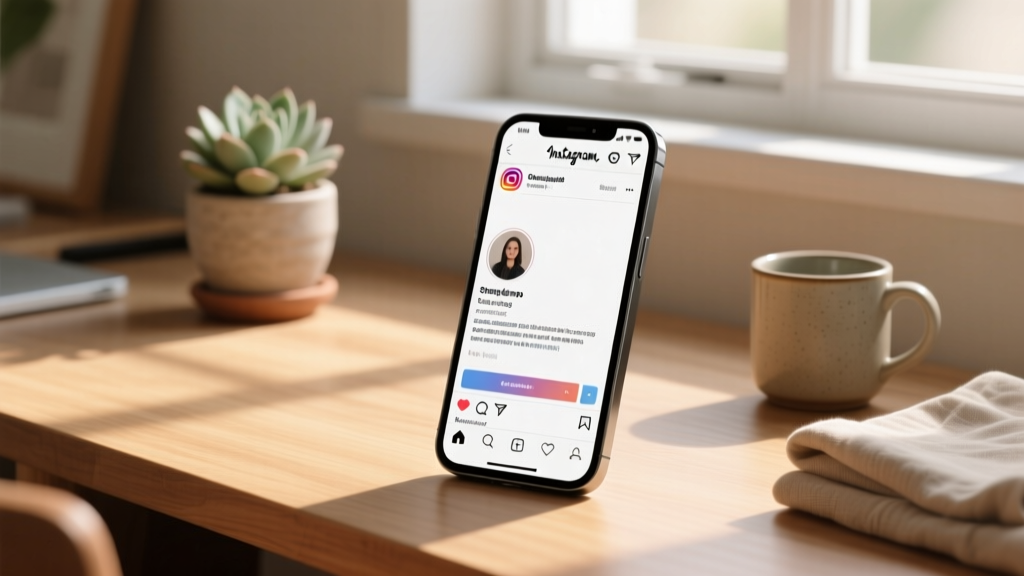
Before we manipulate the text, we must understand the canvas. The Instagram profile header is composed of several distinct elements, and understanding how they interact is crucial for proper formatting. Your profile picture sits on the left (or top on mobile), drawing the eye initially. Next to it is your Name Field, which is searchable and should contain your brand name and primary SEO keywords. Below that is your Category Label, which can be hidden or displayed depending on your preference. Then comes the main Bio Text Area—your 150-character playground. Finally, you have your contact buttons, action buttons, and the coveted Link in Bio section. Proper formatting means treating this entire vertical stack as a single cohesive billboard. You must account for how the main text area visually points down toward your link, creating a natural funnel for your audience. When you align your text formatting with the platform's native UI elements, you create a seamless user experience that feels professional and intentional.
The Line Break Dilemma: Solutions and Workarounds
Ask any seasoned social media manager about their biggest formatting pet peeve, and they will likely mention the infamous Instagram line break issue. For years, Instagram's native mobile app has been notorious for stripping out consecutive line breaks and trailing spaces, turning a beautifully spaced, poetic bio into a cluttered, unreadable wall of text. Fortunately, there are several proven workarounds to ensure your formatting remains intact when you hit save.
The Notes App Method
The most reliable, low-tech method for preserving line breaks is to draft your bio outside of the Instagram app. Open your smartphone's native Notes app (or any basic text editor like Google Keep or Apple Notes). Type out your bio exactly as you want it to appear, using the return key to create clean line breaks between your sentences, bullet points, and calls to action. Once you are satisfied with the layout, highlight the text, copy it to your clipboard, open Instagram, navigate to your profile editing page, and paste it directly into the bio field. Because the Notes app formats text as plain text with hard returns, Instagram's algorithm is much more likely to respect the spacing when you paste it in.
The Invisible Character Trick
Sometimes, even the Notes app method fails, especially if you want to create empty space between lines without using a visible bullet point or emoji. This is where the invisible character comes to the rescue. The invisible character is a special Unicode space that Instagram's algorithm does not recognize as a standard trailing space, meaning it will not be stripped out upon saving. To use this trick, you simply copy a blank invisible character from a dedicated spacer tool or website, place it on the empty line between your text blocks, and save. This forces Instagram to render a blank line, giving you total control over your vertical spacing. It is an essential tool for those who prefer a clean, airy layout with plenty of breathing room between their value proposition and their call to action.
Mastering Bullet Points and Visual Dividers
When you only have 150 characters, every single symbol must serve a purpose. Bullet points and dividers are the unsung heroes of bio formatting. They break up complex information, guide the reader's eye down the page, and create a sense of organized professionalism. However, using standard keyboard hyphens or asterisks often looks messy and unaligned on mobile screens. Instead, you should leverage Unicode symbols to create crisp, aesthetic lists.
Choosing the Right Bullet Points
The classic dot (•) is a timeless choice that works for almost any brand. It is clean, unobtrusive, and universally recognized as a list indicator. For a more delicate or feminine touch, many creators opt for small stars (✦), sparkles (✧), or floral symbols. If you are building a corporate or tech-focused profile, geometric shapes like small squares (▪) or arrows (➤) can convey a sense of precision and forward momentum. The key is consistency. Never mix and match different bullet styles within the same bio. Choose one symbol and use it exclusively for your list items to maintain visual harmony.
Using Vertical and Horizontal Dividers
If you prefer to write your bio in a single, continuous paragraph or a horizontal sequence rather than a vertical list, dividers are your best friend. The vertical pipe symbol (|) is a staple in modern web design and looks incredibly sleek on Instagram. For example: 'Digital Creator | Coffee Enthusiast | NYC'. This saves valuable vertical space, allowing you to include more keywords without pushing your link too far down the screen. Alternatively, you can use aesthetic symbols like tildes (~), middle dots (·), or small diamonds (◆) to separate phrases. Just remember to include a single standard space on either side of your divider to ensure it doesn't look cramped against your text.
Custom Fonts and Typography: A Double-Edged Sword
Scroll through Instagram, and you will inevitably encounter bios written in cursive, bold serif, typewriter, or bubble letters. These are not actual fonts; they are Unicode characters that mimic different typographic styles. While using a fancy text generator can make your profile stand out in a crowded feed, it is a formatting strategy that requires extreme caution and an understanding of digital accessibility.
The Accessibility Warning
The most critical best practice regarding custom Instagram fonts is understanding how they interact with screen readers. Visually impaired users rely on screen reading software to navigate the web and social media. When a screen reader encounters a standard 'A', it reads the letter 'A'. When it encounters a mathematical bold script '𝓐', it often reads out 'Mathematical Bold Script Capital A', or worse, it skips it entirely or reads it as a foreign character. If your entire bio is written in a custom Unicode font, your profile becomes completely inaccessible to a significant portion of the internet. Furthermore, Instagram's native search algorithm struggles to index these characters, meaning you will lose out on valuable SEO discoverability if your main keywords are hidden inside fancy text.
Best Practices for Fancy Text
This does not mean you must avoid custom fonts entirely. The best practice is to use them sparingly and strategically. Use a custom font generator to stylize your brand name or a single, non-essential catchphrase, but keep your core value proposition, your primary keywords, and your call to action in standard, readable text. This allows you to inject personality and aesthetic flair into your profile without sacrificing accessibility or search engine optimization. If you are looking for inspiration on how to balance beautiful typography with clean design, explore our collection of aesthetic bio ideas to see how top creators utilize custom text responsibly.
Strategic Emoji Placement and Color Theory
Emojis are the native language of Instagram, but in a professional bio, they must be treated as functional design elements rather than mere emotional reactions. Proper emoji formatting involves considering visual weight, color theory, and directional cues.
Creating Visual Hierarchy
Emojis are naturally brighter and more visually dense than standard text. When placed at the beginning of a line, they act as powerful visual anchors that draw the eye immediately. Use them to replace traditional bullet points, but ensure you select emojis that share a cohesive color palette. If your brand colors are warm earth tones, stick to brown, orange, and yellow emojis. If your brand is sleek and modern, opt for black, white, or grey symbols. A bio filled with random, multi-colored emojis looks chaotic and unprofessional, whereas a carefully curated selection of monochromatic emojis looks intentional and highly branded.
Directional Cues for the Link in Bio
One of the most important formatting best practices is using emojis to direct traffic to your link. The ultimate goal of your bio is to convert profile visitors into website clicks. Because the link sits directly below the bio text, using downward-pointing emojis (👇, ⬇️, 🔽) at the very bottom of your text block creates a psychological funnel. It subtly commands the user's eye to continue moving down the page, significantly increasing your click-through rate. Just be careful not to overdo it; a single, well-placed arrow is elegant, while a string of five pointing fingers looks like spam.
Formatting for Specific Brand Archetypes
There is no one-size-fits-all approach to Instagram formatting. The layout that works for a global streetwear brand will look entirely out of place on a local bakery's profile. Let us break down the formatting best practices for four distinct brand archetypes.
The Minimalist
Minimalism is all about negative space and intentionality. If you are drawn to clean, uncluttered designs, you should rely heavily on the invisible character trick to create wide gaps between short, punchy statements. Avoid emojis entirely, or use simple geometric shapes like a single black square or a lowercase 'x' as a divider. Keep your text aligned to the left and utilize lowercase lettering for a modern, editorial feel. For more inspiration on achieving this sleek look, browse our curated minimalist bio ideas.
The Corporate Professional
For businesses, consultants, and B2B brands, clarity and authority are paramount. Use the vertical pipe symbol (|) to separate your titles, credentials, and location on a single line to save space. Use standard bullet points to list your top three services or value propositions, and ensure your call to action is explicit and professional (e.g., 'Book a consultation below'). Avoid slang, excessive exclamation marks, and niche internet humor. Your formatting should mirror the clean, structured layout of a high-end resume.
The E-Commerce Brand
Online stores need to build trust and drive immediate sales. Your formatting should highlight your unique selling propositions (USPs) quickly. Use checkmark emojis (✅) or star emojis (⭐) to list benefits like 'Free Worldwide Shipping', '30-Day Returns', and 'Cruelty-Free Ingredients'. Place your current promotion or discount code in bold text or bracket it with sparkles to make it pop. The link section should clearly state what the user will find when they click (e.g., 'Shop the Summer Collection 👇').
The Creative Artist
Musicians, painters, and digital artists have the freedom to break traditional formatting rules. You might use a typewriter-style Unicode font for a vintage vibe, or incorporate Kaomoji (Japanese emoticons) to show personality. Line breaks can be used to format short, abstract poetry or song lyrics. The key here is to ensure that despite the artistic flair, your contact information or management email remains clearly legible and easy to find for industry professionals scouting for talent.
Call-to-Action (CTA) and Link Formatting
The final line of your bio text is prime real estate. This is where your Call-to-Action lives, and its formatting can drastically impact your conversion rates. A common mistake is burying the CTA in the middle of a paragraph or failing to distinguish it from the rest of the text. Your CTA should always be the last line of text in your bio block. Isolate it using a line break so it stands alone. Capitalize the action verbs (e.g., 'GRAB YOUR FREE GUIDE', 'SHOP THE SALE', 'READ THE LATEST POST') to create a sense of urgency and importance. If you are using a link-in-bio tool that hosts multiple destinations, your CTA should reflect that (e.g., 'All my links & resources below 👇'). Remember that Instagram only allows one primary clickable link in your bio text area, so your formatting must drive all attention to that single focal point.
Mobile vs. Desktop Rendering Differences
A crucial aspect of bio formatting that many users overlook is the difference between how your profile renders on a mobile device versus a desktop browser. Instagram is a mobile-first platform, and the vast majority of your audience will view your bio on a narrow vertical screen. However, desktop viewing is still common for B2B networking, influencer scouting, and brand research. On a desktop, your bio text is displayed in a wider, shorter block next to your profile picture, whereas on mobile, it is stacked vertically below your header. A bio that looks perfectly spaced on a phone might look squished and cluttered on a monitor, and vice versa. The best practice is to always format and preview your bio on a mobile device first, as that is the primary user experience. Keep your lines relatively short to avoid awkward text wrapping on smaller screens, and avoid using long, unbroken URLs in the text body, as they will stretch the formatting and look messy.
Common Formatting Mistakes to Avoid
Even with the best tools, it is easy to fall into formatting traps that degrade the user experience. Here are the most common mistakes to watch out for:
- The Wall of Text: Failing to use line breaks, resulting in a dense, intimidating paragraph that users will simply scroll past. Always break up your text into digestible chunks.
- Emoji Overload: Using three or four emojis per line. This distracts from your message and makes your brand look amateurish. Stick to one emoji per line or use them strictly as dividers.
- Inconsistent Alignment: Mixing centered text, left-aligned text, and right-aligned text. Instagram bios do not support native centering without using manual spaces, which break on different screen sizes. Always default to left alignment for a clean, reliable layout.
- Ignoring the Name Field: Repeating your exact username in your Name Field. This wastes valuable SEO space. Use the Name Field for descriptive keywords (e.g., 'Sarah | Vegan Recipes & Meal Prep').
- Broken Spacing: Forgetting to check your bio after Instagram updates its app. Sometimes, platform updates alter line-height rendering, so it is good practice to audit your bio formatting once a month.
Essential Tools for Perfecting Your Bio
You do not have to rely on trial and error to achieve the perfect layout. There are numerous digital tools designed specifically to help you format your Instagram profile. First and foremost, utilizing a dedicated bio generator tool can save you hours of brainstorming and formatting. These tools allow you to input your niche and keywords, and they automatically generate beautifully formatted, optimized bios complete with appropriate emojis and line breaks. Additionally, keeping a 'spacer app' or a bookmarked invisible character website on your phone's home screen ensures you can make quick formatting edits on the go. Finally, always use a character counter while drafting. Knowing exactly how many characters you have left (out of the 150 limit) prevents the frustration of having to cut your favorite tagline just to fit a line break.
Frequently Asked Questions (FAQ)
Why does Instagram keep deleting my line breaks?
Instagram's algorithm is designed to compress text and remove what it deems as 'unnecessary' white space, including consecutive line breaks and trailing spaces at the end of a line. To bypass this, you must use a hard return from a notes app, or insert an invisible Unicode character on the blank lines to trick the algorithm into recognizing the space as occupied content.
Can I use HTML or Markdown in my Instagram bio?
No, Instagram does not support HTML, Markdown, or any rich text formatting codes like bolding, italics, or hyperlinks within the main bio text area. The only clickable link allowed is the dedicated website field. To achieve bold or italic effects, you must use third-party Unicode font generators, keeping in mind the accessibility limitations mentioned earlier.
How do I center my Instagram bio text?
Instagram does not have a native 'center align' button for bios. Some users attempt to center text by manually adding spaces before each line. However, this is highly discouraged because text rendering varies wildly depending on the device screen size, operating system, and user accessibility settings (like enlarged text). What looks centered on your phone will likely look completely misaligned on your follower's phone. Stick to left-aligned text for a consistent experience.
What is the best length for an Instagram bio?
While you are allotted 150 characters, you do not need to use all of them. The best practice is to use exactly as many characters as it takes to convey your value proposition, your authority, and your call to action clearly. A punchy, well-formatted 80-character bio is infinitely more effective than a rambling, cluttered 150-character bio. Prioritize readability and white space over maxing out your character limit.
Should I include my email address in the bio text?
If you have an Instagram Business or Creator account, you should use the dedicated 'Contact' or 'Email' button provided by the platform. This keeps your bio text clean and reserves your 150 characters for marketing copy. Only include your email in the actual text body if you are using a personal account that lacks native contact buttons, or if you are directing PR inquiries to a specific management agency.
How often should I update my bio format?
Your core formatting structure (your line breaks, bullet styles, and overall layout) should remain relatively consistent to build brand recognition. However, the content within that format should be updated frequently to reflect current promotions, new lead magnets, or seasonal campaigns. Whenever you change the text, always preview it on a mobile device to ensure your new copy hasn't disrupted your carefully crafted line breaks or pushed your CTA out of view.