Introduction to Ecommerce Link in Bio Strategy
When managing an online store, your Instagram profile is more than just a social media presence; it is a vital digital storefront. However, the platform's single-link limitation can feel like a bottleneck for brands with extensive catalogs, seasonal promotions, & diverse content hubs. This is where a dedicated link in bio strategy becomes essential. Instead of forcing potential customers to navigate through a complex mobile homepage, a well-optimized link in bio page acts as a curated microsite, guiding users exactly where they need to go.
In the modern digital landscape, social commerce is booming. Consumers are discovering products through Reels, Stories, & static posts, and they expect a frictionless path to purchase. If your link in bio strategy is an afterthought, you are leaving significant revenue on the table. A strategic approach transforms your profile from a passive gallery into an active conversion engine. To truly maximize this potential, you must align your profile text, visual branding, & link architecture. If you need help crafting the perfect profile text to support your links, exploring our guide on how to write an Instagram bio is the perfect first step.
Why Your Ecommerce Store Needs a Dedicated Strategy
The modern consumer shops primarily on mobile devices. When a user clicks the link in your Instagram bio, they are already on their phone. If that link directs them to a desktop-optimized homepage or a cluttered mobile menu, the cognitive load required to find the product they just saw in your latest Reel is too high. They will bounce, & the sale will be lost. A dedicated link in bio strategy solves this by creating a mobile-first, frictionless bridge between your social content & your checkout page.
Furthermore, a strategic link page allows you to capture intent. Not every follower is ready to buy immediately. Some might want to read your size guide, others might want to join your VIP SMS list, & others might be looking for your current return policy. By segmenting your links based on user intent, you cater to every stage of the buyer's journey. This microsite approach also allows you to bypass the algorithmic limitations of social platforms, driving traffic to owned channels like your email newsletter or private community.
Finally, a dedicated strategy provides invaluable data. When you send all bio traffic to a single homepage URL, it is incredibly difficult to track which specific social campaigns drove which sales. By using a link in bio tool equipped with analytics & pixel tracking, you gain granular insights into your audience's behavior, allowing you to optimize your content strategy & retarget warm leads with precision.
Choosing the Right Link in Bio Tool for Ecommerce
Not all link in bio tools are created equal, especially when it comes to ecommerce. While basic tools simply list URLs, advanced platforms offer native integrations with shopping carts, email service providers, & analytics suites. When selecting a tool for your online store, you must prioritize features that reduce friction & enhance the shopping experience.
Shopify Native Integrations
If your store is built on Shopify, tools like Linkpop (Shopify's native link in bio tool) offer seamless integration. Linkpop allows you to embed shoppable product cards directly into your link page. When a user clicks a product, they can view details & add to cart without ever leaving the optimized mobile environment. This drastically reduces the number of clicks required to reach checkout, which is a primary driver of conversion rate optimization.
Third-Party Powerhouses
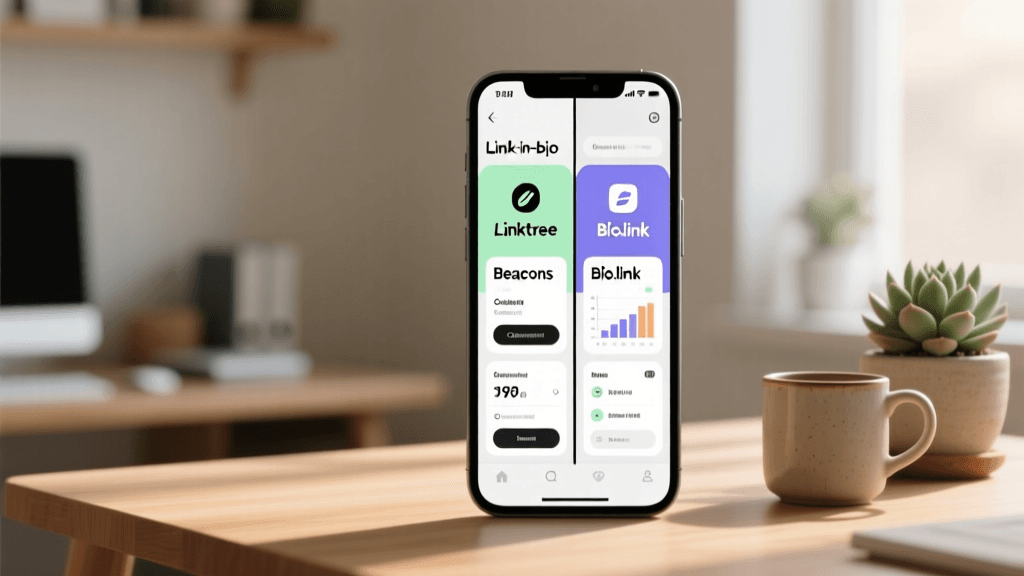
Platforms like Beacons, Linktree, & Bio.link offer robust features for ecommerce brands that might be using WooCommerce, BigCommerce, or custom builds. Beacons, for instance, excels in email & SMS capture blocks, allowing you to grow your owned audience directly from your Instagram profile. Linktree offers excellent commerce integrations, allowing you to showcase bestsellers & dynamic product feeds. Bio.link provides a highly customizable, clean interface that is perfect for brands prioritizing a premium visual experience.
Key Features to Demand
- Pixel Integration: The ability to add your Meta Pixel, TikTok Pixel, & Google Analytics tags is non-negotiable for retargeting.
- Custom Domains: Using a custom domain (e.g., links.yourbrand.com) builds trust & reinforces brand recognition.
- Rich Media Blocks: Look for tools that support video embeds, GIFs, & carousel sliders to showcase products dynamically.
- Email & SMS Capture: Native forms that integrate with Klaviyo, Mailchimp, or Omnisend are crucial for lead generation.
Designing a High-Converting Ecommerce Link Page
Your link in bio page is an extension of your brand. It should not look like a generic template; it must reflect your store's visual identity. Consistency builds trust, & trust drives conversions. Start by uploading your brand's logo or a high-quality profile image, & apply your exact brand hex codes to the background & button elements.
The visual style of your link page should match the overall vibe of your Instagram presence. If your brand focuses on beautiful, curated visuals, you might draw inspiration from aesthetic bio ideas to ensure your profile & link page feel cohesive. Conversely, if you sell high-end luxury goods or modern tech accessories, a clutter-free approach is best. Exploring minimalist bio ideas can help you strip away the noise & focus purely on the product & the call to action.
Button Hierarchy & Psychology
The order & design of your buttons dictate where users click. The human eye naturally scans from top to bottom, meaning your highest-converting or most time-sensitive offer must be at the very top. Use contrasting colors for your primary Call to Action (CTA). If your brand colors are mostly neutral, use a bold, vibrant color for your 'Shop New Arrivals' button to draw the eye immediately.
Limit the number of links to avoid decision paralysis. The paradox of choice states that offering too many options leads to anxiety & inaction. Stick to five to seven highly relevant links. A standard ecommerce hierarchy looks like this:
- Hero Banner / Featured Product: A visual block showcasing your current flagship promotion.
- Primary CTA: 'Shop the New Collection' or 'Claim Your 20% Off Discount'.
- Secondary CTA: 'Bestsellers' or 'As Seen on TikTok'.
- Tertiary CTA: 'Join the VIP Club' (Email/SMS capture).
- Utility Links: 'Shipping & Returns', 'Size Guide', or 'Track Your Order'.
Optimizing Your Instagram Bio to Support Your Links
The most brilliant link in bio page will fail if your actual Instagram bio does not compel users to click it. Your bio text must act as a hook, clearly stating who you are, what you sell, & why the user should care. You have limited characters to make a massive impact, so every word must earn its place.
Start with a strong value proposition. Instead of just saying 'We sell candles', say 'Hand-poured soy candles for your daily ritual | Eco-friendly & Cruelty-free'. Use emojis strategically to break up text & act as visual bullet points. Most importantly, your final line of text must act as a directional cue pointing down to your link. Phrases like 'Shop the drop below 👇' or 'Grab your welcome discount ⬇️' significantly increase click-through rates.
If you struggle with formatting or finding the right words, leveraging an Instagram bio generator can provide tailored, high-converting templates designed specifically for ecommerce niches. These tools help you balance SEO keywords, brand personality, & clear CTAs within Instagram's strict character limits.
Strategic Link Placement & Content Alignment
A common mistake ecommerce brands make is treating the link in bio as a static entity. Your link page must be a living, breathing reflection of your current marketing campaigns. When you launch a new product, the top button on your link page must immediately reflect that launch. When you run a weekend flash sale, the link page should feature a countdown timer or urgent messaging.
Aligning Reels & Posts with Link Architecture
When you post a Reel demonstrating a specific product, users will flock to your bio to find it. If they have to hunt through your main website to locate the exact item from the video, you will lose the sale. Create a dedicated 'As Seen on Reels' or 'TikTok Made Me Buy It' collection on your website, & make that the second button on your link page. This bridges the gap between viral content & the shopping cart.
Leveraging Story Highlights as Navigation
While the link in bio is your primary conversion tool, Instagram Story Highlights serve as your permanent navigation menu. Create highlights for 'Reviews', 'Behind the Scenes', 'Sizing', & 'FAQs'. You can even use a highlight titled 'SHOP' where you regularly share product links via the Instagram link sticker, directing users to your bio for the full catalog. This multi-touchpoint strategy ensures that users who miss your feed posts can still easily navigate to your store.
Tracking, Analytics, & Conversion Rate Optimization
You cannot optimize what you do not measure. A robust link in bio strategy relies heavily on data analysis. Most premium link tools offer built-in analytics dashboards that show click-through rates (CTR), total views, & top-performing buttons. However, to truly understand ROI, you must integrate external tracking.
The Power of UTM Parameters
Never paste a raw URL into your link in bio tool. Always use UTM parameters to tag your links. This allows Google Analytics & your ecommerce backend to attribute sales directly to your Instagram bio. A standard UTM structure for an ecommerce link page looks like this:
yourwebsite.com/collections/new-arrivals?utm_source=instagram&utm_medium=bio&utm_campaign=link_in_bio&utm_content=top_button
By tagging every button differently (e.g., utm_content=bestsellers vs utm_content=sale_section), you can see exactly which sections of your microsite are driving the most revenue, allowing you to rearrange your page for maximum impact.
Pixel Tracking & Retargeting
Installing your Meta Pixel on your link in bio page is a game-changer. Every time a user clicks your bio link, the pixel fires, adding them to a 'Website Visitors' custom audience. You can then create retargeting campaigns on Facebook & Instagram specifically aimed at people who clicked your bio link but did not complete a purchase. Serve them dynamic product ads featuring the exact items they clicked on, paired with a limited-time free shipping code to close the sale.
A/B Testing Your Microsite
Treat your link page like a landing page. Run A/B tests on button copy. Does 'Shop the Sale' perform better than 'Get 50% Off Now'? Does a red button outperform a black one? Test the placement of your email capture form—does it work better at the top of the page or the bottom? Continuous iteration based on real user data is the hallmark of a mature ecommerce strategy.
Advanced Ecommerce Link in Bio Tactics
Once you have the basics optimized, it is time to implement advanced tactics that drive explosive growth & foster deep customer loyalty.
Exclusive Drops & Scarcity
Use your link in bio to host exclusive, password-protected product drops. Tease a limited-edition item on your Stories & Reels, directing followers to your bio to 'Join the Waitlist'. Use an email capture block on your link page to collect addresses. When the drop goes live, email the list first. This not only drives massive initial sales velocity but also trains your audience that being on your email list via your bio link yields tangible rewards.
Interactive Content & Quizzes
If you sell skincare, cosmetics, or customizable goods, embed a quiz link at the top of your bio page. 'Take the Skin Type Quiz to Find Your Perfect Routine'. This provides immense value to the user, helps them overcome the paradox of choice, & provides you with zero-party data that you can use to segment your email marketing campaigns. Tools like Typeform or Octane AI integrate beautifully into most link in bio platforms.
Seasonal & Campaign-Specific Pages
During major shopping events like Black Friday, Cyber Monday, or Valentine's Day, completely overhaul your link in bio page. Remove all evergreen utility links. Replace them with a highly focused, single-minded page dedicated entirely to the holiday event. Use countdown timers, bold festive colors, & direct links to gift guides. When the event is over, revert to your standard evergreen layout.
Frequently Asked Questions (FAQ)
How many links should an ecommerce store have in its bio?
While some tools allow unlimited links, best practices dictate that you should have between five & seven active links at any given time. Too many links cause decision fatigue & reduce the click-through rate of your primary offers. Keep the focus on your most profitable collections, current promotions, & essential utility pages like shipping policies or size guides. Rotate out underperforming links regularly based on your analytics data.
Is it better to link directly to the homepage or a specific product?
Never link directly to your generic homepage unless you are running a massive brand-awareness campaign. The homepage is too broad & requires the user to do too much work to find what they are looking for. Always link to curated collections, specific landing pages, or a dedicated link-in-bio microsite that acts as a traffic director. The closer you can get the user to the specific product they saw in your content, the higher your conversion rate will be.
How do I track ROI from my Instagram link in bio?
Tracking ROI requires a combination of UTM parameters & pixel tracking. By appending UTM tags to every URL on your link page, your ecommerce platform (like Shopify or WooCommerce) will attribute specific sales to the 'instagram / bio' source in your acquisition reports. Additionally, integrating your Meta Pixel allows you to track the entire funnel, from the initial bio click to the final checkout, giving you a clear picture of your return on ad spend & organic content efforts.
Can I collect emails directly from my link in bio page?
Yes, & you absolutely should. Building an owned audience is critical for long-term ecommerce success, as social media algorithms are constantly changing. Most premium link in bio tools offer native email & SMS capture blocks that integrate directly with platforms like Klaviyo, Omnisend, & Mailchimp. Offer an incentive, such as a 15% welcome discount or access to a private sale, to encourage users to submit their information without ever leaving the Instagram app environment.
What is the best CTA to use in my Instagram bio for a store?
The best CTA is one that creates urgency & clearly states the benefit of clicking. Instead of a generic 'Visit our website', use action-oriented, benefit-driven phrases like 'Shop the Summer Sale 👇', 'Claim Your Free Gift ⬇️', or 'Take the Style Quiz ✨'. Ensure the CTA in your bio text perfectly matches the headline of the top button on your link page to create a seamless, cohesive user experience.
Should I change my link in bio every time I post a new Reel?
Constantly changing the actual URL in your Instagram settings is not recommended, as it can confuse returning followers & disrupt your analytics tracking. Instead, use a link-in-bio tool as your permanent URL, & update the buttons inside that tool. If a specific Reel goes viral, you can temporarily move the featured product to the very top of your link page, or use an automation tool like ManyChat to send the direct product link to users who comment a specific keyword on the Reel, reserving the bio link for general store navigation.
How does the link in bio strategy differ for TikTok vs. Instagram?
While the core principles of reducing friction remain the same, TikTok users tend to respond better to highly authentic, raw, & trend-driven content. Your TikTok link page should prioritize 'Viral Products' or 'TikTok Made Me Buy It' collections at the very top. Additionally, TikTok's audience is highly receptive to interactive elements, so featuring polls, quizzes, or creator-collaboration links higher up on your TikTok link page can yield excellent engagement compared to the more curated, aesthetic approach often favored on Instagram.