Introduction: The Power of the Link in Bio for Creatives
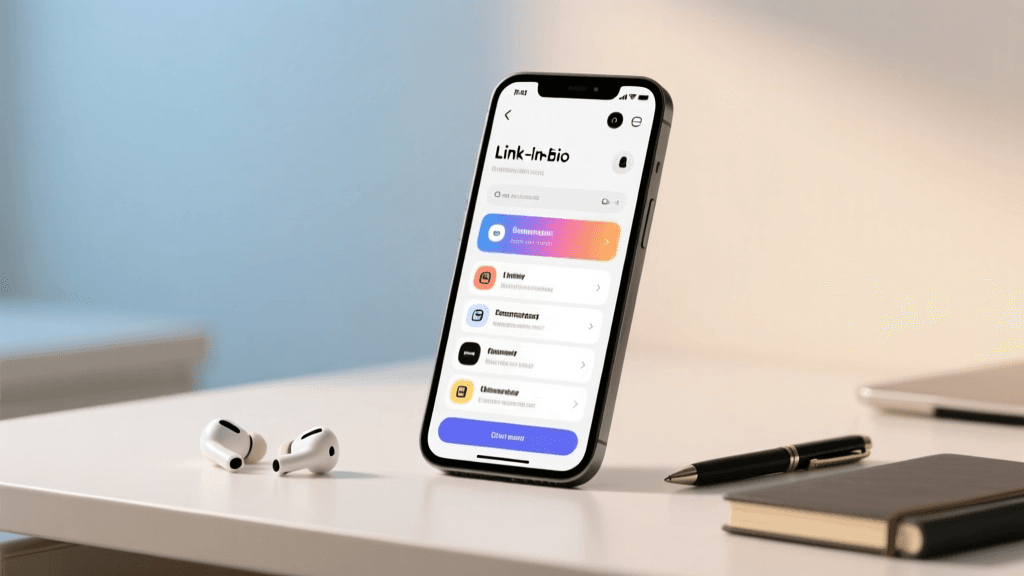
For musicians, visual artists, and digital creators, Instagram is an indispensable tool for building an audience, showcasing your portfolio, and connecting with fans. However, the platform's inherent limitation—a single clickable link in your profile—can feel like a bottleneck for creatives who have multiple projects, revenue streams, and platforms to promote. This is where a strategic link-in-bio setup becomes your most valuable digital asset. A well-optimized link in bio is not just a directory of URLs; it is a dynamic, conversion-focused landing page designed to turn casual scrollers into dedicated fans, paying customers, and long-term supporters.
Whether you are an independent musician trying to drive pre-saves for your next single, a painter looking to sell limited-edition prints, or a digital artist offering commission slots, your link-in-bio strategy must be intentional. In this comprehensive guide, we will break down the exact steps, tools, and psychological tactics you need to build a link-in-bio ecosystem that works as hard as you do. We will explore niche-specific strategies, platform integrations, and advanced analytics to ensure your creative business thrives in the digital landscape.
Why Your Link in Bio is Your Most Valuable Digital Real Estate
Social media platforms are essentially "rented land." Algorithm changes, shadowbans, or platform shutdowns can instantly sever your connection with your audience. Your primary goal as a creative professional should always be to migrate your followers from rented land to "owned land"—your email list, your SMS subscriber base, your official website, or your e-commerce store. The link in bio is the bridge that facilitates this migration.
When a fan clicks your Instagram profile link, they are exhibiting high intent. They have moved beyond passive consumption and are actively seeking a deeper connection with your art or music. If they land on a cluttered, confusing, or outdated page, that momentum is lost. Conversely, a strategically designed link-in-bio page capitalizes on this intent, guiding the user seamlessly toward your most important current objective, whether that is streaming a new album, buying concert tickets, or joining your Patreon community.
Core Components of a Musician's Link Strategy
Musicians have a unique set of needs when it comes to their digital presence. Your link in bio must accommodate the fast-paced nature of music releases, touring, and merchandise drops. Here are the essential elements every musician should include in their link-in-bio rotation.
1. Smart Links and Pre-Save Campaigns
A smart link is a non-negotiable tool for modern musicians. Instead of linking directly to Spotify, a smart link (using tools like Feature.fm, ToneDen, or Linkfire) automatically detects the user's preferred streaming service and redirects them accordingly. This ensures that Apple Music, Tidal, Deezer, and Amazon Music fans are all catered to. During a release cycle, your top button should always be a pre-save or smart link for your latest single, EP, or album. Pre-saves are critical for algorithmic momentum, signaling to streaming platforms that there is high anticipation for your release.
2. Tour Dates and Ticketing
Live performances are a primary revenue stream for most artists. Your link in bio should feature a dynamic tour dates page. Many link-in-bio tools integrate directly with Songkick or Bandsintown, automatically updating your page as new shows are booked. Ensure your call-to-action (CTA) buttons are urgent and clear, such as "Get Tickets for the Fall Tour" or "VIP Meet & Greet Packages."
3. Merchandise and Physical Media
From vinyl records and cassette tapes to limited-edition streetwear, merch is a massive part of music culture. Link directly to your Shopify, Big Cartel, or Bandcamp merch store. To drive conversions, use your link-in-bio page to highlight limited-run items or exclusive bundle deals that are only available through your Instagram profile link, creating a sense of urgency and exclusivity.
4. Fan Clubs and Community Building
Superfans want access to the artist behind the music. Include links to your Patreon, Discord server, or exclusive SMS marketing signup. Offering a lead magnet, such as a free unreleased demo track or a digital lyric book in exchange for an email address or phone number, is a highly effective way to build a direct-to-fan marketing channel that you own completely.
Core Components of a Visual Artist's Link Strategy
Visual artists, illustrators, photographers, and designers face a different set of challenges. Your link in bio must serve as both a professional portfolio and a storefront, balancing aesthetic presentation with e-commerce functionality.
1. The Digital Portfolio and Gallery
Your Instagram grid is a curated selection of your work, but your link in bio should lead to a comprehensive, high-resolution portfolio. Whether you use Squarespace, Format, or a custom-coded website, ensure that the portfolio link is prominent. For photographers, this might mean linking to a hidden gallery for potential clients to view full wedding or editorial sets.
2. Print Shops and Original Art Sales
Selling physical art requires trust and a seamless checkout experience. Link directly to your print-on-demand storefront, Etsy shop, or personal e-commerce site. If you are running an Etsy shop, pairing your link strategy with aesthetic bio ideas can create a cohesive, visually pleasing brand identity that attracts buyers looking for curated, beautiful pieces.
3. Commission Inquiries and Booking
For freelance illustrators and portrait artists, commissions are a vital income source. Do not just link to your DMs; DMs are disorganized and easy to miss. Instead, use a link-in-bio button that leads to a structured intake form (via Typeform, Google Forms, or HoneyBook). This form should outline your pricing, timelines, and terms & conditions, filtering out unserious inquiries and streamlining your workflow.
4. Digital Products and Educational Content
Many visual artists monetize their process. If you sell Procreate brush packs, Lightroom presets, online courses, or digital wallpapers, these should be front and center. Digital products have high profit margins and can be sold passively. Promote these heavily in your Instagram Stories and direct viewers to the link in your bio to purchase.
Choosing the Right Link-in-Bio Tool for Creatives
Not all link-in-bio tools are created equal. While generalist tools work well for influencers, creatives often need specialized features. Here is a comparison of the top platforms for musicians and artists.
- Feature.fm / ToneDen: The gold standard for musicians. These platforms specialize in smart links, pre-save campaigns, and deep integration with streaming platforms and ticketing agencies. They provide granular data on which streaming services your fans prefer.
- Beacons: Highly customizable and excellent for visual artists and digital creators. Beacons offers built-in e-commerce features, allowing you to sell digital downloads, accept tips, and even embed media directly into your link page without forcing the user to leave the app.
- Linktree: The most recognizable name in the space. While it lacks some of the niche music features of ToneDen, its Pro tier offers excellent analytics, email capture forms, and seamless integration with Shopify, making it a solid all-rounder for artists selling merch.
- Shopify Linkpop: If your primary goal is selling physical art or merchandise, Linkpop is a shoppable link-in-bio tool that allows fans to purchase products directly within the mobile browser experience, drastically reducing cart abandonment rates.
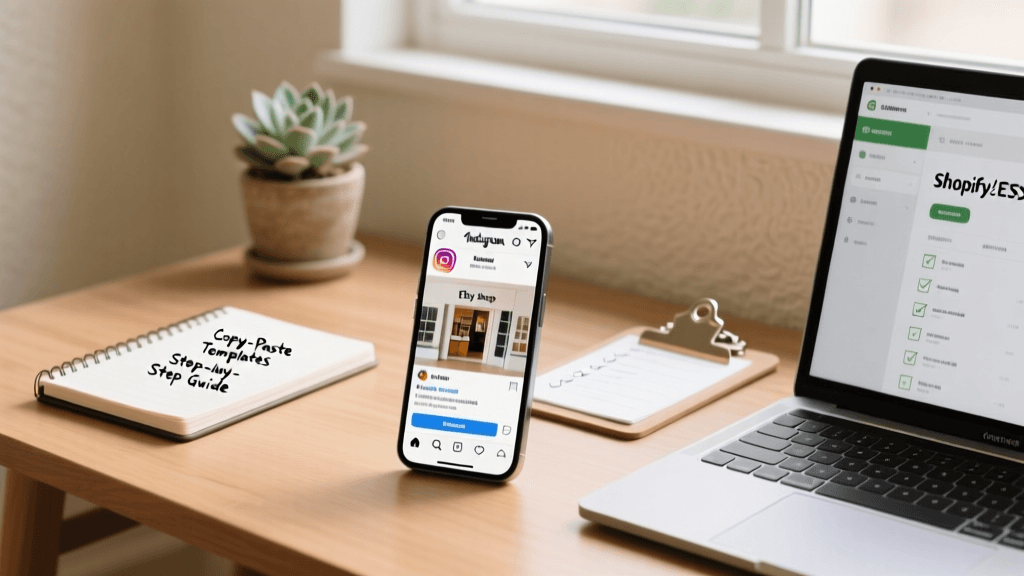
Step-by-Step Guide to Setting Up Your Link in Bio
Now that you understand the components and tools, it is time to build your page. Follow this step-by-step guide to ensure your setup is optimized for maximum conversion.
Step 1: Audit and Prioritize Your Assets
Before opening your link-in-bio dashboard, list every URL you currently want to share. Rank them in order of importance based on your current business goals. If you are in the middle of an album release cycle, the smart link is number one. If you are a painter preparing for a gallery show, the RSVP link takes priority. Limit your visible links to the top four or five; too many options cause decision fatigue and lower overall click-through rates.
Step 2: Design for Your Brand Identity
Your link-in-bio page should feel like a natural extension of your Instagram profile. Use high-quality imagery, consistent brand colors, and fonts that match your visual identity. If your brand leans towards clean, simple lines, you might draw inspiration from minimalist bio ideas to ensure your landing page reflects that same uncluttered elegance. Avoid distracting animated backgrounds that make text difficult to read on mobile devices.
Step 3: Craft the Perfect Instagram Bio
Your link in bio does not exist in a vacuum; it relies on the text above it to provide context. A great link page will fail if your Instagram bio does not compel the user to click. You need a clear value proposition, a touch of personality, and a direct call-to-action pointing downward. If you are struggling to find the right words, utilizing a professional bio generator tool can help you brainstorm compelling, keyword-rich descriptions that perfectly set up your link. For a deeper dive into profile optimization, read our comprehensive guide on how to write an Instagram bio that converts.
Step 4: Implement Action-Oriented Button Copy
Do not use generic button text like "Website" or "Link." Use action-oriented, descriptive copy that tells the user exactly what they will get. Instead of "Spotify," use "Stream the New Album Now." Instead of "Shop," use "Browse Limited Edition Prints." The psychology of the click relies on anticipation; give them a reason to tap.
Step 5: Test on Multiple Devices
Over 90% of your Instagram traffic will come from mobile devices, but you must ensure your page loads correctly across different screen sizes, operating systems, and browsers. Check for broken images, slow-loading assets, and ensure that your smart links correctly redirect on both iOS and Android environments.
Advanced Conversion Tactics for Creatives
Once the foundation is laid, you can implement advanced strategies to squeeze more value out of every profile visit.
The Power of the Lead Magnet
Fans are hesitant to hand over their email addresses or phone numbers without a compelling reason. As a musician, offer a free acoustic EP, a PDF of your handwritten lyrics, or an exclusive behind-the-scenes video. As a visual artist, offer a high-resolution digital wallpaper pack, a sample brush set, or a 10% discount code for their first print purchase. Gate this content behind an email capture form directly on your link-in-bio page.
Scarcity and Urgency
Use your link-in-bio page to highlight scarcity. If you are selling a limited run of 50 screen-printed posters, include a progress bar or text indicating how few are left. If you are running a flash sale on merch for the next 24 hours, use a countdown timer widget (available on platforms like Beacons and Linktree) to create a psychological trigger that encourages immediate action.
Content Gating and VIP Access
Platforms like Patreon or your own private Discord server thrive on exclusivity. Use your link in bio to tease what happens behind the paywall. Share a 15-second snippet of a tutorial or a demo track on your Instagram Reels, and direct viewers to the link in your bio to access the full, uncut version exclusively through your VIP membership.
Platform Integrations and E-Commerce
Seamless integration between your social media and your revenue-generating platforms is crucial for reducing friction.
- Bandcamp & Shopify: For musicians and merch-heavy artists, integrating your Shopify or Bandcamp store directly into your link page allows for rich media previews. Users can see the product image, price, and a "Buy" button without needing to navigate through multiple menu layers.
- Etsy Integration: Many independent illustrators and crafters rely on Etsy. While Etsy does not have a native link-in-bio app, you can use Linktree or Beacons to create custom product cards that pull in your Etsy listing images and reviews, building trust before the user even clicks through to the marketplace.
- Calendly & Booking Systems: For artists who teach, offer consulting, or do live portrait sessions at events, embedding a Calendly link allows fans and clients to book and pay for your time instantly, eliminating the endless back-and-forth of DM scheduling.
Tracking, Analytics, and Iteration
You cannot improve what you do not measure. Most creators set up their link in bio and never look at the data again. To treat your creative practice like a business, you must engage with your analytics.
Key Metrics to Monitor
Click-Through Rate (CTR): This measures how many people who view your Instagram profile actually click the link. A low CTR indicates that your Instagram bio text or your call-to-action in your Stories is not compelling enough.
Button Engagement Rate: Which buttons are getting the most clicks? If your tour dates are at the bottom of the page but getting high clicks, move them to the top. Let the data dictate your layout.
Conversion Rate: Of the people who click your smart link, how many actually complete the pre-save or follow your profile on Spotify? This helps you evaluate the quality of the traffic you are driving.
Using UTM Parameters
When promoting specific links in your Instagram Stories or bio, use UTM parameters to track exactly where your website traffic is coming from in Google Analytics. By tagging your links with "source=instagram" and "medium=bio_link," you can accurately attribute e-commerce sales and streaming numbers directly to your Instagram efforts, proving the ROI of your social media strategy.
Common Mistakes to Avoid
- The "Link Dump": Having 15 different links on your page overwhelms the user. Curate your list ruthlessly. Archive old tour dates and past release links.
- Broken Links: Nothing damages credibility faster than a 404 error. Make it a weekly habit to click every single button on your link-in-bio page to ensure they are functioning correctly.
- Ignoring the Visual Hierarchy: Your most important, time-sensitive link (like a new music video premiere or a gallery opening RSVP) must be at the very top, styled differently or highlighted with a distinct color to draw the eye immediately.
- Forgetting to Update: Your link in bio is a living document. If you post an Instagram Reel talking about your new brush pack, but your link in bio is still pointing to last year's art print sale, you are losing money. Update your links to match your current content narrative.
Frequently Asked Questions (FAQ)
Can I use my regular website instead of a link-in-bio tool?
Yes, you can link directly to your Squarespace, Wix, or custom-coded website. However, standard websites are often not optimized for the rapid, mobile-first, multi-destination nature of social media traffic. Link-in-bio tools are specifically designed for fast mobile loading speeds, large tap targets, and quick updates without needing to access a complex website backend. Many successful creatives use a hybrid approach: a link-in-bio tool for daily social media routing, and a main website for deep-dive portfolios and SEO.
How often should I update my link in bio?
You should review and update your link-in-bio page at least once a week, or immediately whenever you launch a new campaign, release a new piece of content, or announce a show. Your Instagram Stories and Reels should always reference the most current link available in your bio. If you are running a specific campaign, consider changing the link daily or using Instagram's native Story link stickers to supplement your bio link.
What is a smart link and why do musicians need it?
A smart link is a specialized URL that acts as a traffic router. When a fan clicks a smart link for your new song, the page detects whether the user has Spotify, Apple Music, or YouTube Music installed on their device and automatically opens the correct app. This removes the friction of asking an Apple Music user to log into a web browser to listen to a Spotify link, drastically increasing your save rates and stream counts.
How can visual artists protect their work when linking to portfolios?
While linking to a public portfolio is necessary for getting hired, you can protect your work by disabling right-click saving on your website, uploading images at a lower resolution (72 DPI) that is suitable for screens but useless for printing, and applying subtle, tasteful watermarks to your most valuable pieces. Your link-in-bio should lead to a professional gallery where these protections are already in place.
Is it worth paying for a premium link-in-bio subscription?
For serious musicians and working artists, absolutely. Free tiers of link-in-bio tools often display their own branding on your page, which can look unprofessional and distract from your brand. Premium subscriptions unlock vital features like email capture forms, advanced analytics, custom domain mapping (e.g., links.yourartistname.com), and direct e-commerce integrations that pay for themselves with a single merch sale or commission booking.
Conclusion
Your Instagram profile is your digital handshake, and the link in bio is the invitation to your creative world. By implementing a strategic, well-designed, and data-informed link-in-bio strategy, you transform passive followers into active participants in your career. Whether you are driving streams to a new R&B single, selling out a limited run of Drum & Bass vinyl, or booking high-ticket portrait commissions, the right link strategy empowers you to take control of your digital footprint. Audit your current setup, choose the tools that fit your specific creative niche, and start optimizing your most valuable piece of digital real estate today.