Introduction to the Visual Bio
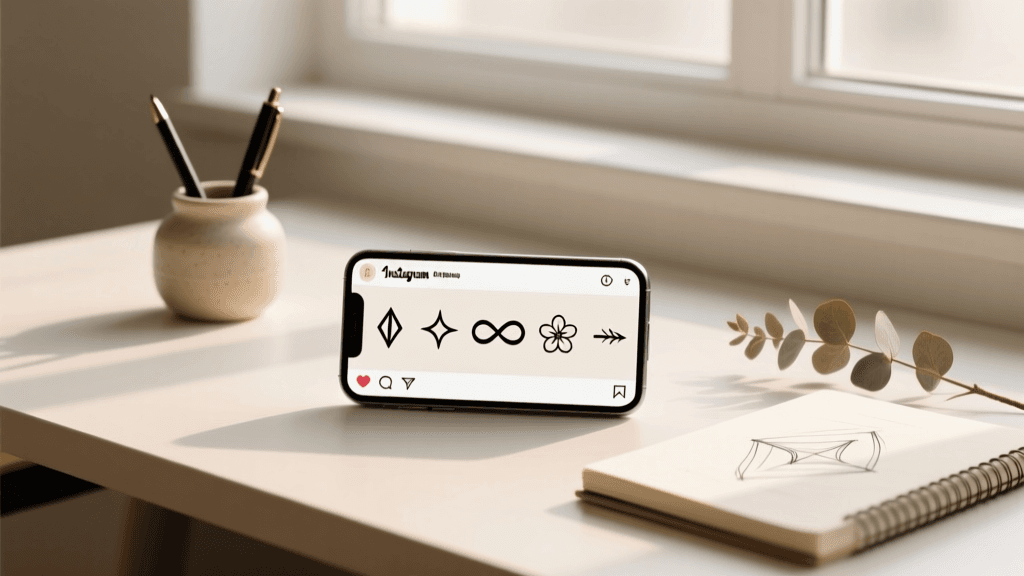
Your Instagram bio is much more than a simple text box; it is your digital storefront, your personal elevator pitch, and the very first impression you make on potential followers or customers. In a platform driven entirely by visual aesthetics, the way your text looks is just as important as what it says. This is where aesthetic symbols for Instagram bios come into play. By integrating carefully chosen Unicode characters, minimalist lines, and elegant icons, you can transform a plain block of text into a captivating, highly organized, and visually pleasing profile.
If you are starting from scratch and need foundational advice, our comprehensive guide on how to write an Instagram bio is the perfect first step. However, if you already have your text ready and want to elevate its visual appeal, mastering aesthetic symbols is the ultimate game-changer. In this extensive guide, we will explore the psychology of visual formatting, provide a massive library of copy-and-paste symbols, and teach you advanced formatting tricks to make your profile stand out.
The Psychology Behind Aesthetic Symbols
Why do aesthetic symbols work so well? The human brain processes visual information significantly faster than text. When a user lands on your profile, their eyes naturally scan for patterns, shapes, and visual anchors. Aesthetic symbols act as these anchors. They break up dense paragraphs, create a visual hierarchy, and guide the reader's eye exactly where you want it to go.
- Visual Hierarchy: Symbols act as custom bullet points, making lists easier to read and digest in a confined space.
- Emotional Resonance: A delicate floral symbol conveys a completely different mood than a sharp, geometric arrow. Symbols set the tone of your brand before a single word is read.
- Brand Cohesion: Using a consistent set of symbols across your bio, story highlights, and captions creates a cohesive, professional brand identity.
For more inspiration on how to match your symbols to a specific vibe, browse our curated aesthetic bio ideas to see how top creators utilize these visual elements.
The Master Library of Aesthetic Symbols
Below is an extensive, categorized library of aesthetic symbols. You can copy and paste these directly into your Instagram bio. We have organized them by theme so you can find the exact match for your personal brand or business.
Celestial and Astrological Symbols
Celestial symbols are incredibly popular for dreamy, mystical, or night-owl aesthetics. They pair beautifully with soft, lowercase fonts and muted color palettes.
- Moons & Stars: ☾ ☽ ☼ ☀ ✦ ✧ ✩ ✪ ✫ ✬ ✭ ✮ ✯ ✰ ✱ ✲ ✳ ✴ ✵ ✶ ✷ ✸ ✹ ✺ ✻ ✼ ✽ ✾
- Zodiac & Astrology: ♈ ♉ ♊ ♋ ♌ ♍ ♎ ♏ ♐ ♑ ♒ ♓ ⛎
- Example Usage: ✧ dreamer & creator ☾ | ♓ pisces | ✦ making magic daily
Botanical and Floral Icons
Nature-inspired symbols are perfect for wellness brands, plant lovers, sustainable businesses, and soft aesthetics. They bring an organic, calming feel to your profile.
- Flowers & Leaves: ❀ ✿ ❁ ❃ ❋ ❦ ❧ ♧ ♡ ♤ ♠ ♣ ♥ ♦ 🌿 🌱 🍂 🥀 🌷 🌺 🌸 🌼 🌻
- Vines & Branches: ⌇ ⌊ ⌋ ⌈ ⌉ ⌃ ⌄ ⌅ ⌆
- Example Usage: ❀ plant mom & coffee lover 🌿 | ❁ blooming daily
Minimalist Lines and Dividers
If you prefer a clean, modern, and uncluttered look, minimalist lines are your best friend. They are exceptional for separating different pieces of information without adding visual noise. If you love this style, check out our minimalist bio ideas for more sleek concepts.
- Solid Lines: ▬ ▭ ▮ ▯ ░ ▒ ▓
- Box Drawing & Dividers: │ ┤ ╡ ╢ ╖ ╕ ╣ ║ ╗ ╝ ╜ ╛ ┐ └ ┴ ┬ ├ ─ ┼ ╞ ╟ ╚ ╔ ╩ ╦ ╠ ═ ╬
- Brackets & Frames: 【 】 〖 〗 〘 〙 〚 〛 『 』 「 」
- Example Usage:
『 digital creator 』
──────────
NYC based 📍
Arrows and Pointers
Arrows are highly functional. They are primarily used to direct attention downward toward your link in bio, encouraging clicks and driving traffic to your website, store, or latest content.
- Standard Arrows: ➔ ➘ ➙ ➚ ➛ ➜ ➝ ➞ ➟ ➠ ➡ ➢ ➣ ➤ ➥ ➦ ➧ ➨ ➩ ➪ ➫ ➬ ➭ ➮ ➯ ➱
- Minimalist Arrows: → ← ↑ ↓ ↗ ↘ ↙ ↖ ↔ ↕
- Example Usage:
shop my latest collection 🛍️
➔ click below to browse
⬇️⬇️⬇️
Cute, Kawaii, and Soft Symbols
For a playful, youthful, or highly stylized aesthetic, these soft symbols add a touch of whimsy and charm.
- Soft Shapes: ʚ ɞ ʕ ʔ ʘ ʢ ʡ ʦ ʧ ʨ ʩ ʪ ʫ ʬ ʭ
- Hearts & Bows: ♡ ♥ ♤ ♠ ♧ ♣ ㋡ ㋛ ☹ ☺ ☻ ۵ ʚɞ
- Example Usage: ʚ baker & sweet tooth 🧁 ɞ | ♡ spreading joy
How to Copy and Paste on Any Device
One of the most common questions users have is how to actually get these symbols into their Instagram app, especially since the standard smartphone keyboard does not include most of them. Here is your practical guide for every device.
On iOS (iPhone and iPad)
- Highlight the symbol you want from the library above.
- Tap Copy.
- Open Instagram, go to your profile, and tap Edit Profile.
- Tap and hold the text field, then select Paste.
- Pro Tip: Use the iOS Text Replacement feature. Go to Settings > General > Keyboard > Text Replacement. Set a shortcut like "@@moon" to automatically expand to "☾". This saves massive amounts of time when replying to comments or writing captions.
On Android
- Highlight and copy your desired symbol.
- Open Instagram and navigate to Edit Profile.
- Long-press the text field and tap Paste.
- Pro Tip: Download a clipboard manager app like Clipper or use Gboard's built-in clipboard pinning feature to keep your favorite aesthetic symbols readily accessible at the top of your keyboard.
On Desktop (Web Browser)
- Highlight and copy (Ctrl+C or Cmd+C) the symbol.
- Log into Instagram.com, go to your profile, and click Edit Profile.
- Paste (Ctrl+V or Cmd+V) into the website text box.
- Pro Tip: Desktop formatting can sometimes behave differently than mobile. Always check your profile on the mobile app after editing on a desktop to ensure line breaks and spacing appear correctly.
Advanced Formatting: Spacing and Invisible Characters
Instagram's text editor is notoriously finicky. It often strips away extra spaces, collapses line breaks, and ruins carefully formatted layouts. To maintain pristine spacing, you need to understand how to use invisible characters.
An invisible character is a Unicode space that Instagram does not recognize as a standard "empty" space, meaning it won't delete it. The most common invisible character is the Braille Pattern Blank (⠀).
How to Use Invisible Characters for Line Breaks
- Copy the invisible character between these brackets: [⠀] (Do not copy the brackets).
- When typing your bio in a notes app, place the invisible character on any blank line you want to preserve.
- Copy your entire formatted text and paste it into Instagram.
- This forces Instagram to recognize the line as containing "text," thereby preserving your vertical spacing and aesthetic layout.
If you find manual formatting frustrating, you can use our automated bio generator tool to instantly create perfectly spaced, symbol-enhanced bios without worrying about broken line breaks.
Pairing Symbols with Custom Unicode Fonts
Aesthetic symbols reach their full potential when paired with custom Unicode fonts. Because Instagram does not allow native font changes in the bio, creators use mathematical alphanumeric symbols that resemble different typefaces.
- Typewriter: 𝚝𝚢𝚙𝚎𝚠𝚛𝚒𝚝𝚎𝚛 (Pairs well with minimalist lines like ▬ and →)
- Cursive/Script: 𝓬𝓾𝓻𝓼𝓲𝓿𝓮 (Pairs well with floral icons like ❀ and 🌿)
- Serif: 𝐬𝐞𝐫𝐢𝐟 (Pairs well with elegant brackets like 『 』)
- Small Caps: sᴍᴀʟʟ ᴄᴀᴘs (Pairs well with celestial symbols like ✦ and ☾)
Warning: Do not overdo custom fonts. If your entire bio is in a heavy cursive script, it becomes illegible. Use custom fonts only for your name or a short tagline, and rely on standard text paired with aesthetic symbols for the bulk of your information.
Aligning Symbols with Brand Archetypes
To create a truly cohesive profile, your symbols should align with your brand archetype. Here is a quick guide to matching symbols with your core identity:
- The Creator: Use sparkles, stars, and geometric shapes (✦ ✧ ✩ △ ▽). Conveys innovation and imagination.
- The Sage: Use minimalist lines, book-related emojis, and clean dividers ( ▬ │ ⌇ ). Conveys wisdom and clarity.
- The Lover: Use soft hearts, floral elements, and delicate bows (♡ ❀ ʚɞ). Conveys warmth, passion, and intimacy.
- The Explorer: Use arrows, compasses, and nature elements (➔ ➳ 🌲 ⛰). Conveys freedom and adventure.
- The Ruler: Use crowns, sharp brackets, and bold lines (♛ 【 】 ▮). Conveys authority, luxury, and exclusivity.
Directing Traffic: Symbols for Your Link in Bio
The primary conversion point on your Instagram profile is your link in bio. You can use aesthetic symbols to create a visual funnel that draws the eye directly to your URL.
The Funnel Technique
Use progressively smaller or downward-pointing symbols to guide the user's gaze.
Example:
✦ shop the new collection
➔ exclusive discounts inside
➛ click the link
⬇️⬇️⬇️
The Framing Technique
Use brackets or lines to create a visual "box" around your call to action.
Example:
『 read the latest blog post 』
▬▬▬▬▬▬▬▬▬▬▬
⤵️ link below ⤵️
Accessibility and Screen Reader Considerations
While aesthetic symbols make your bio visually stunning, it is vital to consider accessibility. Visually impaired users rely on screen readers (like VoiceOver on iOS or TalkBack on Android) to navigate the internet. Screen readers interpret Unicode symbols literally.
For example, if you use "✦ ✧ ✩" as a divider, the screen reader will announce: "Black four pointed star, white four pointed star, black star." This can make your bio incredibly tedious to listen to.
Best Practices for Accessible Aesthetics
- Limit Repetition: Avoid using long strings of the same symbol (e.g., ▬▬▬▬▬▬▬▬▬▬▬). Use one or two dividers instead.
- Prioritize Core Info: Ensure your most important text (like your job title or location) is not buried between heavy symbols.
- Use Standard Emojis Sparingly: Standard emojis have established, descriptive alt-text built into operating systems, making them slightly more predictable for screen readers than obscure Unicode characters.
Common Mistakes and How to Fix Them
Even with the best intentions, it is easy to make formatting errors. Here are the most common mistakes and how to avoid them.
Mistake 1: Overcrowding the Bio
The Issue: Using too many different symbols, making the bio look chaotic and unprofessional.
The Fix: Stick to a maximum of two or three complementary symbols. Consistency is the hallmark of a premium aesthetic.
Mistake 2: Broken Rendering (The "Box" Problem)
The Issue: Some older devices or specific operating systems do not support certain rare Unicode characters, displaying them as empty boxes (☒) or question marks.
The Fix: Stick to widely supported Unicode blocks (like Geometric Shapes, Miscellaneous Symbols, and Dingbats). Test your bio on both an iPhone and an Android device to ensure universal compatibility.
Mistake 3: Ignoring the 150-Character Limit
The Issue: Complex symbols and custom fonts can sometimes take up more data or count strangely against Instagram's strict 150-character limit.
The Fix: Draft your bio in a character-counting tool first. Be ruthless with your editing. Every symbol must earn its place.
Step-by-Step Bio Makeover Tutorial
Ready to transform your profile? Follow this actionable, step-by-step tutorial to build a stunning, symbol-enhanced bio.
- Step 1: Define Your Core Message. Write down your name, title, location, and call-to-action in plain text. Do not worry about aesthetics yet.
- Step 2: Choose Your Archetype. Decide on the mood of your profile (e.g., Minimalist, Celestial, Botanical). Select 2 core symbols from the library above that match this mood.
- Step 3: Draft in a Notes App. Never draft directly in Instagram. Open your phone's notes app. Type out your bio, inserting your chosen symbols as bullet points or dividers.
- Step 4: Apply Invisible Spacing. Add the invisible Braille character to any blank lines you want to preserve.
- Step 5: Check Character Count. Ensure your total draft is under 150 characters. Trim words if necessary.
- Step 6: Copy, Paste, and Review. Paste the text into Instagram. Immediately view your profile from a secondary account or a friend's phone to verify that the formatting, line breaks, and symbols render perfectly.
Frequently Asked Questions (FAQ)
Can using aesthetic symbols get my account shadowbanned?
No. Using standard Unicode symbols and emojis will not trigger a shadowban. Instagram's algorithm targets spammy behavior, banned hashtags, and bot-like engagement, not the visual formatting of your bio. However, avoid using symbols to spell out banned words or to circumvent community guidelines.
Do aesthetic symbols count toward the 150-character limit?
Yes. Every symbol, emoji, and invisible character takes up at least one character space. Some complex Unicode characters or custom font letters may count as two characters. Always use a character counter to verify your length before pasting.
Why do my line breaks disappear when I save my bio?
Instagram's native editor often collapses multiple line breaks or strips trailing spaces. To fix this, use the invisible character trick mentioned in the formatting section, or use a third-party spacing app to generate the correct hidden formatting codes before pasting into Instagram.
Are third-party font and symbol apps safe to use?
Most keyboard apps that provide aesthetic symbols are safe, as they simply copy text to your clipboard. However, never use an app that requires you to log in with your Instagram credentials to "apply" fonts or symbols. Always use copy-and-paste methods to protect your account security.
Can I use these symbols in my Instagram Name field?
Yes, you can use symbols in your Name field (the bold text at the top of your profile). In fact, adding a small symbol like ✦ or ♡ to your Name field can make your profile stand out in search results and comment sections. Just remember that the Name field is searchable, so avoid replacing actual letters with symbols, or people won't be able to find you when they search your name.