The Pursuit of the Blue Check: An Overview
The blue verification badge on Instagram has long been the ultimate digital status symbol. For years, it was an exclusive marker of authenticity, reserved only for celebrities, global brands, and highly notable public figures. Having that small blue checkmark next to your username in your Instagram bio instantly communicates trust, authority, and legitimacy to anyone who visits your profile. It tells your audience that you are exactly who you claim to be, which can significantly boost your conversion rates, follower growth, and overall brand perception.
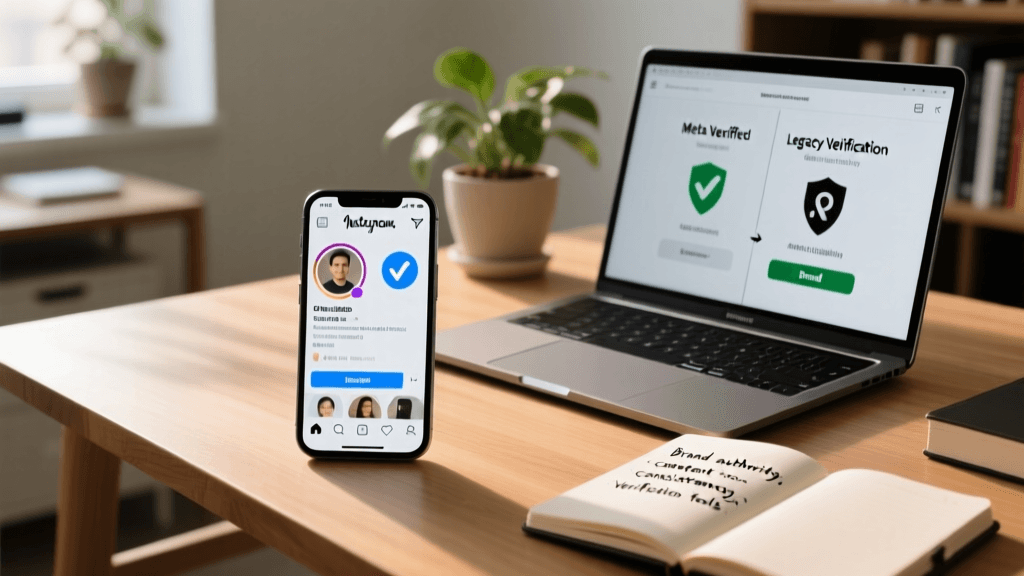
However, the landscape of Instagram verification has undergone a massive transformation. What was once a single, highly guarded path to notability has now split into two distinct avenues: the traditional Legacy Verification and the newer Meta Verified subscription model. For creators, businesses, and personal brands, understanding the nuances between these two paths is critical. Furthermore, achieving the organic Legacy Verification requires a robust digital footprint, which is where specialized software and authority-building tools come into play.
In this comprehensive guide, we will compare the two verification methods, explore how the badge impacts your bio real estate, and provide in-depth reviews of the best tools available to help you build the authority required to earn and maintain your verified status. Whether you are looking to pay for the subscription or put in the work to earn the legacy badge organically, this comparison and tool review will give you the strategic roadmap you need.
Understanding Instagram Verification: Two Distinct Paths
Before diving into the tools and strategies, it is essential to understand the fundamental differences between the two types of verification currently offered by Meta. Each path serves a different purpose, has different requirements, and impacts your profile in unique ways.
Legacy Verification (The Traditional Blue Check)
Legacy Verification is the original, organic method of obtaining the blue badge. It is free to apply for, but the barrier to entry is exceptionally high. Meta grants this badge to accounts that represent authentic, unique, complete, and highly notable entities. The core requirement here is notability, which means your brand or persona must be frequently searched for and featured in multiple major, independent news sources. Paid or promotional media do not count toward this requirement. This badge is a true testament to your cultural or industry impact.
Meta Verified (The Subscription Model)
Meta Verified is a paid subscription service that allows individual creators and, more recently, select businesses to purchase the blue badge. This model was introduced to combat impersonation and provide a revenue stream for the platform. By paying a monthly fee, users receive the verified badge, proactive impersonation protection, access to direct human customer support, and exclusive features like custom stickers. However, this badge does not necessarily denote mainstream notability; it simply verifies that the account holder's identity matches their government ID.
How the Verified Badge Impacts Your Instagram Bio
Your Instagram bio is your digital storefront, and the verified badge acts as a powerful trust signal right at the top of that storefront. When a user lands on your profile, the badge immediately alleviates skepticism. For businesses, this means higher click-through rates on your bio links. For creators, it translates to higher conversion rates for sponsorships and merchandise sales.
Furthermore, the badge influences how you structure your bio. When you have the blue check, you can adopt a more authoritative tone. If you are building your profile from scratch, utilizing a dedicated tool like our Instagram bio generator ensures that your text is optimized for both search engines and human readers while you work toward your verification goals. A well-crafted bio sets the stage for your verification application, showing Meta reviewers that your profile is complete, professional, and ready for the spotlight.
For a deeper dive into profile optimization, read our comprehensive guide on how to write an Instagram bio that converts. Remember, the verification badge draws the eye, but the text in your bio and the link you provide are what ultimately drive action. Creators and influencers often benefit from aesthetic bio ideas that blend visual appeal with clear calls-to-action, while corporate brands and businesses should explore minimalist bio templates to convey professionalism and trust.
Tool Reviews: Software to Build Verification-Worthy Authority
If you are pursuing the Legacy Verification route, you cannot simply rely on a good bio and high follower counts. You need a verifiable public presence, media mentions, and robust analytics to prove your notability. Below, we review and compare the top tools across four critical categories to help you build an undeniable case for verification.
1. Bio Optimization: LoveMeBio Generator
Overview: Before you apply for verification, your bio must be flawless. The LoveMeBio Bio Generator is an in-house tool designed to help users craft highly optimized, keyword-rich, and engaging bios that fit perfectly within Instagram's character limits.
Pros:
- Tailored specifically for Instagram's unique formatting and character constraints.
- Generates SEO-friendly bios that improve your discoverability in Instagram search.
- Provides variations for different brand voices, from professional to quirky.
Cons:
- Requires manual tweaking to ensure the final output perfectly matches your unique brand nuance.
- Does not automatically format line breaks within the Instagram app (requires manual copying).
Verdict: An essential starting point. A messy or incomplete bio is an instant rejection trigger for Meta's review team. Using this tool ensures your profile looks polished and professional before you even submit your application.
2. Link-in-Bio Aggregators: Linktree vs. Beacons vs. Stan Store
Overview: Instagram only allows one primary link in your bio. To maximize this real estate, link-in-bio tools are mandatory. But which one adds the most legitimacy to your profile? We compare the top three contenders.
Linktree: The pioneer of the space. It is universally recognized and highly reliable. Pros: Extremely stable, integrates with almost every analytics platform, and is trusted by major corporations. Cons: The free version looks generic, and advanced customization requires a premium subscription.
Beacons: A highly customizable, block-based builder that appeals to modern creators. Pros: Stunning design templates, built-in media kit features that automatically pull your analytics to show to sponsors, and excellent SEO for your landing page. Cons: The interface can be overwhelming for beginners due to the sheer number of customization options.
Stan Store: Built specifically for creators selling digital products, courses, or consultations. Pros: Seamless checkout experience directly within the bio link, reducing friction for sales. Cons: Not ideal for traditional businesses or brands that just want to link out to press articles and external websites.
Verdict: For verification purposes, Beacons is the superior choice. Its built-in media kit and professional design signal to Meta reviewers (and potential press outlets) that you are running a serious, data-backed operation.
3. Media Monitoring & PR Tools: Mention vs. Muck Rack
Overview: The most critical requirement for Legacy Verification is proving notability through press coverage. You need to track where your brand is mentioned and actively pitch journalists. These tools are your research & development department for PR.
Mention: A comprehensive social listening and media monitoring tool. Pros: Tracks your brand name across the web, forums, and social media in real-time. Excellent for gathering evidence of public interest and compiling a dossier of organic mentions. Cons: It is primarily a tracking tool; it does not provide a database of journalist contacts for proactive pitching.
Muck Rack: The gold standard for PR professionals. Pros: Provides a massive, searchable database of journalists, editors, and media outlets. Allows you to see what specific reporters are writing about and pitch them directly to secure the high-tier press mentions Meta requires. Cons: Very expensive, usually priced for enterprise teams and established agencies rather than solo creators.
Verdict: Use Mention to track your current footprint and gather evidence for your application. If you are serious about securing the tier-one press required for Legacy Verification, investing in Muck Rack (or hiring an agency that uses it) is non-negotiable.
4. Analytics Suites: Sprout Social vs. Iconosquare
Overview: While Meta has your internal data, having third-party verification of your engagement, reach, and audience demographics can be useful for your broader PR strategy and sponsor negotiations, which indirectly boosts your notability.
Sprout Social: A powerhouse for B2B & B2C brands. Pros: Incredible reporting features, social listening capabilities, and unified inbox management. Cons: High price point, often overkill for individual creators.
Iconosquare: A visually driven analytics tool tailored for Instagram and TikTok. Pros: Deep dives into hashtag performance, optimal posting times, and competitor tracking. Very user-friendly interface. Cons: Lacks the broader cross-platform social listening features of Sprout Social.
Verdict: Iconosquare is the best fit for creators and small businesses aiming for verification. It provides the specific Instagram-centric data you need to optimize your content strategy, grow your audience organically, and prove your cultural relevance.
Step-by-Step Guide to Applying for Legacy Verification
If you have decided to pursue the traditional, free route to notability, you must approach the application process methodically. Meta's review team evaluates thousands of requests, and any small error can result in an automatic rejection.
- Complete Your Profile: Ensure your account is public, has a complete bio, a high-quality profile photo, and at least one post. Your bio should clearly state who you are and what you do, utilizing the tools and templates mentioned above.
- Gather Your Press Portfolio: Compile a list of URLs linking to major, independent news articles about you or your brand. Press releases, paid sponsorships, and self-published blogs do not count. You need organic features in reputable publications.
- Prepare Your Identification: If you are an individual, have a clear photo of your government-issued ID (passport or driver's license). If you are a business, prepare your articles of incorporation, tax filings, and utility bills that match the exact name on your Instagram account.
- Navigate to the Request Form: Open the Instagram application, go to your profile, tap the menu icon in the top right, select Settings & Privacy, scroll down to Account Type & Tools, and tap Request Verification.
- Submit and Wait: Fill out the form, upload your documents, paste your most compelling press links, and submit. Meta will notify you of their decision via the notifications tab, usually within a few days to a week.
Meta Verified: Is the Paid Badge Worth It?
For those who do not meet the stringent notability requirements of Legacy Verification, Meta Verified offers an accessible alternative. But is the monthly subscription fee justified? Let us break down the pros & cons of the paid model.
The primary benefit of Meta Verified is the immediate trust signal. For small businesses, local service providers, and emerging creators, the badge can reduce customer hesitation. When a user sees the blue check, they assume the business is legitimate and less likely to be a scam. Additionally, the proactive impersonation protection is invaluable for brands that frequently deal with copycat accounts trying to scam their followers.
However, there are drawbacks. The badge is tied to your government ID, meaning you cannot easily change your account name or handle without going through a re-verification process. Furthermore, some audiences and industry insiders view the paid badge as less prestigious than the organic legacy badge, as it represents financial investment rather than cultural impact. Ultimately, if your primary goal is securing your identity and gaining a baseline level of trust without the hassle of a PR campaign, Meta Verified is a highly effective tool.
Scam Alert: Verification Services to Avoid
The desire for the blue check has spawned a massive black market of scams. As you research how to get verified, you will inevitably encounter websites, agencies, and individuals claiming they can guarantee a Legacy Verification badge for a flat fee. These are universally scams.
Meta does not work with third-party agencies to sell legacy badges. Any service asking for your password, demanding upfront crypto payments, or promising a guaranteed organic badge is attempting to defraud you. These bad actors often use stolen credentials or compromised internal accounts, which can result in your profile being permanently banned from Instagram. Protect your brand and your digital identity by only using official Meta channels for verification and relying on legitimate PR and bio optimization tools to build your authority naturally.
Frequently Asked Questions
Can I buy a legacy verification badge?
No. Legacy Verification is strictly based on notability and cannot be purchased. You can only purchase the Meta Verified subscription badge. Any third party claiming they can sell you a legacy badge is running a scam.
Does having a verified badge help my posts rank higher in the algorithm?
Meta has stated that the verification badge itself does not provide a direct algorithmic boost to your content in the feed or Explore page. However, the trust and authority it brings can lead to higher engagement rates, which indirectly signals to the algorithm that your content is valuable.
How many followers do I need to get verified?
There is no minimum follower count requirement for either Legacy Verification or Meta Verified. For Meta Verified, you simply need to meet the age and ID requirements. For Legacy Verification, a smaller account with massive mainstream press coverage has a better chance than a massive account with no independent media presence.
Can I use a nickname or brand name for Meta Verified?
Meta Verified requires your profile name to closely match the name on your government-issued ID. If you operate under a brand name or pseudonym, you may face challenges with the subscription model unless you have official business documentation that links your legal identity to the brand name.
What happens if my verification application is rejected?
If your Legacy Verification application is rejected, Meta will usually provide a brief reason, such as insufficient notability. You can reapply after 30 days. Use that time to secure more high-quality press mentions and optimize your bio using professional tools before submitting a new request.
Do I need a business account to get verified?
No. Both personal creator accounts and business accounts can apply for verification. However, business accounts applying for Legacy Verification must provide official business documents (like tax filings or articles of incorporation) rather than personal government IDs.
Final Thoughts on Building a Verified Brand
Achieving a verified status on Instagram is a milestone that requires strategic planning, patience, and the right toolkit. Whether you opt for the accessible Meta Verified subscription to secure your identity, or you embark on the rigorous journey of building mainstream notability for the Legacy badge, the foundation of your success lies in how you present your brand. By leveraging professional bio generators, sophisticated link-in-bio aggregators, and powerful media monitoring software, you transform your Instagram profile from a simple social page into a verified, authoritative digital powerhouse.