Introduction to the Instagram Bio Character Limit
Your Instagram bio is your digital handshake, your elevator pitch, and your storefront window all rolled into one. When a potential follower, customer, or collaborator lands on your profile, you have only a few seconds to capture their attention and convince them to stick around. The primary tool at your disposal for this crucial first impression is your bio. However, unlike long-form blog posts or sprawling website 'About' pages, Instagram imposes strict constraints on how much you can say. Understanding and mastering the Instagram bio character limit is not just a technical necessity; it is a fundamental skill in modern digital marketing and personal branding.
The challenge of the character limit is that it forces you to be concise, impactful, and strategic. Every single letter, space, emoji, and punctuation mark counts. Many users find themselves frustrated, trying to cram their entire life story, business mission, and contact information into a tiny text box, only to be met with the dreaded 'text too long' error message. This guide will break down the exact limitations of the Instagram profile, explain the psychology behind these constraints, and provide actionable, practical strategies to maximize every single character available to you.
Whether you are building a personal brand, launching an e-commerce store, or growing a creator account, learning how to manipulate and optimize the Instagram bio character limit will drastically improve your profile conversion rates. By the end of this comprehensive guide, you will know exactly how to structure your bio, which formatting hacks actually work, and how to avoid common mistakes that waste precious space. For a broader overview of profile creation, you can also explore our masterclass on how to write an Instagram bio to complement the technical strategies discussed here.
The Hard Numbers: Breaking Down Instagram Profile Limits
Before you can optimize your space, you need to know exactly what you are working with. Instagram's profile architecture is divided into several distinct fields, each with its own specific character limit. Confusion often arises when users mix up the limits of the 'Name' field with the 'Bio' field. Let us clarify the exact hard numbers for every text-based element on your Instagram profile.
The Username (Handle) Limit
Your username, also known as your handle, is limited to exactly 30 characters. This is the unique identifier that appears at the very top of your profile and forms your Instagram URL (e.g., instagram.com/yourusername). Because it is used for tagging and searching, it should ideally be short, memorable, and free of unnecessary numbers or underscores. While you have 30 characters, the most effective usernames rarely exceed 15 characters.
The Name Field Limit
Directly below your profile picture is the 'Name' field, which is also strictly limited to 30 characters. Many users mistakenly believe this field is just for their real name or brand name. In reality, the Name field is heavily indexed by Instagram's internal search engine. This means you should use these 30 characters to include high-value SEO keywords related to your niche. For example, instead of just 'Jane Doe', a better use of the 30-character limit is 'Jane Doe | Travel Photographer'. These 30 characters are entirely separate from your main bio limit and should be leveraged for discoverability.
The 150-Character Bio Limit Explained
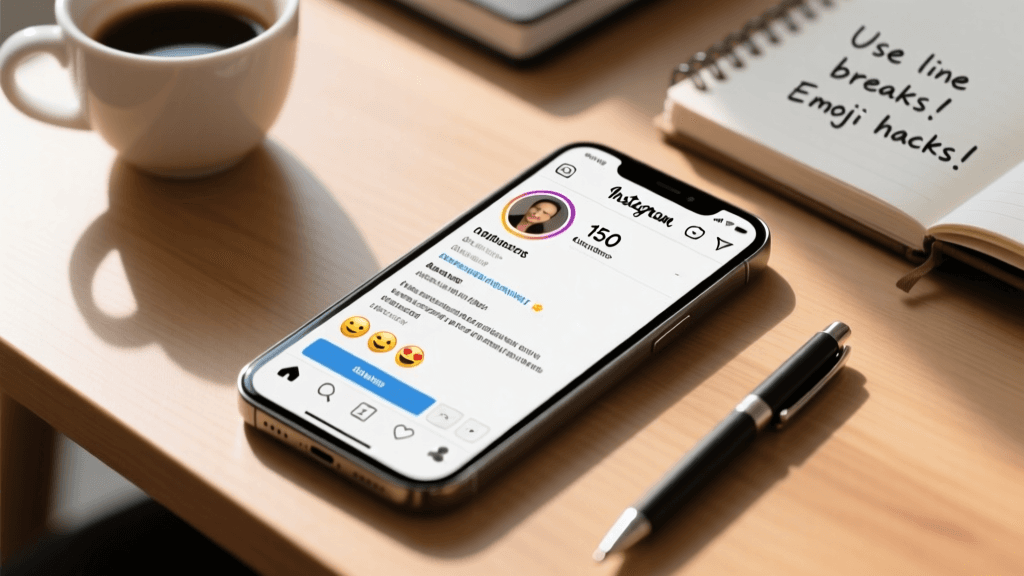
The main event is the bio section itself, which is strictly capped at 150 characters. This is the space where you articulate your value proposition, showcase your personality, and direct users to your call-to-action (CTA). Every single character in this box counts toward the 150 limit, including spaces, line breaks, and emojis. It is a tight constraint that demands ruthless editing and strategic copywriting. If you try to type 151 characters, Instagram will simply prevent you from saving the changes.
Website and Contact Information Limits
While not part of the 150-character bio text box, your website link field allows for a standard URL length (up to 2,048 characters, though practically, you should use a clean, shortened link). Additionally, Instagram provides dedicated fields for email addresses, phone numbers, and physical addresses for business accounts. Utilizing these dedicated contact buttons is a highly effective way to save space in your 150-character bio, as you do not need to waste precious text characters typing out an email address or phone number.
The Strategy of Constraint: Why 150 Characters?
You might wonder why Instagram enforces such a restrictive 150-character limit in an era of long-form content. The answer lies in user experience and mobile optimization. Instagram is a highly visual, fast-paced platform. Users scroll through profiles rapidly, and a massive wall of text would disrupt the visual harmony of the app and overwhelm the viewer. The 150-character limit forces creators and businesses to distill their message down to its absolute core essence.
This constraint is actually a massive advantage if you know how to use it. In marketing, brevity breeds clarity. When you are forced to cut out fluff, filler words, and redundant information, what remains is a sharp, compelling hook. Think of the 150-character limit as a creative puzzle. It challenges you to use visual shorthand, strategic formatting, and powerful vocabulary to communicate complex ideas in a fraction of the space. Mastering this constraint is what separates amateur profiles from highly optimized, professional accounts.
How to Allocate Your 150 Characters Effectively
To make the most of the Instagram bio character limit, you should not just start typing and hope for the best. Instead, approach your bio like a piece of premium real estate. Divide your 150 characters into strategic zones, each serving a specific psychological purpose for the visitor.
Line 1: The Hook and Identity (Approx. 30-40 Characters)
Your first line should immediately tell the visitor who you are or what you do. This is your anchor. If you are a brand, this might be your slogan. If you are a creator, this is your niche identifier. Keep it punchy. Use strong nouns and active verbs. Avoid generic phrases like 'Welcome to my page' or 'Living life to the fullest', as these waste valuable characters without providing any real context or value to the reader.
Line 2: The Value Proposition (Approx. 50-60 Characters)
The second section is where you answer the visitor's most important question: 'What is in it for me?' Explain how you help, entertain, or inspire your audience. If you are a fitness coach, your value proposition might be 'Helping busy dads lose weight in 30 mins a day'. This section requires the most characters because it needs to convey a clear, tangible benefit. Focus on the transformation you provide rather than just listing your features.
Line 3: Social Proof or Authority (Approx. 20-30 Characters)
Trust is a critical factor in converting profile visitors into followers or customers. Use a small sliver of your character limit to establish credibility. This could be a notable achievement, a client count, a published book, or a recognizable affiliation. Examples include 'Featured in Forbes', '10k+ Students Taught', or 'Est. 2015'. This brief flash of authority reassures the visitor that you are legitimate and worth their time.
Line 4: The Call to Action (Approx. 20-30 Characters)
Never leave your audience hanging. The final line of your bio should always be a direct Call to Action (CTA) that points downward toward your link. Use action-oriented language and create a sense of urgency or curiosity. Instead of a passive 'Click the link below', use dynamic phrases like 'Grab your free guide 👇', 'Shop the new drop ⬇️', or 'Book a free call 📅'. This final push is crucial for driving traffic off the platform.
Proven Hacks to Save Space in Your Bio
When you are staring at a 150-character limit, every single letter matters. Professional copywriters use several techniques to compress their message without losing meaning. Here are the most effective hacks to save space in your Instagram bio.
Leveraging Emojis as Visual Shorthand
Emojis are not just cute decorations; they are powerful space-saving tools. A single emoji can often replace an entire word or phrase, and it usually counts as only one or two characters depending on the device operating system. For example, instead of typing 'Based in New York City' (22 characters), you can type '📍 NYC' (6 characters). Instead of 'Send me an email' (16 characters), use '📩 DM/Email'. Use emojis as bullet points to separate ideas without wasting characters on words like 'and' or 'also'. If you love clean visuals, explore our minimalist bio ideas for inspiration on using subtle emojis effectively.
Using Symbols and Ampersands
Grammatical purists might object, but in the context of a 150-character bio, shorthand is essential. Replace the word 'and' with an ampersand (&). Replace 'with' or 'without' by using symbols like '+' or '-'. Use vertical bars (|) or bullets (•) to separate keywords on a single line instead of using multiple line breaks, which can eat up your character count and create awkward spacing issues. For instance, 'Design | Code | Coffee' is much more space-efficient than writing out a full sentence about your hobbies.
Strategic Abbreviations and Acronyms
If your industry relies on well-known acronyms, use them. Your target audience will understand what 'CEO', 'B2B', 'SaaS', or 'RN' means, saving you the trouble of spelling out 'Chief Executive Officer' or 'Registered Nurse'. However, be careful not to use obscure jargon that might alienate new visitors. The goal is to save space while maintaining absolute clarity. Always read your abbreviated bio from the perspective of someone who has never heard of your brand before.
Formatting and Visual Tricks Within the Limit
How your bio looks is almost as important as what it says. Proper formatting makes your 150 characters digestible and visually appealing. However, formatting within the Instagram app can be notoriously tricky, and certain formatting choices can secretly eat into your character limit.
The Line Break Dilemma
One of the most common questions regarding the Instagram bio character limit is whether line breaks count as characters. The short answer is yes. Depending on how you input the line break (using the return key on your mobile device vs. a third-party formatting app), a line break can count as one or two invisible characters. If you are hovering right at the 149-character mark, adding a line break might push you over the edge and trigger an error. To maintain precise control over your formatting and character count, draft your bio in a notes app that displays a live character counter before pasting it into Instagram.
Spacing and Dividers
If you want to list multiple attributes on a single line to save vertical space and line break characters, use dividers. The vertical pipe (|), the centered dot (•), or the em-dash (—) are excellent choices. For example: 'Vegan Recipes • Quick Meals • Grocery Hauls'. This keeps your bio compact and easy to scan. Avoid using multiple spaces in a row to create alignment, as Instagram's mobile interface will often collapse consecutive spaces into a single space, ruining your formatting and wasting your effort.
Common Mistakes That Waste Precious Characters
Even experienced marketers fall into traps that waste their 150-character allowance. Avoiding these common pitfalls will instantly elevate the quality of your profile.
Redundant Information
Do not use your bio to repeat information that is already displayed elsewhere on your profile. Your username, your profile picture, and your name field already establish your identity. If your handle is '@janesbakeshop', you do not need to use 20 characters in your bio to write 'Welcome to Jane's Bake Shop'. Use that space to talk about your famous sourdough or your nationwide shipping policy instead.
Overusing Hashtags
While hashtags are essential for discoverability in your posts and Reels, they are largely a waste of space in your bio. Hashtags in the bio are not clickable in a way that drives meaningful traffic, and they do not significantly boost your profile's search ranking. Every character spent on a hashtag like '#blessed' or '#entrepreneur' is a character stolen from your value proposition or CTA. The only exception is if you are promoting a highly specific, branded campaign hashtag that you want your community to use.
Leaving Out the Call to Action
The most tragic waste of the 150-character limit is filling it entirely with poetic descriptions and leaving no room to tell the user what to do next. A beautiful bio without a CTA is a dead end. Always reserve the final 20 to 30 characters for a clear directive pointing to your link. If you are struggling to fit everything in, consider using a dedicated Instagram bio generator to help you condense your ideas into a high-converting format.
Adapting Your Bio for Different Account Types
The way you utilize your 150 characters will vary drastically depending on your account's primary objective. A personal lifestyle account requires a completely different spatial allocation than a local brick-and-mortar business.
Personal Brands and Creators
For creators, the bio is about personality, niche authority, and community building. You want to use your characters to showcase your unique voice and tell the audience exactly what kind of content they can expect from your Reels and Stories. Creators often benefit from using a slightly more conversational tone, leveraging humor or bold statements to stand out. If your brand relies heavily on visual vibes and mood, check out our aesthetic bio ideas to learn how to use special fonts and symbols within the character limit to create a specific atmosphere.
Businesses and E-commerce Brands
Businesses must prioritize trust, clarity, and conversions. Your 150 characters should read like a high-impact billboard. Focus on your unique selling proposition (USP), shipping policies, or current promotions. For example, 'Handcrafted leather goods 🛠️ | Lifetime Warranty 🛡️ | Free shipping on orders over $50 ✈️ | Shop the collection 👇'. This structure uses emojis to break up text and delivers maximum commercial value in minimal space. Always ensure your CTA aligns with your current business goal, whether that is a product launch, a newsletter sign-up, or a seasonal sale.
Local Businesses and Service Providers
If you run a cafe, a salon, or a consulting firm, your bio needs to answer logistical questions immediately. Use your characters to state your location, your hours, and how to book. Since Instagram provides dedicated buttons for directions and calling, you do not need to waste characters on your full address or phone number. Instead, use text like 'Downtown Seattle ☕ | Open Daily 7am-5pm | Walk-ins welcome 🚶♂️ | Book a table 👇'. This respects the 150-character limit while providing all the critical information a local customer needs.
Accessibility and the Character Limit
When optimizing for space, it is crucial not to sacrifice accessibility. Screen readers used by visually impaired individuals interpret text and emojis differently. If you replace every single word with an emoji to save characters, your bio will become incomprehensible to a screen reader, which might read out 'pin red map pushpin NYC' instead of 'Located in New York City'.
Furthermore, avoid using custom Unicode fonts (often generated by third-party apps) to make your text look unique. While these fancy fonts might look stylish and save you from using bolding characters, they are largely unreadable to screen readers and can severely hurt your profile's accessibility. Stick to standard Instagram text, use emojis thoughtfully as supplements rather than replacements for words, and ensure your 150 characters are legible to everyone.
A/B Testing Your Bio Within the Limit
The 150-character limit means you have to make tough choices about what to include and what to cut. The best way to make these decisions is through A/B testing. Create two different versions of your bio that utilize the same amount of characters but focus on different value propositions or CTAs.
For example, Version A might focus on social proof ('Trusted by 10,000+ marketers'), while Version B focuses on a direct benefit ('Learn to scale your ads in 30 days'). Run Version A for two weeks, track your profile link clicks and follower conversion rate, and then switch to Version B for the next two weeks. This data-driven approach removes the guesswork from your copywriting and ensures that every single one of your 150 characters is pulling its weight and driving measurable results.
Frequently Asked Questions (FAQ)
Do spaces count toward the 150-character Instagram bio limit?
Yes, absolutely. Every single space, punctuation mark, and line break counts toward the 150-character limit. When drafting your bio in a notes app, ensure that your character counting tool is set to include spaces, as this will give you an accurate representation of how Instagram will count your text.
Do emojis count as one character or more?
This depends on the operating system and the specific emoji. Generally, standard emojis count as one or two characters. However, complex emojis that include skin tone modifiers or combined sequences (like a family emoji) can count as multiple characters. Always check your total count after inserting emojis to ensure you have not accidentally exceeded the limit.
Can I use a third-party app to bypass the 150-character limit?
No. The 150-character limit is enforced on Instagram's servers, not just on your mobile device. Even if a third-party app allows you to type more, the Instagram API will reject the update and display an error message when you attempt to save the changes. You must work within the hard 150-character constraint.
Does my Instagram bio affect my SEO and search ranking?
While the 150-character bio text itself is not heavily weighted for search discoverability, the 'Name' field (which has a separate 30-character limit) is highly indexed. However, a well-written, keyword-rich bio improves your conversion rate, signaling to the algorithm that users find your profile valuable, which indirectly supports your overall account growth and visibility.
How often should I update my 150-character bio?
You should review and update your bio whenever your business goals, content strategy, or current promotions change. Many successful creators and brands update their CTA line every few weeks to align with their latest YouTube video, podcast episode, or product launch, ensuring the final characters of their bio are always driving traffic to the most relevant destination.
What happens if I use exactly 150 characters and add a line break?
If your text is exactly 150 characters and you attempt to add a line break, Instagram will likely prevent you from saving, as the line break itself counts as an invisible character, pushing your total to 151 or 152. Always leave a buffer of 2 to 3 characters if you plan on using complex formatting or multiple line breaks.
Can I put my email address in my 150-character bio?
Technically yes, but it is a massive waste of your limited space. An email address can easily consume 20 to 30 characters. Instead, switch to an Instagram Professional or Business account and use the dedicated 'Contact' or 'Email' button feature. This keeps your email accessible to users without eating up a single character in your main bio text box.
Is it better to use one long sentence or multiple short lines?
Multiple short lines or bullet points are almost always better for readability. Mobile screens are narrow, and a single 150-character sentence will wrap awkwardly, creating a dense block of text that is hard to scan. Breaking your text into 3 or 4 distinct lines makes it visually digestible and allows the user to absorb your value proposition much faster.