How to Add a Link in Your Instagram Bio: The Complete Guide
Your Instagram bio is one of the most valuable pieces of digital real estate you own. In just 150 characters, you need to tell visitors who you are, what you do, and why they should follow you. But there is one element that stands above the rest when it comes to driving real results: the link in your bio.
Adding a link to your Instagram bio is one of the simplest yet most powerful ways to direct your audience to your website, online store, latest blog post, or any other destination you choose. Whether you are a content creator, small business owner, influencer, or just someone who wants to share more about themselves online, mastering this feature is essential.
In this comprehensive guide, we will walk you through everything you need to know about adding a link in your Instagram bio. From step-by-step instructions to advanced strategies and troubleshooting tips, you will find it all here. If you are also looking to craft the perfect bio text to accompany your link, our Instagram bio generator can help you create something truly memorable.
Why Adding a Link in Your Instagram Bio Matters
Before we dive into the technical steps, it is important to understand why the bio link is so critical to your Instagram strategy.
Instagram Limits Your Clickable Links
Unlike other social media platforms, Instagram does not allow clickable links in post captions or comments. This means your bio link is often the only place where you can direct followers to external content with a single tap. When someone says "link in bio," they are referring to this one precious URL.
It Drives Real Traffic
Your Instagram bio link can be a massive traffic driver. If you have thousands of followers visiting your profile regularly, even a small percentage clicking through can translate into significant website visits, product sales, newsletter signups, or content views.
It Establishes Credibility
A well-chosen bio link signals professionalism and legitimacy. It shows visitors that there is more to you than just an Instagram account & gives them a clear next step to engage with your brand, business, or personal content.
It Supports Your Marketing Goals
Whether your goal is to grow an email list, sell products, promote a podcast, or drive traffic to a YouTube channel, your bio link serves as the bridge between your Instagram presence and your broader digital ecosystem.
How to Add a Link in Your Instagram Bio: Step-by-Step
Adding a link to your Instagram bio is straightforward, but the process differs slightly depending on whether you are using the mobile app or a desktop browser. Let us cover both methods.
Method 1: Adding a Link Using the Instagram Mobile App
Most people manage their Instagram accounts from their phones, so let us start with the mobile method.
- Open the Instagram app on your iPhone or Android device.
- Tap your profile picture in the bottom-right corner to go to your profile.
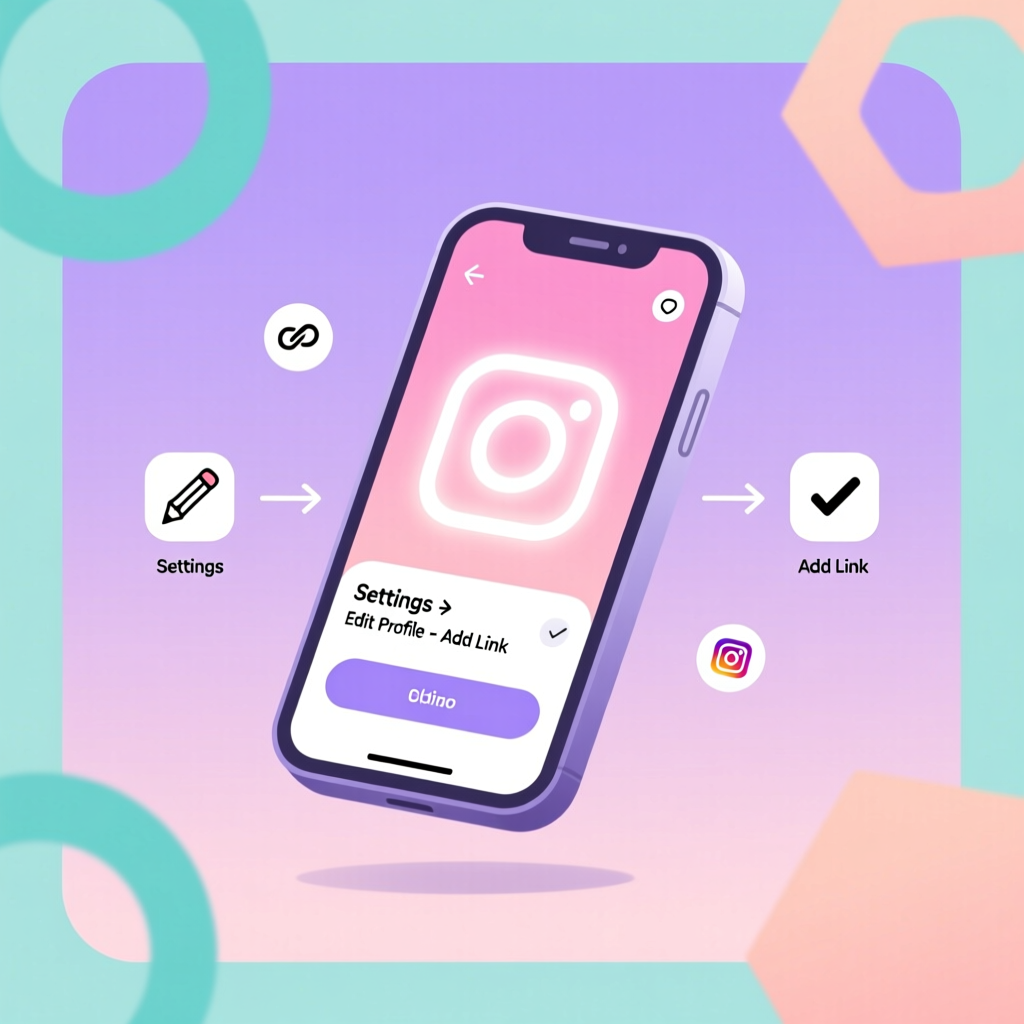
- Tap the "Edit Profile" button located just below your profile picture and bio.
- Scroll down to the section labeled "Links" or find the "Website" field.
- Tap "Add link" or simply tap the Website field if you already have a link slot available.
- Enter your URL in the URL field (for example, https://yourwebsite.com).
- Add a title (optional) to describe what the link leads to.
- Tap "Done" or the checkmark to save your changes.
That is it! Your link will now appear on your profile as a clickable URL that anyone can tap to visit.
Method 2: Adding a Link Using a Desktop Browser
If you prefer managing your account from a computer, follow these steps:
- Go to instagram.com and log in to your account.
- Click on your profile picture in the top-right corner, then select "Profile."
- Click the "Edit Profile" button next to your username.
- Find the "Website" field in the editing interface.
- Type or paste your URL into the field.
- Click "Submit" or "Save" to confirm your changes.
Both methods achieve the same result, so use whichever is more convenient for you.
How to Add Multiple Links to Your Instagram Bio
For a long time, Instagram only allowed a single link in your bio. However, the platform has evolved, and now users can add multiple links to their profiles. This is a game-changer for creators and businesses who want to direct followers to different destinations simultaneously.
Adding Up to Five Links
Instagram now allows you to add up to five links directly to your bio. Here is how to take advantage of this feature:
- Go to your profile and tap "Edit Profile."
- Tap on the "Links" section.
- Tap "Add link" to add a new URL.
- Enter the URL and an optional title for each link.
- Repeat the process for each additional link (up to five total).
- Tap "Done" to save all changes.
Your profile will display these links in a dropdown or list format, allowing visitors to choose which one to tap.
Using Link-in-Bio Tools for Even More Links
If five links are not enough for your needs, you can use a dedicated link-in-bio tool. These services create a single landing page that houses all your important links, and you only need to add that one URL to your Instagram bio. Popular options include:
- Linktree — One of the most popular link aggregation tools with a free tier.
- Bio.link — A clean, customizable link page builder.
- Carrd — A simple one-page website builder that works great as a link hub.
- Beacons — A feature-rich platform designed specifically for creators.
- Stan Store — Combines link hosting with e-commerce capabilities.
To use any of these tools, simply create an account, add all the links you want to include, copy the generated URL, and paste it into your Instagram bio link field using the steps outlined above.
Best Practices for Your Instagram Bio Link
Simply adding a link is not enough. To maximize its impact, you need to follow some proven best practices.
Choose the Right Destination
Think carefully about where you want to send your profile visitors. The best destination depends on your goals:
- For businesses: Link to your homepage, a specific product page, or a current promotion.
- For content creators: Link to your latest video, blog post, or podcast episode.
- For influencers: Link to your media kit, collaboration page, or personal website.
- For freelancers: Link to your portfolio or booking page.
- For e-commerce: Link to your online store or a featured collection.
Use UTM Parameters to Track Clicks
If you want to measure how much traffic your Instagram bio link generates, add UTM parameters to your URL. This allows you to track visits specifically from your Instagram bio in your analytics platform. A UTM-tagged URL might look like this:
https://yourwebsite.com?utm_source=instagram&utm_medium=bio&utm_campaign=profile
Keep Your Link Updated
One of the biggest mistakes people make is setting a bio link and forgetting about it. If you are promoting time-sensitive content like a sale, event registration, or new product launch, make sure to update your link when the promotion ends. An outdated link creates a poor user experience and wastes your most valuable Instagram real estate.
Use a Short, Clean URL
While Instagram will display your full URL, using a short and clean link looks more professional and is easier for visitors to read and remember. If your destination URL is long and complex, consider using a URL shortener or a custom short domain.
Add a Call-to-Action in Your Bio Text
Your bio text should encourage people to click your link. Phrases like "Shop our latest collection below," "Read the new blog post," or "Sign up for free resources" give visitors a reason to tap. Need help writing compelling bio text? Check out our bio generator tool for instant inspiration, or browse our collection of Instagram bio ideas for every niche.
Instagram Bio Link for Business Accounts
If you operate an Instagram Business or Creator account, you may have access to additional features that enhance your link strategy.
Action Buttons
Business accounts can add action buttons to their profiles, such as "Contact," "Email," "Book Now," "Reserve," or "Order Food." These buttons appear alongside your bio link and provide additional ways for visitors to take action without even clicking your link.
Instagram Shopping
If you sell physical products, setting up Instagram Shopping allows you to tag products in your posts and stories. While this does not replace your bio link, it complements it by giving shoppers multiple pathways to make a purchase.
Contact Information
Business profiles can display contact details like email addresses, phone numbers, and physical addresses directly on the profile. This means you can reserve your bio link for driving traffic to your website rather than using it for contact purposes.
Troubleshooting: Common Issues With Instagram Bio Links
Sometimes things do not go as planned. Here are solutions to the most common problems people encounter when trying to add a link to their Instagram bio.
"I Cannot Add a Link to My Bio"
If you are unable to add a link, there could be several reasons:
- New account restrictions: Instagram sometimes limits features for very new accounts. Wait a few days and try again.
- Account verification: Make sure your email and phone number are verified.
- Community guidelines violations: If your account has been flagged for violating Instagram's policies, certain features may be temporarily restricted.
- App version: Make sure you are running the latest version of the Instagram app. Update through your device's app store if needed.
"My Link Is Not Clickable"
If your link appears in your bio but is not clickable, check the following:
- URL format: Make sure your URL is properly formatted with "https://" at the beginning.
- Special characters: Avoid using spaces or unsupported special characters in your URL.
- URL length: Extremely long URLs may cause issues. Try using a shortened version.
"My Link Leads to the Wrong Page"
If your link is directing people to an unexpected destination:
- Double-check the URL: Go back to Edit Profile and verify that you entered the correct address.
- Check for redirects: Some URLs automatically redirect to other pages. Test your link in a browser before adding it.
- Clear cache: If you recently changed your link, your device might be showing a cached version. Try refreshing your profile.
"Instagram Removed My Link"
If your link disappears without explanation, it may have been flagged by Instagram's automated systems. This can happen if:
- The URL leads to a site that violates Instagram's community guidelines.
- The link uses a URL shortener that Instagram has flagged as spam.
- The destination site contains malware or deceptive content.
If you believe your link was removed in error, try using a different URL or contact Instagram support through the app's help center.
Creative Ways to Use Your Instagram Bio Link
Beyond simply linking to your homepage, there are many creative strategies to make your bio link work harder for you.
Rotate Your Link for Content Promotions
If you regularly publish new content, consider updating your bio link each time you post something new. Mention "new link in bio" in your post caption or story to drive traffic directly to your latest work.
Link to a Lead Magnet
Use your bio link to offer something valuable in exchange for email signups. Free ebooks, templates, checklists, or mini-courses are all excellent lead magnets that can help you build an audience beyond Instagram.
Link to a Quiz or Interactive Content
Interactive content like quizzes, assessments, or calculators can be highly engaging and shareable. Linking to this type of content from your bio can boost engagement and provide valuable data about your audience.
Link to a Link-in-Bio Page With Seasonal Themes
If you use a link-in-bio tool, you can update the design and featured links based on seasons, holidays, or current campaigns. This keeps your profile feeling fresh and relevant year-round.
Use Your Link for Social Proof
Link to a page that showcases testimonials, case studies, or press mentions. This is especially effective for service-based businesses and freelancers who want to build trust with potential clients who discover them through Instagram.
Optimizing Your Entire Instagram Bio for Maximum Impact
Your link is just one component of your bio. To make the most of your profile, every element should work together to create a compelling first impression.
Profile Picture
Use a clear, high-quality profile picture that represents your brand or personal identity. For businesses, this is typically your logo. For personal brands, a professional headshot works best.
Username and Name Field
Your username (handle) is fixed, but your name field is searchable. Include relevant keywords in your name field to improve your discoverability. For example, "Jane Doe | Travel Photographer" is more searchable than just "Jane Doe."
Bio Text
Your 150-character bio should clearly communicate who you are, what you offer, and what visitors can expect. Use line breaks, emojis, and formatting to make it easy to scan. For inspiration, explore our curated Instagram bio ideas or use our free bio generator to create a unique bio in seconds.
Highlights
Story highlights sit just below your bio and act as permanent, organized collections of your best stories. Use them to showcase important information like your services, FAQs, behind-the-scenes content, or customer testimonials.
Pinned Posts
You can pin up to three posts to the top of your feed. Choose posts that best represent your brand, showcase your best work, or provide valuable information to new visitors.
Instagram Bio Link Strategies for Different Niches
The ideal bio link strategy varies depending on your niche and goals. Here are tailored recommendations for several popular categories.
For E-Commerce Brands
- Link to your online store homepage or a featured product collection.
- Use a link-in-bio tool to showcase multiple product categories.
- Update the link to match current promotions or seasonal sales.
- Include a clear call-to-action like "Shop the collection" in your bio text.
For Bloggers and Writers
- Link to your blog homepage or your most recent article.
- Use a link-in-bio page to feature your top-performing posts.
- Include a newsletter signup link to convert Instagram followers into email subscribers.
- Rotate your link to match the content you are currently promoting.
For Musicians and Artists
- Link to your latest release on Spotify, Apple Music, or your preferred platform.
- Use a link-in-bio tool to include links to all streaming platforms, tour dates, and merchandise.
- Update the link when you release new music or announce shows.
For Coaches and Consultants
- Link to a free discovery call booking page or consultation form.
- Offer a lead magnet like a free guide or webinar registration.
- Include social proof links like testimonials or media appearances.
For Restaurants and Local Businesses
- Link to your online ordering page, reservation system, or menu.
- Include your physical address and hours in your bio text.
- Use action buttons for directions, calling, or ordering.
How to Track the Performance of Your Instagram Bio Link
Understanding how your bio link performs is crucial for optimizing your strategy over time. Here are several ways to track and measure results.
Instagram Insights
If you have a Business or Creator account, Instagram Insights provides data on profile visits and website taps. Navigate to your profile, tap "Insights," and look for the "Website Taps" metric to see how many people have clicked your bio link.
Google Analytics
By adding UTM parameters to your bio link URL, you can track Instagram bio traffic in Google Analytics. This gives you detailed information about user behavior, including how long visitors stay on your site, which pages they visit, and whether they complete any goals or conversions.
Link-in-Bio Tool Analytics
Most link-in-bio tools offer built-in analytics dashboards that show click-through rates, total clicks, and sometimes even geographic data about your audience. These insights can help you understand which links resonate most with your followers.
URL Shortener Analytics
If you use a URL shortening service like Bitly, you can access click data directly from their dashboard. This is a simple way to track total clicks without setting up more complex analytics.
Tips for Writing Bio Text That Drives Link Clicks
Your bio text and your link work together as a team. Even the best link will not get clicked if your bio text does not motivate visitors to take action. Here are some tips for writing bio text that converts:
- Be specific: Instead of "Check out my website," try "Free SEO templates for small businesses."
- Create urgency: Phrases like "Limited-time offer" or "New guide just dropped" encourage immediate action.
- Use emojis strategically: A downward-pointing emoji (👇) can visually direct attention to your link.
- Highlight the benefit: Tell visitors what they will gain by clicking, not just what they will find.
- Keep it scannable: Use line breaks and bullet-style formatting so visitors can quickly absorb your message.
Struggling to find the right words? Our Instagram bio generator can produce dozens of creative options tailored to your niche and style. You can also explore specific categories in our bio ideas library to find the perfect tone and format for your profile.
Mistakes to Avoid With Your Instagram Bio Link
Even experienced users make mistakes with their bio links. Avoid these common pitfalls to ensure your link strategy is as effective as possible.
Linking to Your Homepage Without Context
While linking to your homepage is not inherently wrong, it is often not the most effective choice. A generic homepage does not give visitors a clear path forward. Instead, link to a specific landing page that matches the promise made in your bio text.
Never Updating Your Link
A stale link that leads to outdated content or expired promotions creates a negative impression. Make it a habit to review and update your bio link regularly, especially when you launch new content or campaigns.
Using Broken or Incorrect Links
Always test your link after adding it to your bio. Visit your own profile and tap the link to make sure it leads to the correct destination. A broken link is worse than no link at all.
Ignoring Mobile Optimization
The vast majority of Instagram users browse on mobile devices. Make sure the page you link to is fully optimized for mobile viewing. A slow-loading or poorly formatted mobile page will cause visitors to bounce immediately.
Not Having a Clear Call-to-Action
If visitors do not know why they should click your link, they probably will not. Your bio text should always include a clear, compelling reason to tap through.
How to Change Your Instagram Bio Link
Changing your existing link follows the same process as adding one for the first time:
- Go to your profile and tap "Edit Profile."
- Tap on the "Links" section or the Website field.
- Delete the old URL and enter your new one.
- Tap "Done" to save.
If you use a link-in-bio tool, you can update the links on your landing page without changing the URL in your Instagram bio. This is one of the biggest advantages of using a link aggregation service — you can make unlimited changes to your destination links without touching your Instagram settings.
How to Remove a Link From Your Instagram Bio
If you want to remove a link entirely:
- Go to your profile and tap "Edit Profile."
- Tap on the "Links" section.
- Tap the link you want to remove.
- Select "Remove" or delete the URL from the field.
- Tap "Done" to confirm.
Remember that removing your bio link means visitors have no direct way to navigate from your Instagram profile to your external content. Unless you have a specific reason to remove it, keeping a relevant link active is almost always the better choice.
Frequently Asked Questions
Can I add a clickable link in Instagram posts or captions?
No, Instagram does not support clickable links in post captions or comments. The bio link (or links) on your profile is the primary place where you can share clickable URLs. Some users also share links in their Instagram Stories using the link sticker feature, which is available to all accounts.
How many links can I add to my Instagram bio?
Instagram currently allows you to add up to five links directly to your bio. If you need more, you can use a link-in-bio tool that creates a single landing page with unlimited links, and then add that one URL to your profile.
Why is my Instagram bio link not working?
Common reasons include an improperly formatted URL, a link that violates Instagram's community guidelines, or a technical issue with the destination website. Make sure your URL starts with "https://" and leads to a safe, accessible page. If the problem persists, try using a different URL or contact Instagram support.
Do I need a business account to add a link in my bio?
No, all Instagram account types — Personal, Creator, and Business — can add links to their bios. However, Business and Creator accounts get access to additional features like Insights, which can help you track how many people are clicking your link.
Can I use a URL shortener for my Instagram bio link?
Yes, you can use URL shorteners like Bitly or custom short domains for your bio link. However, be aware that some URL shorteners may be flagged by Instagram's spam filters. If your shortened link gets removed, try using the full URL or a different shortening service.
How often should I change my Instagram bio link?
There is no strict rule, but it is good practice to update your link whenever you have new content, products, or promotions to share. Some creators update their link weekly, while others change it only for major launches. If you use a link-in-bio tool, you can keep your main URL the same and update the individual links on your landing page as often as you like.
Can I see who clicked my Instagram bio link?
Instagram does not show you exactly who clicked your link. However, Instagram Insights provides aggregate data on how many people tapped your website link. For more detailed analytics, use UTM parameters with Google Analytics or the built-in analytics from your link-in-bio tool.
What is the best link-in-bio tool to use?
The best tool depends on your needs and preferences. Linktree is the most widely known and offers a solid free plan. Beacons is popular among creators for its rich features. Carrd is ideal if you want a simple, customizable one-page site. Try a few options to see which interface and feature set works best for you.
Does adding a link in my bio help with Instagram growth?
While the link itself does not directly affect the Instagram algorithm or your reach, it plays a crucial role in converting profile visitors into loyal followers, customers, or subscribers. A compelling bio with a clear link gives people a reason to engage with you beyond Instagram, which indirectly supports long-term growth.
Can I add a link to my Instagram bio on a new account?
In most cases, yes. However, Instagram may temporarily restrict certain features for brand-new accounts as a spam prevention measure. If you cannot add a link right away, wait a few days, complete your profile information, and start posting content. The feature should become available shortly.
Final Thoughts
Adding a link to your Instagram bio is one of the simplest and most impactful things you can do to grow your online presence. It transforms your profile from a static showcase into a dynamic gateway that connects your Instagram audience to everything else you offer.
Whether you choose to add a single link, use all five available link slots, or leverage a link-in-bio tool for maximum flexibility, the key is to be intentional about where you send your visitors. Pair your link with compelling bio text, keep it updated, and track your results to continuously improve your strategy.
Ready to create the perfect bio to go with your new link? Our free Instagram bio generator can help you craft a bio that captures attention and drives clicks. You can also browse hundreds of curated examples in our Instagram bio ideas collection to find the perfect style for your profile.
Your Instagram bio is your digital handshake. Make it count.