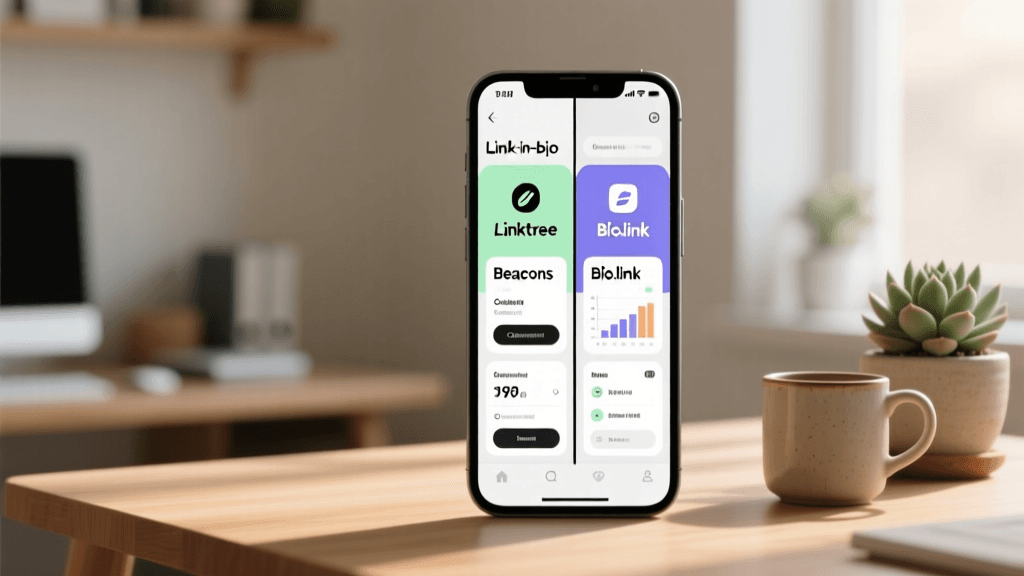
The Visual Revolution of the Link in Bio
For creative professionals, the standard list of text links is no longer sufficient. Photographers, illustrators, digital artists, and designers rely on visual storytelling to capture their audience's attention. When a potential client or fan clicks the link in your Instagram profile, they expect to see a continuation of your artistic vision, not a sterile directory of URLs. This is where the concept of the creative inspiration gallery comes into play. By transforming your link in bio into a curated visual portfolio, you create an immersive experience that drives engagement, showcases your best work, and ultimately converts scrollers into paying customers or loyal followers.
When learning how to write an Instagram bio, you quickly realize that your profile text and your link in bio must work in perfect harmony. Your bio sets the expectation, and your visual gallery delivers the proof. In this comprehensive review, we will explore the best link in bio tools specifically evaluated through the lens of creative inspiration galleries. We will break down their visual capabilities, customization options, e-commerce integrations, and overall suitability for visual artists.
Why Standard Link Lists Fail Creative Galleries
Traditional link-in-bio tools were built for utility. They were designed to solve the problem of Instagram only allowing one clickable link in the bio. However, a simple vertical stack of text buttons creates immense friction for visual artists. If a photographer wants to share their latest editorial shoot, a text button that says 'New Editorial Shoot' forces the user to click, wait for a new page to load, and then view the images. This extra step drastically reduces click-through rates and dilutes the visual impact of the work.
Creative galleries, on the other hand, utilize grid layouts, masonry designs, carousel embeds, and shoppable image tags. They allow the user to see the art immediately upon landing on the page. This visual immediacy is crucial for maintaining the aesthetic momentum that your Instagram feed has already built. Furthermore, a well-designed gallery acts as a dynamic mood board, reflecting your brand's color palette, typography, and overall vibe. If you are exploring aesthetic bio ideas, your link-in-bio gallery must serve as the visual anchor for that entire aesthetic.
Top Link in Bio Tools Reviewed for Visual Portfolios
Not all link-in-bio platforms are created equal when it comes to visual presentation. Below, we review the top tools on the market, specifically analyzing their ability to function as high-end creative inspiration galleries.
1. Linkin.bio by Later: The Shoppable Grid Master
Linkin.bio was one of the first tools to recognize that Instagram users are highly conditioned to interact with grid layouts. This tool essentially replicates your Instagram feed on a landing page, but turns every image into a clickable link. For creative galleries, this is incredibly powerful. You can link specific photos to your Etsy shop, your portfolio website, or a behind-the-scenes blog post.
- Visual Strengths: Native Instagram grid replication, shoppable image tags, and seamless video embedding.
- Best For: E-commerce creatives, ceramicists, printmakers, and photographers selling physical prints.
- Gallery Customization: You can choose to display your entire feed or curate a custom gallery of only your best inspiration pieces. The drag & drop interface makes reordering your visual gallery intuitive.
- Drawbacks: The free version is somewhat limited in terms of design customization, pushing users toward premium tiers for advanced gallery layouts and analytics.
2. Beacons: The Customization Powerhouse
Beacons has rapidly become a favorite among digital artists and content creators because of its block-based building system. Unlike rigid grid templates, Beacons allows you to stack different types of visual blocks. You can have a carousel block showcasing your latest illustrations, followed by a media kit block, followed by a grid of your digital downloads.
- Visual Strengths: Highly customizable blocks, custom CSS support for total visual control, and embedded media players.
- Best For: Digital artists, 3D modelers, and multimedia creators who need diverse visual formats in one gallery.
- Gallery Customization: With custom CSS, you can create unique hover effects, lightbox image viewing, and bespoke masonry grids that perfectly match your brand identity.
- Drawbacks: The sheer number of customization options can be overwhelming for beginners who just want a simple photo grid.
3. Linktree: The Reliable Grid Evolution
Linktree is the most recognized name in the space, but historically, it was strictly a text-based list. However, their premium tiers now offer robust visual features, including a dedicated 'Grid' layout and thumbnail previews for standard links. For a creative gallery, the Grid layout allows you to upload custom images for each link, transforming the standard list into a visual menu.
- Visual Strengths: Clean, recognizable interface, high-quality thumbnail rendering, and seamless integration with major platforms.
- Best For: Established artists who want a reliable, fast-loading gallery with enterprise-level uptime.
- Gallery Customization: You can upload custom square or landscape thumbnails for every link, ensuring your gallery looks cohesive. You can also embed YouTube videos directly into the flow of your gallery.
- Drawbacks: The visual grid features are locked behind premium paywalls, and the overall design flexibility is still more rigid compared to website builders.
4. Lnk.Bio: The Native Visual Experience
Lnk.Bio was built with the visual grid in mind from day one. It offers a unique 'Grid' style that feels like a natural extension of an Instagram profile. It is incredibly lightweight, meaning your creative gallery will load almost instantly, which is vital for retaining mobile users with short attention spans.
- Visual Strengths: Native grid system, icon-based links, and a minimalist approach that lets your artwork take center stage.
- Best For: Minimalist photographers and fine artists who want their work to speak for itself without UI clutter. This pairs beautifully with minimalist bio ideas.
- Gallery Customization: You can easily toggle between list views and grid views, and the platform handles image compression beautifully to maintain fast load times without sacrificing too much visual fidelity.
- Drawbacks: Lacks advanced e-commerce integrations and deep analytics compared to heavier platforms like Beacons.
5. Carrd: The Ultimate Blank Canvas
Carrd is not strictly a link-in-bio tool; it is a one-page website builder. However, many top-tier creatives use it as their link in bio because it offers absolute, uncompromising control over the visual gallery. You can build literal image sliders, parallax scrolling galleries, and interactive lightboxes.
- Visual Strengths: Unlimited design freedom, responsive sliders, custom typography, and full-screen image backgrounds.
- Best For: High-end fine art photographers, gallery owners, and designers who need a premium, bespoke portfolio experience.
- Gallery Customization: You are only limited by your web design skills. You can create a multi-tiered visual gallery with hidden menus, pop-up contact forms, and full-bleed imagery.
- Drawbacks: Requires a steeper learning curve. It is not a simple 'plug and play' link aggregator; you must design the gallery from scratch.
6. Bio.link: The Fast & Clean Visualizer
Bio.link focuses on speed, simplicity, and visual clarity. It offers a beautiful, unbranded (on premium tiers) canvas that is perfect for showcasing high-resolution imagery. The platform supports rich media previews, meaning if you link to a Behance project or a Vimeo video, it renders a beautiful visual card rather than a plain text link.
- Visual Strengths: Rich media link previews, clean typography, and fast-loading image grids.
- Best For: Graphic designers and art directors who link out to external portfolios and want those links to look visually appealing.
- Gallery Customization: The automatic rich-preview generation saves time, ensuring your external gallery links look like native visual blocks on your bio page.
- Drawbacks: Less focus on native e-commerce and direct product sales compared to Linkin.bio.
Designing a High-Converting Visual Gallery
Choosing the right tool is only the first step. To truly leverage the 'Creative Inspiration Galleries' strategy, you must curate and design your gallery with intention. A messy, disjointed gallery will confuse your audience and drive them away. Here is how to design a gallery that converts.
Establish a Visual Hierarchy
Not all links are created equal. Your most profitable or important links should be visually dominant. If you are selling a new print collection, the thumbnail for that link should be larger, placed at the top of the grid, or featured in a carousel block. Use visual weight to guide the user's eye toward your primary call to action.
Thumbnail Consistency & Cohesion
Your gallery thumbnails should feel like a cohesive collection. This doesn't mean every image must be identical, but they should share a common color grading, aspect ratio, or border style. If you use text overlays on your thumbnails, ensure the typography matches your brand guidelines. A cohesive gallery builds trust and reinforces your professional identity.
The Mood Board Approach
Don't just use your gallery to link to your own work. Use it to curate inspiration. Include links to your Pinterest mood boards, your favorite design resources, or the artists who inspire you. This transforms your link in bio from a simple sales funnel into a valuable resource hub, encouraging users to return frequently for creative inspiration.
Essential Integrations for Visual Artists
A creative gallery is only as powerful as the platforms it connects to. When evaluating link-in-bio tools, you must consider their integration ecosystem. Here are the most critical integrations for visual creatives:
- Shopify & Etsy: For creatives selling physical goods, native integrations with Shopify and Etsy allow you to display live product inventory, pricing, and 'Add to Cart' buttons directly within your visual gallery.
- VSCO & Behance: For photographers and digital artists, linking directly to VSCO presets or Behance case studies with rich visual previews keeps the user immersed in your aesthetic.
- Spotify & Apple Music: Visual artists often use music to set the tone for their work. Embedding a Spotify playlist into your gallery allows users to listen to your 'studio vibe' while browsing your art.
- Patreon & Ko-fi: For artists relying on community support, visually appealing membership blocks that showcase exclusive behind-the-scenes content are vital for driving recurring revenue.
Driving Traffic: From Bio to Gallery
Your visual gallery is a destination, but you need to drive traffic to it. This is where your Instagram profile optimization comes into play. Using a professional bio generator can help you craft the perfect text to accompany your visual links. Your bio should explicitly tell users what they will find when they click the link. Instead of a generic 'Click the link below', use compelling copy like 'Explore the Visual Gallery & Shop New Prints ⬇️'.
Furthermore, utilize Instagram Stories and Reels to tease the content inside your gallery. Create a 'New Gallery Update' Story highlight that shows a screen recording of you scrolling through your beautifully curated link-in-bio gallery. This visual proof entices your followers to click through and explore the full experience.
Analytics: Measuring Visual Engagement
To refine your creative gallery strategy, you must analyze how users interact with your visual elements. Standard click-through rates are not enough. You need to understand visual engagement.
- Thumbnail Click-Through Rate (CTR): Which images are getting the most clicks? If a specific color palette or subject matter is driving more clicks, produce more content in that style.
- Time on Page: A high time on page indicates that users are actually stopping to look at your gallery, treating it as an inspiration hub rather than just a quick redirect.
- Scroll Depth: Are users making it to the bottom of your gallery? If not, you may need to move your most important links higher up or reduce the total number of links to prevent visual fatigue.
Frequently Asked Questions (FAQ)
Can I use a visual gallery link in bio for free?
Yes, tools like Lnk.Bio and Bio.link offer robust free tiers that allow you to create basic visual grids. However, advanced features like custom CSS, shoppable tags, and deep analytics usually require a premium subscription.
Will a heavy visual gallery slow down my page load time?
Image-heavy pages can suffer from slow load times if not optimized. Platforms like Linkin.bio and Lnk.Bio automatically compress images to ensure fast mobile loading. If using a website builder like Carrd, it is your responsibility to compress images before uploading them to maintain a fast, user-friendly gallery.
How often should I update my creative inspiration gallery?
Treat your gallery like a living exhibition. Update it whenever you release new work, launch a new product, or change your seasonal aesthetic. Regularly swapping out low-performing thumbnails for fresh, engaging visuals keeps your audience coming back.
Do visual galleries work better than text lists for conversions?
For visual artists and e-commerce creatives, absolutely. Visual galleries reduce the cognitive load on the user. Instead of reading a text description of a product or artwork, the user can see it immediately, which significantly increases the likelihood of a click and a subsequent purchase.
Can I embed video into my link in bio gallery?
Yes, platforms like Beacons and Linktree allow you to embed videos directly from YouTube, Vimeo, or TikTok. This is incredibly useful for digital artists who want to share speed-paints, or photographers sharing behind-the-scenes video diaries alongside their static gallery images.
What is the best aspect ratio for gallery thumbnails?
Square (1:1) is the most versatile and universally supported aspect ratio across all link-in-bio grid layouts. It perfectly mimics the traditional Instagram post format, making it instantly familiar and visually pleasing to users scrolling on mobile devices.
Final Thoughts on Visual Link in Bio Strategy
The transition from a simple text directory to a fully realized creative inspiration gallery is a game-changer for visual professionals. By selecting the right tool, curating your thumbnails with precision, and leveraging deep platform integrations, you transform your Instagram bio link into a powerful portfolio and sales engine. Remember that your gallery is an extension of your art. Treat it with the same care, attention to detail, and creative passion that you apply to your core work, and you will see a significant boost in engagement, audience loyalty, and creative conversions.