Why Your Nonprofit Needs a Curated Link in Bio Strategy
In the digital fundraising landscape, every click counts. For nonprofit organizations, Instagram is a powerful storytelling platform, but it comes with a notorious limitation: you only get one clickable link in your bio. This single digital doorway must serve as a hub for donations, volunteer recruitment, event registrations, and impact reports. If your link-in-bio strategy is an afterthought, you are leaving critical funding and community engagement on the table.
A curated link-in-bio strategy transforms this single URL into a dynamic, conversion-optimized landing page tailored specifically for your mission. Unlike e-commerce brands that drive traffic to product pages, nonprofits must navigate the delicate balance of emotional storytelling, urgent calls to action, and frictionless donation processing. Donors are often acting on impulse after viewing a compelling Reel or Story; if they have to click through multiple pages to find the donation button, that impulse fades.
In this comprehensive guide, we explore the ultimate curated listicle of tools, essential links, optimization tactics, and real-world examples designed exclusively for nonprofits. Whether you are a grassroots animal rescue or a global environmental NGO, mastering your bio link is essential for scaling your impact and building a sustainable donor base.
Top 7 Link in Bio Tools for Nonprofits
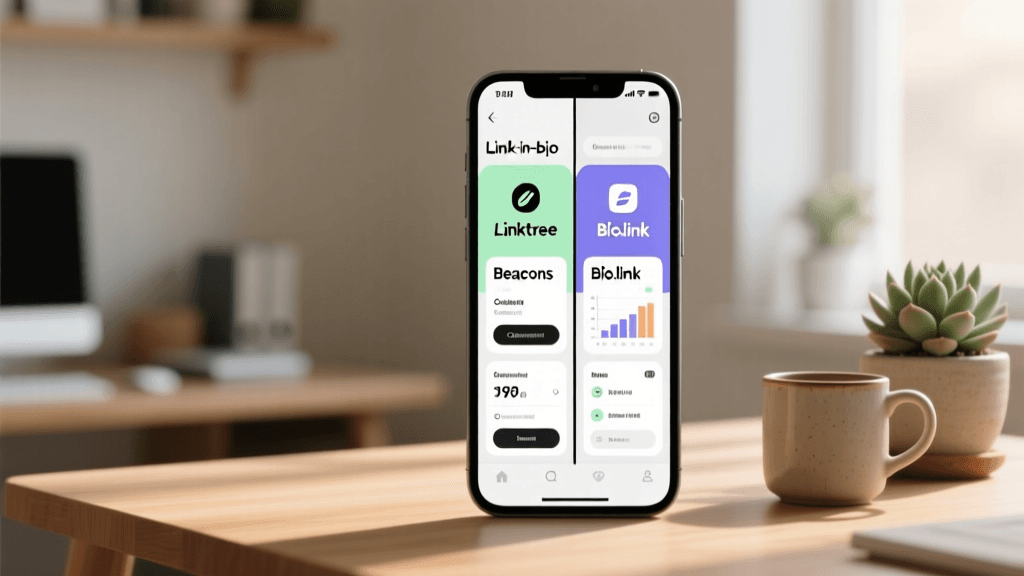
Choosing the right platform is the foundation of your strategy. Here is a curated list of the best link-in-bio tools, evaluated for their nonprofit-friendly features, customization options, and donation integrations.
1. Linktree (Pro & Premium Tiers)
Linktree remains the industry standard for a reason. Its widespread recognition breeds trust, which is crucial when asking for financial contributions. For nonprofits, Linktree offers seamless integrations with major fundraising platforms like Donorbox, GoFundMe, and PayPal. The analytics dashboard allows you to track which campaigns are driving the most clicks, enabling you to reorder your links based on real-time performance. While the free tier is functional, the Pro tier unlocks custom branding, ensuring your page matches your nonprofit's visual identity perfectly.
2. Beacons
Beacons is a powerhouse for content creators, but its robust media kit and donation features make it a hidden gem for nonprofits. You can embed a direct tip jar or donation block right at the top of the page, allowing supporters to give without ever leaving the bio link environment. Beacons also supports email capture forms, making it an excellent tool for growing your newsletter list alongside your donor pool. The design flexibility is unmatched, allowing you to create a mini-website feel that reflects your organization's gravity and professionalism.
3. Later's Linkin.bio
If your nonprofit relies heavily on visual storytelling through Instagram grid posts, Linkin.bio by Later is indispensable. It turns your entire Instagram feed into a clickable, shoppable (or in your case, donatable) experience. When a follower sees a post about a specific community project, they can click the corresponding Linkin.bio thumbnail and be taken directly to that project's specific landing page or donation portal. This drastically reduces the friction between seeing a story and taking action.
4. Carrd
Carrd is technically a one-page website builder, but it functions brilliantly as a link-in-bio tool for nonprofits that need total control over their narrative. Instead of a simple list of buttons, Carrd allows you to embed impact counters, video testimonials from beneficiaries, and compelling copy alongside your donation links. It is incredibly lightweight, meaning it loads almost instantaneously on mobile devices—a critical factor for retaining users who click through from Instagram.
5. Taplink
Taplink offers advanced customization that bridges the gap between a standard link list and a full mobile website. Nonprofits can use Taplink to embed interactive elements like polls, countdown timers for fundraising galas, and direct messaging integrations via WhatsApp or Messenger. If your organization operates internationally, Taplink's multilingual support and diverse payment gateway integrations make it a top-tier choice for global charities.
6. Milkshake
Milkshake is an app-based builder that creates swipeable, Instagram-story-style mini-websites. This format is highly engaging and feels native to the platform users are coming from. For nonprofits targeting a younger demographic (Gen Z and Millennials), Milkshake's visually driven, swipeable cards are perfect for walking users through a quick impact story before presenting the final call-to-action to donate or sign a petition.
7. Bio.link
For organizations that prioritize speed, simplicity, and zero friction, Bio.link is a fantastic, free option. It is clean, fast, and strips away unnecessary clutter. If your nonprofit's primary goal is to get users to a single, high-converting donation page or an urgent petition without distracting them with secondary links, Bio.link's minimalist approach is highly effective. It also offers great SEO benefits, helping your bio page rank in search engines.
10 Essential Links Every Nonprofit Should Include
Knowing what to put on your bio page is just as important as the tool you use to build it. Here is a curated list of the top ten links your nonprofit should consider, ordered by strategic priority.
- The Primary Donation Portal: This should always be your top link. Use action-oriented language like 'Donate Now to Save Lives' or 'Fund Our Clean Water Mission.' Ensure the landing page is mobile-optimized and supports express payment options like Apple Pay or PayPal.
- Current Urgent Campaign or Petition: If you are running a time-sensitive fundraiser or advocating for legislative change, feature this prominently. Use urgency in the copy, such as 'Match Gift Challenge: 48 Hours Left.'
- Volunteer Sign-Up Form: Not everyone can give money, but many can give time. Provide a direct link to your volunteer application or local chapter finder to capture high-intent community members.
- Impact Report or Success Stories: Transparency builds trust. Link to your latest annual report, a blog post detailing recent victories, or a video showing exactly how donor funds are being utilized on the ground.
- Newsletter Subscription: Building an owned audience is critical for nonprofits. Offer an incentive for signing up, such as a free digital guide on sustainable living or exclusive updates from the field.
- Merchandise or Fundraising Store: If you sell branded apparel, tote bags, or digital products to raise funds, link directly to your Shopify or Etsy storefront. Wearable merch turns your supporters into walking billboards for your cause.
- Upcoming Events Calendar: Whether it is a virtual webinar, a local park cleanup, or an annual charity gala, make it easy for followers to RSVP and purchase tickets directly from your bio.
- Corporate Sponsorship Deck: B2B relationships are vital for large-scale funding. Include a link to a page tailored for corporate partners, outlining sponsorship tiers, CSR alignment, and contact information for your partnerships team.
- Social Media Cross-Promotion: Link to your TikTok, YouTube, or LinkedIn pages. Different platforms serve different purposes; YouTube might host your long-form documentaries, while TikTok captures behind-the-scenes fieldwork.
- Contact, Press, and FAQ Page: Reduce administrative overhead by providing a centralized hub for media inquiries, partnership questions, and answers to common donor questions regarding tax deductibility.
How to Optimize Your Nonprofit Instagram Bio for Conversions
Your link-in-bio page is only as effective as the traffic you drive to it. To maximize clicks, your actual Instagram profile must be perfectly optimized. If you need help crafting the perfect profile text, our bio generator can help you create compelling, mission-driven copy in seconds.
First, utilize the 'Name' field for SEO. Instead of just repeating your organization's name, include keywords your target audience might search for, such as 'Ocean Conservancy | Marine Rescue.' Next, your bio text should clearly state your mission, your current impact, and a direct call-to-action pointing down to your link. For a deeper dive into profile optimization, read our comprehensive guide on how to write an Instagram bio that converts.
Visual alignment is also crucial. The aesthetic of your profile sets the tone for your organization. If you are a mental health or wellness charity, exploring aesthetic bio ideas can help you create a calming, supportive visual environment. Conversely, if you are a human rights or crisis-response NGO, a serious, no-nonsense approach might be more appropriate; in that case, reviewing minimalist bio ideas can help you strip away distractions and focus purely on the urgent call to action.
5 Proven Tactics to Drive More Donations Through Your Bio Link
Having the links in place is step one. Step two is driving high-quality, conversion-ready traffic to them. Here are five tactical strategies to boost your donation rates.
1. Leverage Story Highlights as a Navigation Menu
Treat your Instagram Story Highlights like the navigation bar of a website. Create dedicated highlights labeled 'Donate,' 'Volunteer,' 'Impact,' and 'Events.' In the final slide of each highlight, use the Link Sticker to drive viewers directly to the corresponding page on your link-in-bio hub. This captures users who prefer browsing Stories over reading static bio text.
2. Implement UTM Tracking Parameters
You cannot improve what you do not measure. Never simply paste your raw website URL into your bio tool. Instead, use UTM parameters (e.g., utm_source=instagram&utm_medium=bio&utm_campaign=spring_drive). This allows you to open Google Analytics and see exactly how much traffic, how many volunteer sign-ups, and what dollar amount in donations originated specifically from your Instagram bio link, separating it from traffic coming from your Facebook page or email newsletters.
3. Use the 'Pinned Comment' Strategy on Reels
Instagram Reels offer massive organic reach, but you cannot put clickable links in Reel captions. When you post a high-performing Reel about a specific campaign, write a compelling caption and then add a comment on your own post saying: 'Ready to help? Click the link in our bio to donate to this specific rescue mission!' Pin this comment to the top. This bridges the gap between the video content and your bio link.
4. Create Frictionless Express Donation Paths
The modern donor has a short attention span. If a user clicks your bio link and is forced to create an account, verify their email, and fill out a multi-page form before they can give $10, they will abandon the cart. Ensure the landing page linked in your bio supports one-click donations via Apple Pay, Google Pay, or Venmo. Reducing the time-to-donate to under 15 seconds can increase conversion rates by over 40%.
5. Run Time-Bound Matching Gift Challenges
Urgency is a powerful psychological trigger. Partner with a major donor or corporate sponsor to secure a matching fund (e.g., 'Every dollar matched up to $5,000'). Update your link-in-bio tool to feature a dynamic progress bar or a countdown timer for this challenge. Update your Instagram bio text temporarily to reflect the match: '🚨 MATCHING GIFT ACTIVE: Double your impact today! 👇'. This creates a fear of missing out (FOMO) that drives immediate action.
Real-World Examples of Nonprofit Link in Bio Setups
To illustrate these concepts, let us examine three hypothetical but highly effective link-in-bio setups based on successful nonprofit strategies.
Example 1: The Environmental Conservation NGO
Tool Used: Carrd.
Setup: The page opens with a stunning, full-width background video of a forest canopy. Overlaid is a bold headline: 'Protect 1 Million Acres by 2030.' Below the headline is a live counter showing acres protected so far. The primary button is a bright, contrasting green: 'Adopt an Acre Today.' Secondary links include a 'Read Our Annual Climate Report' and a 'Shop Sustainable Merch' button. The minimal text and high-impact visuals immediately establish authority and drive the user toward the micro-donation page.
Example 2: The Local Animal Rescue Shelter
Tool Used: Linktree.
Setup: This setup prioritizes community engagement and immediate local needs. The top link is dynamically updated weekly: '🐾 Meet Buster: He Needs a Foster Home!' Clicking it takes the user to a specific pet profile with a foster application form. The second link is 'Donate to the Emergency Vet Fund.' The third link is an Amazon Wishlist for shelter supplies (food, blankets, toys), allowing supporters who cannot give cash to still contribute tangibly. The bottom link is a sign-up for their weekend dog-walking volunteer shift.
Example 3: The Global Human Rights Charity
Tool Used: Beacons.
Setup: This organization relies heavily on advocacy and awareness. Their Beacons page features an embedded email capture form at the very top offering a free 'Digital Activism Toolkit' in exchange for an email address. Below that is an urgent petition link: 'Sign the Petition to Free Unjustly Detained Journalists.' Further down, they have integrated their YouTube feed, showcasing mini-documentaries from the field, and a link to their corporate CSR partnership deck. This multi-faceted approach captures advocates, donors, and institutional partners simultaneously.
Frequently Asked Questions (FAQ)
Can I get link-in-bio tools for free or at a discount as a nonprofit?
Yes! Many premium platforms offer significant discounts or free upgrades for registered 501(c)(3) organizations or international equivalents. Linktree, for example, has a dedicated nonprofit program that provides their Pro features at a heavily reduced rate. Beacons and Canva also offer premium nonprofit tiers. Always reach out to the platform's support team with your tax-exempt determination letter to inquire about NGO pricing before committing to a paid plan.
How often should I update my nonprofit's link in bio?
Your link-in-bio page should be treated as a living document. At a minimum, review and update it weekly. If you are running a specific campaign tied to a Reel or a seasonal drive (like Giving Tuesday or end-of-year tax-deductible pushes), the top link should be updated daily to reflect the most urgent call-to-action. Remove expired event links or fully funded campaign links to prevent user frustration and maintain a clean, relevant interface.
What is the best call-to-action (CTA) for a nonprofit bio?
The best CTA is specific, action-oriented, and emotionally resonant. Avoid generic phrases like 'Click Here' or 'Our Website.' Instead, use impact-driven language such as 'Fund a Meal Today,' 'Join the Rescue Team,' or 'Protect the Reef.' Pair your CTA with a directional emoji (👇, ⬇️, 🔗) in your Instagram bio text to visually guide the user's eye down to the link field.
How do I track donations from my Instagram bio?
To accurately track donations, you must use UTM parameters on the URLs you input into your link-in-bio tool. By tagging your links with campaign sources and mediums, your CRM (like Salesforce, HubSpot, or Donorbox) and Google Analytics will attribute the resulting financial transactions directly to Instagram. Additionally, most premium link-in-bio tools offer built-in click analytics, allowing you to calculate your click-through rate (CTR) and compare it against your donation page's conversion rate to identify bottlenecks in your funnel.
Conclusion
For nonprofits, the Instagram link in bio is far more than a digital placeholder; it is a critical fundraising funnel, a volunteer recruitment engine, and a transparency portal. By selecting the right tool, curating a strategic list of essential links, optimizing your profile for search and conversions, and employing tactical urgency, your organization can transform passive scrollers into active, passionate supporters of your cause. Implement these curated strategies today, and watch your digital impact grow exponentially.