The Exact Character Limits for Every Profile Field
Instagram imposes specific character limits on every field in your profile. Knowing these exact numbers is the foundation of effective bio optimization because you cannot maximize what you do not measure. Here is the complete breakdown of every profile field and its limit.
Username: 30 characters maximum. Your username can contain letters, numbers, periods, and underscores. It cannot contain spaces or special characters. This is your @handle and your profile URL (instagram.com/username). Changing your username affects your URL, so choose carefully.
Name field: 64 characters maximum. This is the bold text that appears below your profile picture. It can contain any characters, including emoji and special symbols. This field is indexed by Instagram search, making it your most valuable SEO real estate. For optimization strategies, see our Instagram Bio SEO guide.
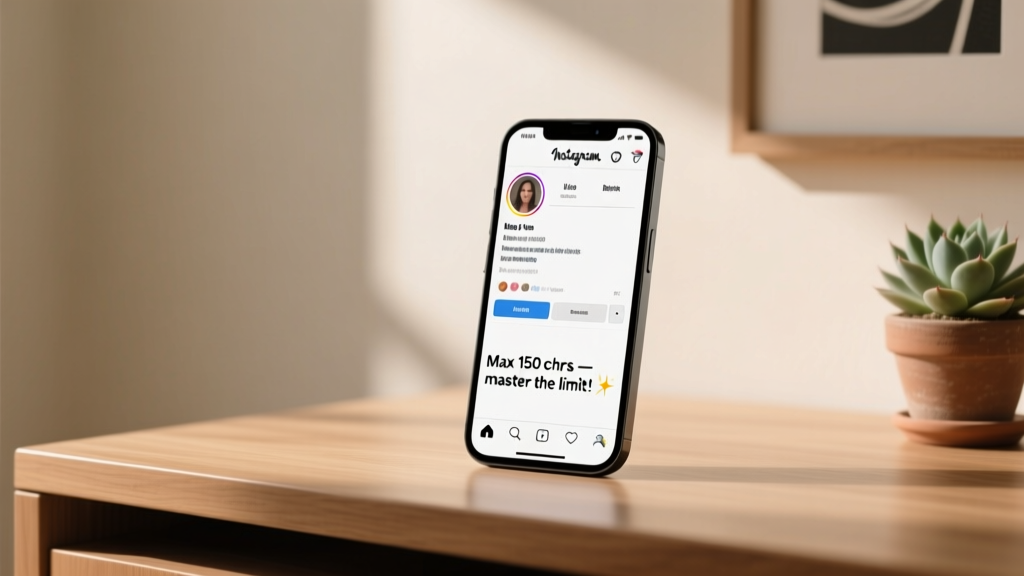
Bio text: 150 characters maximum. This is the main text area of your profile. It can contain any characters, including emoji, line breaks, and hashtags. Every character counts, including spaces, emoji, and punctuation marks. This is the field most people think of when they refer to the "Instagram bio character limit."
Website link: There is no visible character limit for the URL field, but Instagram will truncate very long URLs with an ellipsis. Use a URL shortener if your link is excessively long, both for aesthetics and for tracking purposes.
Category label: This is selected from Instagram's predefined list and does not have a user-controlled character limit. It does not count against your bio text limit. Choose the most specific category that accurately describes your account.
Story Highlights: Each highlight title is limited to 10 characters. You can have up to 100 highlights on your profile. Highlight titles are often overlooked, but they are visible to every profile visitor and contribute to the overall impression of your profile.
Understanding these limits helps you plan your bio holistically. Your name field, bio text, link, category, and highlights all work together as a system. The bio text's 150 characters are just one part of that system, and smart creators optimize every available field rather than trying to cram everything into the bio text alone.
Why 150 Characters Is Enough
One hundred and fifty characters feels impossibly short when you first sit down to write. But consider this: a tweet was limited to 140 characters for years, and people managed to share complex ideas, break news, and build entire careers within that constraint. The character limit is not your enemy; it is a forcing function that makes you a better communicator.
The best Instagram bios are not the longest ones that cram every possible detail into 150 characters. The best bios are the ones that communicate one clear message memorably. A bio that tries to say everything ends up saying nothing. A bio that focuses on a single, sharp value proposition sticks in the visitor's mind.
Think about it from the visitor's perspective. They are scrolling through Instagram, tapping through profiles, and glancing at bios for a second or two. They are not reading your bio carefully. They are scanning it for a quick signal: is this account relevant to me? A focused, concise bio communicates that signal faster and more effectively than a dense, crowded one. White space and brevity are your friends because they make the bio scannable.
There is also the question of cognitive load. Research on decision-making consistently shows that people are overwhelmed by too much information. A bio that presents three clear pieces of information is more effective than one that presents seven, because the visitor can quickly process and remember the key points. The 150-character limit forces you to prioritize, and prioritization is what makes communication effective.
Some of the most impactful bios on Instagram are under 100 characters. "Surfing the world, one wave at a time" is 40 characters and tells you everything you need to know about that person's content. "Making complex code simple" is 28 characters and immediately communicates value for a programming educator. The constraint breeds creativity, and creativity produces better bios than unlimited space ever would.
If you are struggling to fit your message into 150 characters, our AI Bio Generator can help by producing concise options that are already optimized for the character limit. You can then refine and personalize from there.
Space-Saving Techniques and Abbreviations
When every character counts, small savings add up quickly. Here are the most effective space-saving techniques that maintain readability while freeing up precious characters.
Use ampersands. Replace "and" with "&" to save two characters every time. "Design & Development" is universally understood and saves space. This is one of the most common and widely accepted abbreviations in bios.
Drop unnecessary articles. Words like "the," "a," and "an" often add no essential information. "Owner of the award-winning bakery in town" can become "Owner | Award-winning bakery" with no loss of meaning but significant character savings.
Use symbols as separators. Instead of writing "and" or using commas, use symbols like | (pipe), bullets, or dashes to separate ideas. "Designer | Writer | Speaker" is cleaner and shorter than "Designer, writer, and speaker." The pipe character is particularly popular because it creates clear visual separation with a single character.
Abbreviate common terms. If your audience will understand them, use abbreviations: "NYC" instead of "New York City," "LA" instead of "Los Angeles," "CEO" instead of "Chief Executive Officer," "HQ" instead of "Headquarters," "Est." instead of "Established." Industry-specific abbreviations work well too, as long as your target audience recognizes them.
Use numbers instead of words. "5 years" is shorter than "five years." "10K+" is shorter than "over ten thousand." Numbers also catch the eye more quickly when someone is scanning your bio, which makes them doubly effective for social proof and credentials.
Eliminate filler words. Words like "just," "really," "very," "actually," and "basically" add nothing to your bio and consume characters. "Just a girl who loves coffee" becomes "Girl who loves coffee" with no loss of meaning but two characters saved. In the tight economy of 150 characters, removing three or four filler words can free up enough space for an entire additional phrase.
Use emoji as words. A camera emoji can replace the word "photographer" or "photography." A location pin emoji can replace "based in" or "located at." A pointing finger emoji can replace "check out" or "see." This technique saves characters while also adding visual interest to your bio. Just make sure the emoji is unambiguous in context.
Shorten verb forms. "Helping" can become "I help." "Currently studying" can become "studying." "Previously worked at" can become "ex-" as a prefix. Active, present-tense verbs tend to be shorter than continuous or past forms.
Prioritizing What to Include (and What to Cut)
Space-saving techniques only get you so far. At some point, you need to make hard decisions about what stays and what goes. This prioritization framework will help you make those decisions systematically.
Tier 1: Non-negotiable. Your primary value proposition belongs in your bio no matter what. This is the one sentence that tells a visitor what you do and why they should follow you. If you had only 50 characters, this is what you would write. Everything else is built around this core message. For most people, this is their identity plus their offering: "Travel photographer helping you find hidden gems" or "Vegan recipes for people who hate cooking."
Tier 2: High value. These are elements that significantly strengthen your bio but could technically be cut if space is tight. This includes your CTA, a social proof element, or a personality marker. Most bios should include at least one Tier 2 element. A bio that is all value proposition and nothing else feels sterile. A CTA like "Free guide below" or a proof point like "100K community" adds dimension and drives action.
Tier 3: Nice to have. These are elements that add polish but are not essential. This includes your location, a secondary title, a personal detail, or a branded hashtag. Include Tier 3 elements only after Tiers 1 and 2 are solid. A bio that sacrifices its CTA to include a location is making a poor trade-off unless the location is directly relevant to the business.
Cut first: When you need to find characters, start by cutting these elements. Vague descriptors that could apply to anyone ("dreamer," "lover of life," "making memories"). Redundant information that is already communicated elsewhere on your profile (your name is already in the name field, so repeating it in the bio text is wasteful). Outdated achievements or credentials that no longer represent your current focus. Excessive emoji that serve as decoration rather than communication.
A practical exercise: write your ideal bio without any character limit. Then cut it to 300 characters. Then cut it to 200. Then cut it to 150. Each round of cutting forces you to identify what truly matters. By the time you reach 150, you will have a bio that contains only the highest-impact elements. This is a much better process than trying to write 150 characters from scratch, because starting with abundance lets you see the full landscape before you start editing.
For inspiration on how others have navigated these trade-offs, browse our aesthetic bio ideas which include many examples of concise, high-impact bios that make every character count.
Formatting Tricks: Line Breaks, Symbols, and Spacing
How your bio looks is almost as important as what it says. A well-formatted bio is easier to scan, more visually appealing, and communicates professionalism. Here are the formatting techniques that work within Instagram's constraints.
Line breaks. Instagram allows line breaks in your bio, and they are one of the most powerful formatting tools available. A bio structured as three separate lines is much easier to read than the same text crammed into a single paragraph. Each line can communicate a distinct piece of information: your identity, your value proposition, and your CTA. To add line breaks, you can type them directly in the Instagram app (press return/enter), or compose your bio in a notes app and paste it in. Some users have reported that line breaks occasionally disappear when editing directly in the app, so composing externally and pasting is the more reliable method.
Emoji as bullets. Using an emoji at the start of each line functions as a visual bullet point and helps the eye quickly categorize information. A camera emoji for photography, a pencil emoji for writing, a globe emoji for travel. This technique is space-efficient because the emoji replaces the need for a label word while also adding visual interest. Keep emoji bullets consistent in style: if you use colored emoji on one line, use colored emoji on all lines.
The arrow or finger CTA. A down arrow emoji or pointing finger emoji on the last line of your bio can direct attention to your link. This is a simple but effective formatting trick because it visually guides the visitor's eye toward the action you want them to take. "New collection out now" followed by a down arrow emoji is a clean, efficient CTA that works in almost any niche.
Symbols as dividers. If you prefer not to use line breaks, symbols like the middle dot, the pipe character, or the diamond can separate ideas within a single line. "Designer / Developer / Dreamer" uses slashes for a clean, modern look. "Writer | Speaker | Coach" uses pipes for clear separation. These are single-character dividers that maintain readability without consuming much space.
Strategic spacing. Do not underestimate the power of white space. A bio that uses its full 150 characters in three lines with breathing room between elements will look cleaner and more professional than one that crams 150 characters into a dense block. If you find your bio looking cluttered, consider cutting content to create more visual space. A 120-character bio with clean formatting often outperforms a 150-character bio that looks cramped.
Capitalization for emphasis. Since Instagram bios do not support bold or italic formatting, strategic capitalization is one way to add emphasis. "FREE guide to your first 10K followers" uses all-caps on "FREE" to draw attention to the key word. Use this sparingly; too much capitalization looks like shouting and reduces readability.
Frequently Asked Questions
Does the 150-character limit include spaces and emoji?
Yes, the 150-character limit includes every character: letters, numbers, spaces, punctuation marks, emoji, and special symbols. Each emoji counts as one or two characters depending on the specific emoji. Complex emoji with skin tone modifiers or combined emoji may count as multiple characters. Line breaks also count as one character each. This is why it is important to check your character count after adding emoji, as they can consume more space than expected. Most text editors and online character counters will give you an accurate count.
Can I get more than 150 characters for my Instagram bio?
No, Instagram does not offer any way to increase the 150-character bio limit. There is no premium tier, no verification benefit, and no workaround that gives you more bio text characters. Every account on Instagram, from a personal user to the largest celebrity, has the same 150-character limit. This is actually a good thing for consistency because it means every profile is subject to the same constraint, and the playing field is level. Instead of wishing for more characters, focus on making the 150 characters you have as impactful as possible using the techniques in this guide.
Do line breaks count toward the character limit?
Yes, each line break counts as one character toward your 150-character limit. If your bio has four lines, the three line breaks between them consume three of your 150 characters. This is a small cost for significantly improved readability, so do not avoid line breaks to save characters. The visual clarity they provide is almost always worth the minimal character investment. If you are counting characters and your total seems off, check whether you are accounting for line breaks, as they are invisible but still counted.
Why does my bio sometimes get cut off or show "more"?
Instagram does not truncate the bio text itself; all 150 characters are always visible on your profile. However, if you are viewing your profile on a very small screen or if Instagram is testing a new layout, some profile elements may appear differently. The most common truncation issue occurs with the name field, which is limited to 64 characters and may display an ellipsis if the text is too long for the screen width. If your bio text appears to be cut off, try viewing your profile from a different device or account to confirm whether it is a display issue or an actual truncation.
Should I use all 150 characters or keep it short?
There is no universal answer; it depends on what you need to communicate. If your core message is clear and compelling in 80 characters, there is no benefit to padding it to 150 just because you can. A short, punchy bio that communicates one memorable idea is better than a long bio that communicates five forgettable ones. That said, most people have room for at least one more useful piece of information in their bio. If your bio is under 100 characters, ask yourself whether a CTA, a social proof element, or an additional descriptor could strengthen it without making it feel cluttered. The goal is not maximum characters; it is maximum impact.
Does my username count toward the 150-character bio limit?
No, your username has its own separate 30-character limit and does not count against the bio text's 150 characters. Each profile field — username, name, bio text, and website link — has independent limits.
Related Articles
Want to optimize every aspect of your Instagram profile? Explore these related guides:
- How to Write a Bio for Instagram — the complete step-by-step guide
- Instagram Bio Emojis and Fonts — creative formatting techniques
- Common Instagram Bio Mistakes — avoid these profile killers
- Aesthetic Instagram Bios — 50+ aesthetic bio ideas